
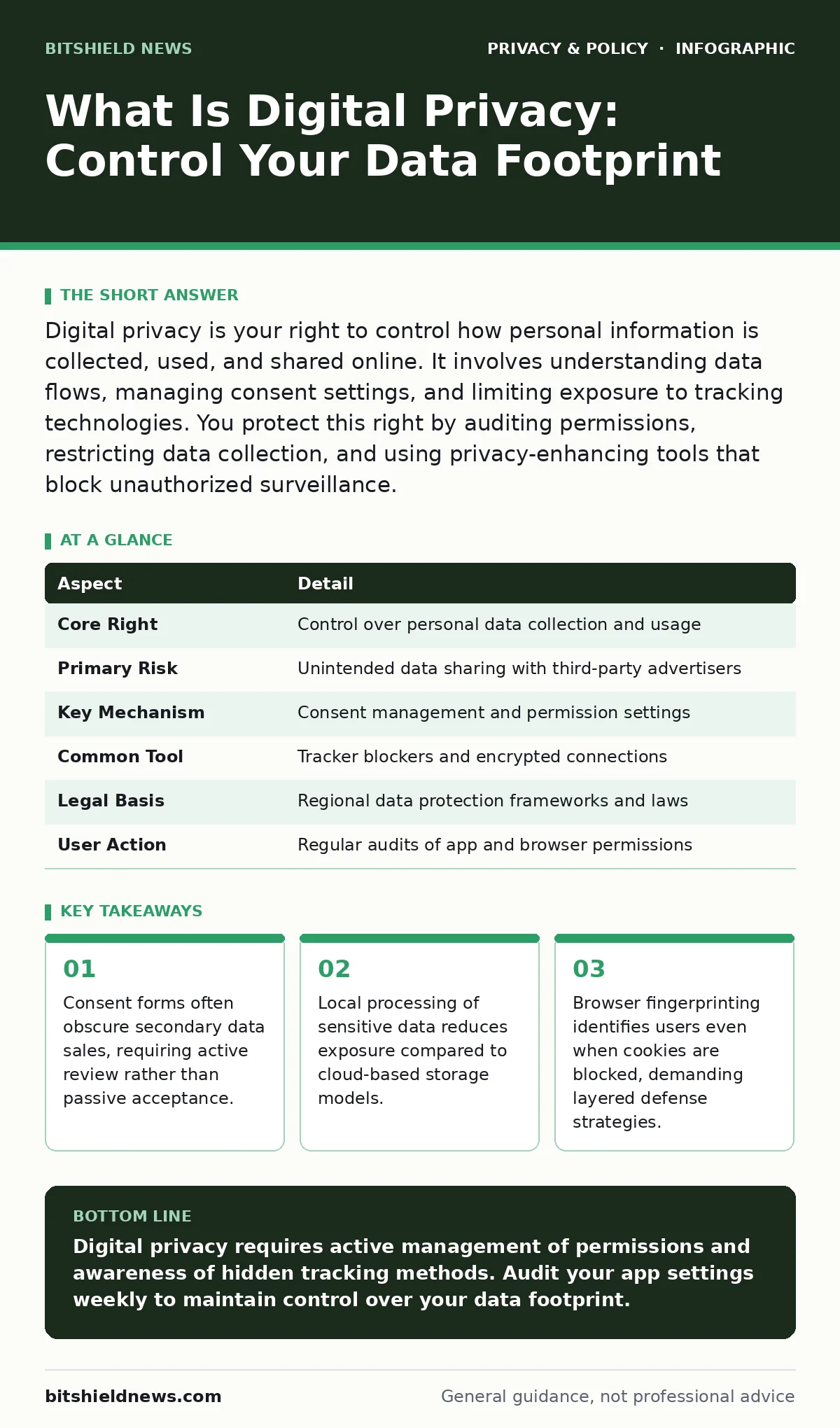
Digital privacy is your right to control how personal information is collected, used, and shared online. It involves understanding data flows, managing consent settings, and limiting exposure to tracking technologies. You protect this right by auditing permissions, restricting data collection, and using privacy-enhancing tools that block unauthorized surveillance.
Everyday Analogy for Data Collection
Imagine walking through a city where every shopkeeper records your height, weight, and preferred clothing style. They share this ledger with every other business instantly. You cannot opt out without leaving the city entirely. This scenario mirrors the current digital ecosystem. Physical spaces allow anonymity through distance and silence. Digital spaces record every interaction by default. The expectation of invisibility disappears when you connect to the network.
What Is Digital Privacy
What is digital privacy? It is the ability to determine who accesses your personal information and for what purpose. This right extends beyond hiding secrets. It involves controlling the narrative of your digital identity. Companies collect data to optimize services or sell insights to third parties. You hold the legal and ethical right to restrict this flow. Digital privacy requires active management of permissions. It is not a static state but a continuous negotiation of trust.
| Aspect | Detail |
|---|---|
| Core Right | Control over personal data collection and usage |
| Primary Risk | Unintended data sharing with third-party advertisers |
| Key Mechanism | Consent management and permission settings |
| Common Tool | Tracker blockers and encrypted connections |
| Legal Basis | Regional data protection frameworks and laws |
| User Action | Regular audits of app and browser permissions |
How Data Collection Works
Data collection happens through multiple channels. Websites use cookies to remember session states. Mobile apps request access to contacts, location, and camera. These requests often exceed functional needs. A flashlight app does not need your address book. Excessive permissions create a larger attack surface. When you grant access, you enable background data transmission. This data aggregates into a profile that predicts your behavior. Understanding this mechanism helps you identify unnecessary grants.
Who Is Affected by Data Practices
Every internet user faces data collection pressures. Individuals share personal details for convenience. Businesses rely on user data for analytics and marketing. Employees generate corporate data that may be monitored. Children are particularly vulnerable due to less discernment. The impact varies by region and industry. Healthcare providers handle sensitive medical records. Financial institutions process transaction histories. No user is immune from tracking attempts. Awareness reduces the asymmetry of power between users and platforms.
Common Misconceptions About Privacy
Many users believe clearing cookies erases their digital footprint. This action only removes local session data. Servers retain historical records of your activity. Another mistake is assuming private browsing modes hide your identity. They prevent local history storage but do not mask your IP address. Network providers still see your traffic. Users also trust privacy policies implicitly. These documents often change without notice. Relying on them alone leaves gaps in protection. Active verification is necessary for true privacy.
See also: What privacy impact assessments do for your data strategy · How Do Tracking Pixels Work: The Hidden Data Exchange
Managing Browser Fingerprinting
Browser fingerprinting creates a unique ID based on your device configuration. It uses screen resolution, installed fonts, and hardware details. This method bypasses cookie blockers entirely. You remain identifiable even in incognito mode. Mitigation requires standardizing your browser profile. Disabling JavaScript reduces fingerprinting accuracy but breaks many sites. Using tracker blockers helps obscure some data points. Understanding this threat model prevents false confidence in basic privacy tools.
Practical Steps for Protection
Start by auditing app permissions. Revoke access for features you do not use. Enable two-factor authentication on critical accounts. Use a password manager to generate unique credentials. Configure privacy settings on social media platforms to limit visibility. Review connected devices and services regularly. Disconnect old accounts that are no longer active. These steps reduce your exposed surface area. Consistency matters more than perfection. Small adjustments accumulate into significant protection.
| Action | Benefit |
|---|---|
| Audit permissions | Reduces unnecessary data access for apps |
| Enable 2FA | Protects accounts from credential theft |
| Use password manager | Prevents reuse of weak passwords |
| Block trackers | Limits behavioral profiling by advertisers |
| Review connected apps | Removes dormant access points for attackers |
Legal and Ethical Considerations
Data protection laws vary by jurisdiction. Some regions grant users the right to delete their data. Others require explicit consent for processing. Companies must comply with these regulations or face penalties. Users should understand their local rights. Ethical data handling respects user autonomy. Transparent practices build long-term trust. Ignoring these norms damages reputation and security. Compliance is not just a legal requirement. It is a fundamental aspect of digital citizenship.
Related Privacy Topics
Understanding digital privacy requires looking at specific vectors. Browser fingerprinting reveals identity without cookies. File metadata contains hidden details about document creation. Biometric data offers high security but carries irreversible risks if leaked. Email tracking pixels monitor reader behavior silently. Tracker blockers provide a layer of defense against profiling. Social media privacy risks increase with public sharing. Ad blockers reduce revenue for sites but improve privacy. Online tracking persists across devices and sessions. Each topic requires distinct mitigation strategies.
Final Thoughts on Control
Digital privacy is a shared responsibility. Platforms must design systems with privacy by default. Users must engage with settings and permissions. Technology evolves, creating new vulnerabilities. Staying informed is part of the defense. You cannot stop all tracking, but you can minimize exposure. Prioritize high-value data like financial and health records. Apply stricter controls to sensitive accounts. Regular reviews ensure your protections remain effective. Privacy is not a destination but a practice.
Key takeaways
- Consent forms often obscure secondary data sales, requiring active review rather than passive acceptance.
- Local processing of sensitive data reduces exposure compared to cloud-based storage models.
- Browser fingerprinting identifies users even when cookies are blocked, demanding layered defense strategies.
Digital privacy requires active management of permissions and awareness of hidden tracking methods. Audit your app settings weekly to maintain control over your data footprint.
Frequently asked questions
Can I completely stop companies from collecting my data?
No, you cannot stop all collection, but you can limit it to essential functions and block third-party trackers.
Does using a VPN guarantee anonymity?
A VPN hides your IP address from websites, but it does not prevent local data collection or browser fingerprinting.
Are privacy policies legally binding?
Yes, privacy policies are legal contracts, but they often change, so you must review them periodically for updates.
How often should I review my privacy settings?
You should review settings quarterly or after major software updates to ensure permissions remain appropriate.
How this guide was produced: written by the BitShield News editorial team with AI assistance, checked against the public references listed below, and reviewed when the facts change. See our editorial policy or report an error.