You stop browser fingerprinting by reducing the uniqueness of your browser’s configuration. Block trackers to prevent data collection, use privacy-focused browsers that standardize their output, and limit installed plugins. No single tool removes all risk, but combining these measures significantly lowers your identifiability.
Understanding Browser Fingerprinting Mechanics
Browser fingerprinting works by querying your browser for a wide range of system details. Websites collect information about your operating system, screen resolution, installed fonts, graphics card capabilities, and even how your microphone processes audio. This data is hashed into a unique identifier. Unlike cookies, which are stored on your device and can be deleted, this identifier is regenerated every time you visit a site that runs the fingerprinting script. You cannot simply clear this ID. The website reconstructs it from your live system state.
This method allows trackers to follow you across sessions and devices if your configuration remains consistent. The more unique your combination of settings, the easier you are to distinguish from other users. Most people assume clearing their history stops tracking. This assumption is incorrect for fingerprinting. The tracking data never resides in your history. It resides in the real-time interaction between your browser and the web server. Understanding this distinction changes how you approach privacy. You must change the input, not just clean the output.
Quick Wins to Reduce Your Footprint
You can reduce your identifiability immediately with two simple actions. First, install a reputable tracker blocker. These extensions prevent third-party scripts from loading on the pages you visit. If the script cannot load, it cannot collect your fingerprint data. This stops the most common form of cross-site tracking. Second, check your screen resolution. Many users run their monitors at maximum resolution. This is a strong identifying signal. Lowering your resolution to a common standard like 1920x1080 or 1280x720 makes you blend in with the majority of users.
This is a high-impact, low-effort change. You do not need to change your display settings permanently. You can use browser developer tools to simulate a different resolution during sensitive browsing. This masks the true hardware capability from the website. These steps address the data collection phase. They do not change how your browser identifies itself, but they stop the most aggressive collectors from gathering the raw data in the first place.
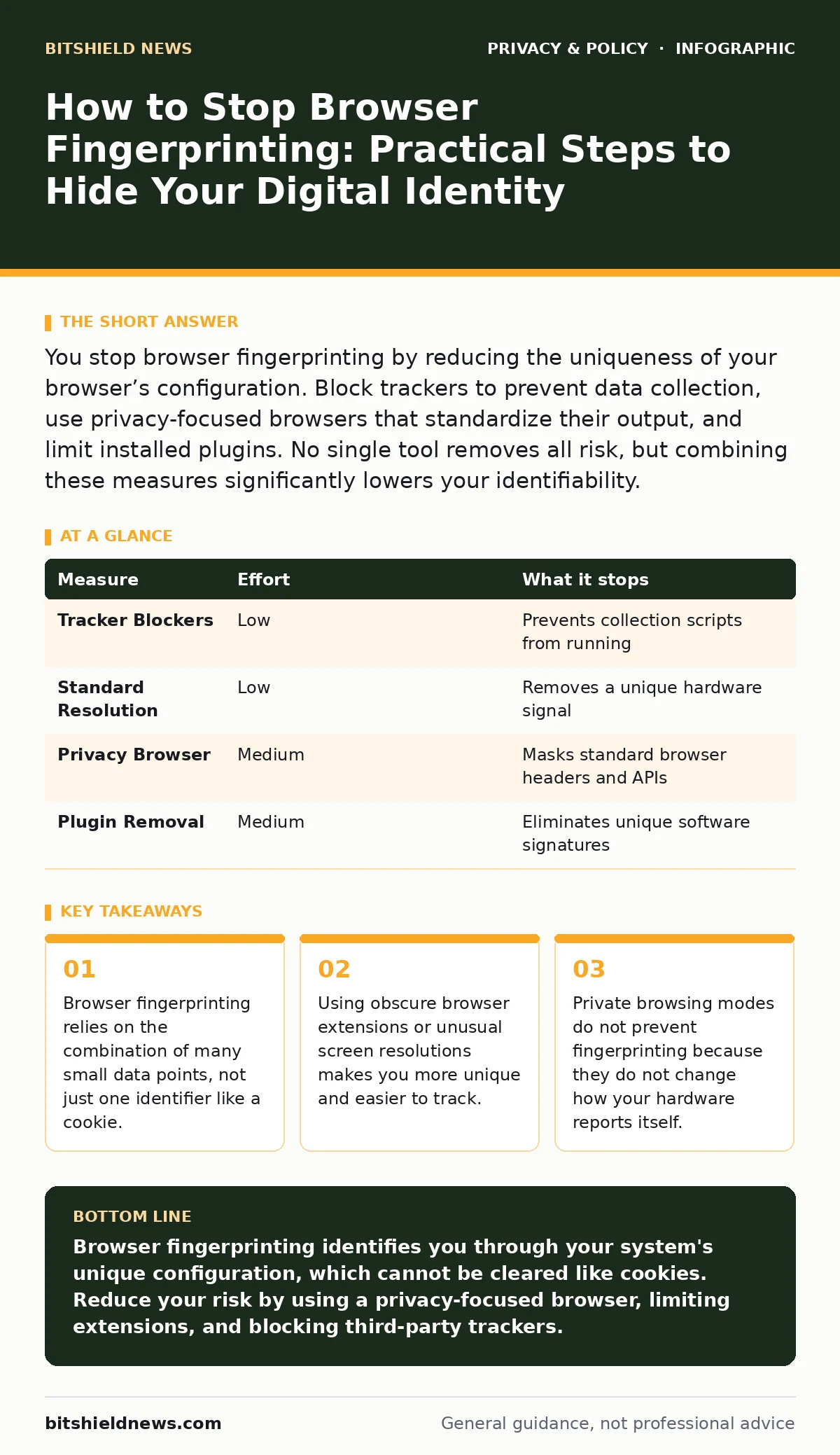
| Measure | Effort | What it stops |
|---|---|---|
| Tracker Blockers | Low | Prevents collection scripts from running |
| Standard Resolution | Low | Removes a unique hardware signal |
| Privacy Browser | Medium | Masks standard browser headers and APIs |
| Plugin Removal | Medium | Eliminates unique software signatures |
The Limitations of Common Privacy Tools
Many users rely on private browsing modes to protect their identity. This is a fundamental misunderstanding of how these modes work. Private browsing prevents the storage of history, cookies, and form data on your local drive. It does not alter the information your browser sends to the server. Your screen size, operating system, and font list remain visible. A tracker can still build a fingerprint of you while you are in a private window. In fact, using private browsing with many extensions disabled can make your fingerprint more unique.
You stand out as a user who is different from the norm. This is a hidden cost of partial privacy measures. You feel protected because the interface says "Private," but the network traffic reveals your true configuration. This is why relying solely on private mode is ineffective against sophisticated tracking. You must actively mask your signals, not just hide your history. The goal is to look like everyone else, not to leave no trace at all.
Choosing the Right Browser Environment
The browser you choose dictates how much information you leak by default. Standard browsers prioritize compatibility and feature richness. This often means exposing more system details to websites. Privacy-focused browsers actively work to reduce this exposure. They may spoof your user agent string to look like a more common browser. They may block access to certain APIs that reveal hardware details. They may round your screen coordinates to prevent precise identification. Switching to a browser designed for privacy is a significant step.
It reduces the surface area for fingerprinting. However, you must configure it correctly. Some privacy browsers offer "strict" modes that break website functionality. This breakage itself can be a fingerprint. If you are the only user whose browser breaks a specific page, you are identified. Balance is necessary. Choose a browser that standardizes its output without causing excessive errors. This makes you part of a larger group of similar users, diluting your uniqueness.
The Danger of Unique Extensions
Installing many browser extensions is a common mistake. Each extension adds to your fingerprint. The list of installed extensions is often queryable by websites. If you have a rare combination of tools, you become highly identifiable. This is the "paradox of privacy tools." The more you try to protect yourself, the more unique you may become. You should audit your extensions regularly. Remove any that are not strictly necessary. Keep only the essential security and privacy tools.
The fewer extensions you have, the more you resemble the average user. This reduces your distinctiveness. Imagine two users. One has 20 obscure extensions. The other has 3 common ones. The first user is easier to track. The second user blends into the crowd. Your goal is to be indistinguishable from the majority. This requires restraint. Do not install every new privacy tool you see. Evaluate the necessity of each addition. A minimal configuration is often the most secure configuration.
See also: Online Tracking Explained: How Your Digital Footprint Is Built and How to Limit It · Prevent Shared AI Chat Links Appearing in Search Results
Advanced Mitigation and Trade-offs
For users who require higher anonymity, advanced measures exist. These include using Tor, which routes your traffic through multiple relays and standardizes the browser environment. This effectively neutralizes most fingerprinting techniques. However, this comes with a significant performance cost. Browsing becomes slower, and many websites block Tor traffic. This is a trade-off between convenience and anonymity. For most users, this level of protection is unnecessary and disruptive.
Another advanced measure is using virtual machines or containers to isolate your browsing environment. This ensures that your main system details are never exposed. You can create a "clean" browser instance for sensitive activities. This adds a layer of separation. It prevents your personal system configuration from being fingerprinted. However, managing these environments requires technical skill. If configured incorrectly, you may still leak data. These measures are powerful but complex. They are best suited for specific high-risk scenarios rather than daily browsing.
Integrating Privacy into Your Workflow
Stopping browser fingerprinting is not a one-time fix. It is an ongoing practice. You must balance privacy with usability. Some websites require certain features to function. Blocking all tracking scripts may break legitimate services. You need to understand which scripts are essential and which are not. This requires judgment. Over time, you will develop a sense of what is safe to block. You should also stay informed about new tracking techniques. The landscape of online tracking evolves constantly.
New methods emerge as old ones are blocked. Stay updated on changes in browser security and privacy standards. This knowledge helps you adjust your defenses. You do not need to be an expert, but you should be aware. Regularly review your browser settings. Check for updates that may change how your browser handles data. Consistency is key. A consistent, minimal, and standard configuration is your best defense. This approach reduces your digital footprint without sacrificing all functionality.
Checklist for Immediate Action
You can start reducing your fingerprint risk today. Follow these three steps to improve your privacy posture immediately. These actions address the most common vulnerabilities. They require minimal technical knowledge. Implementing them will make you less visible to automated tracking systems. This is not perfect protection, but it is a strong foundation.
- Install a reputable tracker blocker extension and enable it on all sites.
- Remove unnecessary browser extensions to reduce your unique software signature.
- Verify your screen resolution is set to a common standard like 1920x1080.
Key takeaways
- Browser fingerprinting relies on the combination of many small data points, not just one identifier like a cookie.
- Using obscure browser extensions or unusual screen resolutions makes you more unique and easier to track.
- Private browsing modes do not prevent fingerprinting because they do not change how your hardware reports itself.
Browser fingerprinting identifies you through your system's unique configuration, which cannot be cleared like cookies. Reduce your risk by using a privacy-focused browser, limiting extensions, and blocking third-party trackers.
Frequently asked questions
Does using incognito mode stop browser fingerprinting?
No, incognito or private browsing modes do not change your hardware or software configuration. Websites can still collect your screen size, fonts, and other system details to create a unique identifier.
Can a VPN stop browser fingerprinting?
A VPN hides your IP address and location, but it does not mask your browser's configuration. Fingerprinting relies on system details, not your network address, so a VPN alone does not prevent identification.
Is it possible to be completely untraceable online?
Complete anonymity is extremely difficult to achieve. You can reduce your identifiability by blending in with other users, but some level of data exposure is inevitable when using standard web browsers.
How do I know if a site is fingerprinting me?
You can use online browser fingerprinting tests to see your unique ID score. These tools show how many data points are exposed and how unique your configuration is compared to other users.
How this guide was produced: written by the BitShield News editorial team with AI assistance, checked against the public references listed below, and reviewed when the facts change. See our editorial policy or report an error.