Tracker blockers stop third-party scripts from logging your browsing history across sites. This prevents profiling and targeted advertising. However, they can break legitimate site features and may not hide your activity from your internet service provider or the site owner.
How Tracker Blockers Actually Work
Tracker blockers operate by intercepting network requests before your browser sends them. When you visit a webpage, the browser requests resources like images, scripts, and stylesheets. A tracker blocker checks these requests against a list of known tracking domains. If a request matches a tracking domain, the blocker cancels it. The page loads without that specific resource.
This mechanism relies on pattern matching. The blocker does not understand the content of the script; it only knows the address it comes from. If a tracker changes its domain name, the blocker may miss it until the filter list updates. This creates a cat-and-mouse dynamic between privacy tools and data collectors.
The Concrete Benefit: Stopping Cross-Site Profiling
The primary value of a tracker blocker is preventing cross-site profiling. Without blocking, a single ad network can see you on a news site, a shopping site, and a forum. They link these visits into a single profile. This profile allows advertisers to target you with specific content.
By blocking these third-party requests, you fragment this profile. The ad network sees a visit to the news site but not the shopping site. They cannot connect the dots. This reduces the accuracy of targeted advertising. It also limits the amount of data collected about your habits.
This protection applies to third-party trackers. It does not prevent the website you are visiting from tracking you. The site owner can still log your IP address and browsing behavior on their own servers. This is known as first-party tracking.
The Hidden Cost: Broken Functionality
Blocking requests has a side effect. Some websites rely on third-party services for core functions. A comment system might be hosted on a separate domain. A login button might use a social media provider. A tracker blocker may mistake these legitimate services for trackers.
When this happens, the feature fails. You cannot log in, comment, or play video. You must manually allow the request or disable the blocker for that site. This friction is the cost of privacy. You trade convenience for reduced data collection.
Some sites detect blockers and refuse to load content. They display a message asking you to disable your privacy tools. This is a form of coercion. You must choose between accessing the content and maintaining your privacy settings.
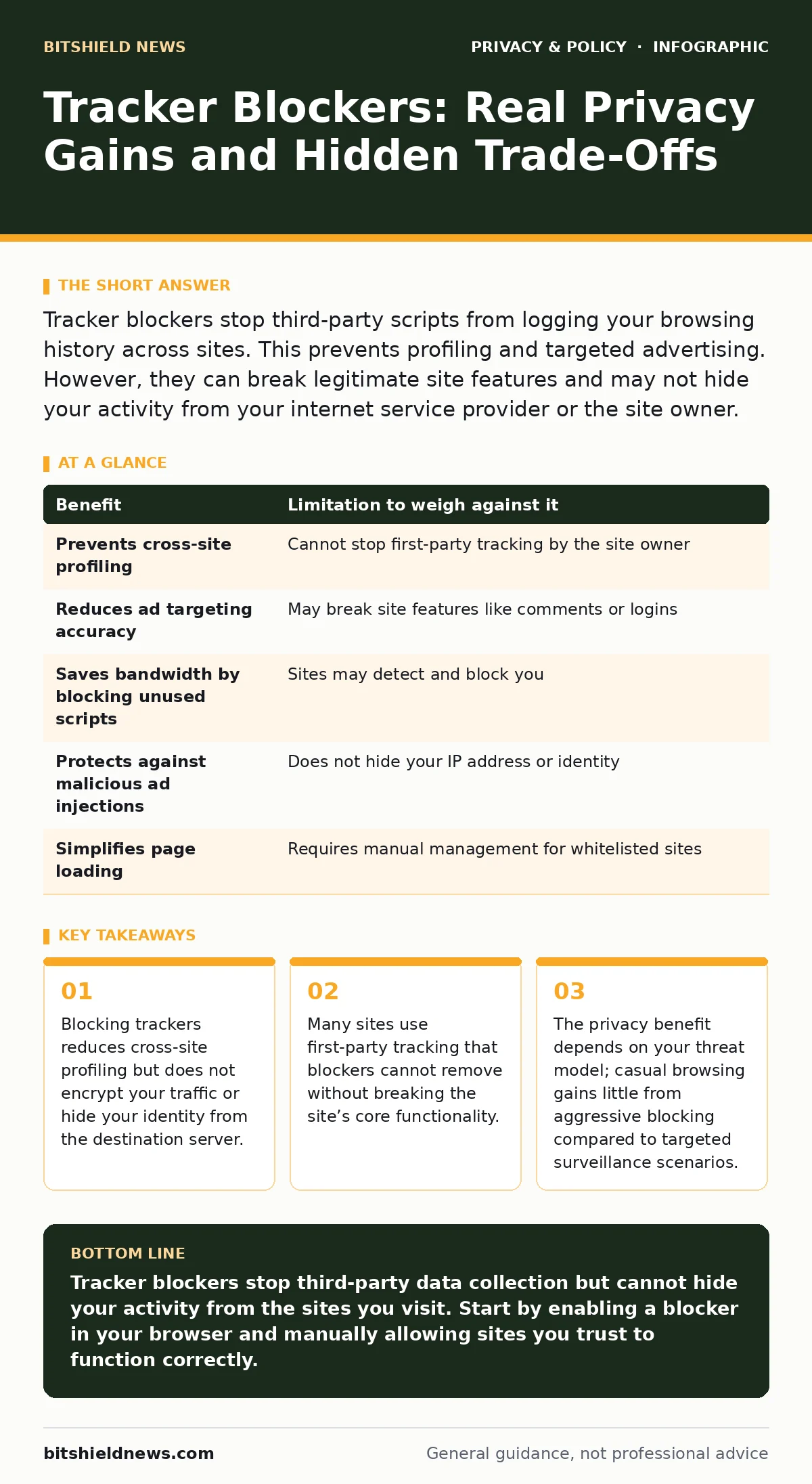
| Benefit | Limitation to weigh against it |
|---|---|
| Prevents cross-site profiling | Cannot stop first-party tracking by the site owner |
| Reduces ad targeting accuracy | May break site features like comments or logins |
| Saves bandwidth by blocking unused scripts | Sites may detect and block you |
| Protects against malicious ad injections | Does not hide your IP address or identity |
| Simplifies page loading | Requires manual management for whitelisted sites |
When It Is Worth It
You should use tracker blockers if you visit many different websites regularly. The more sites you visit, the more data points a profiler can collect. Blocking trackers reduces the value of your data to advertisers. It also reduces the number of scripts running on your device. Fewer scripts mean fewer opportunities for malicious code to execute.
This is particularly useful for users who do not use ad blockers. Ad blockers focus on removing advertisements. Tracker blockers focus on removing data collection. They often overlap, but not always. A tracker blocker can stop a data collection script that does not display an ad.
When It Is Not Worth It
Tracker blockers are less useful if you only visit a few trusted sites. If you know the site owner does not sell your data, blocking trackers provides little additional privacy. The site owner can still track you, and blocking third-party trackers does not stop that.
It is also less useful if you are already using a privacy-focused browser. These browsers often block trackers by default. Adding a separate blocker may cause conflicts. It may break sites without adding significant privacy. You should check your browser’s settings before installing additional tools.
For users concerned about social media privacy risks, tracker blockers help outside the social media platform. They do not stop the platform itself from tracking you while you are logged in. You need different tools for that.
See also: Malicious Browser Extensions: How to Spot and Remove Hidden Threats · Prevent Shared AI Chat Links Appearing in Search Results
The Edge Case: First-Party Storage
Tracker blockers do not delete cookies or local storage. These are data files stored on your device by the website you are visiting. A site can store your preferences, login status, or browsing history locally. This is first-party data.
A tracker blocker cannot remove this data. It only stops requests to external domains. To clear this data, you must use your browser’s privacy settings. You can delete cookies and site data manually. Some browsers offer automatic deletion after each session.
Managing the Trade-Off
Effective use of tracker blockers requires management. You must decide which sites to trust. For trusted sites, you can disable the blocker. For untrusted sites, you can keep it on. This manual process ensures functionality while maintaining privacy.
You should review your filter lists periodically. Outdated lists may block legitimate services. Updated lists may allow new trackers. Finding the right balance takes time. It is not a set-and-forget solution.
Consider how this interacts with online tracking in general. Tracker blockers are one layer. They do not replace other privacy measures. They add a specific defense against cross-site data aggregation.
Integrating with Other Privacy Tools
Tracker blockers work best when combined with other tools. For example, encrypted email protects your communications but not your browsing. Email tracking pixels are a form of tracker that requires a different solution than browser blockers. App permission management on mobile devices controls what apps can see, not what websites can see.
File metadata can also reveal your identity. Tracker blockers do not strip metadata from files you upload. You must use separate tools for that. Privacy is a stack of defenses. Each tool addresses a specific vector.
Key takeaways
- Blocking trackers reduces cross-site profiling but does not encrypt your traffic or hide your identity from the destination server.
- Many sites use first-party tracking that blockers cannot remove without breaking the site’s core functionality.
- The privacy benefit depends on your threat model; casual browsing gains little from aggressive blocking compared to targeted surveillance scenarios.
Tracker blockers stop third-party data collection but cannot hide your activity from the sites you visit. Start by enabling a blocker in your browser and manually allowing sites you trust to function correctly.
Frequently asked questions
Do tracker blockers make my internet faster?
Yes, by blocking requests to external servers, they reduce the number of resources your browser must download. This can speed up page loading times.
Can websites tell if I am using a tracker blocker?
Yes, many sites use detection scripts to check if common tracker domains are blocked. They may then display a warning or block access.
Are tracker blockers the same as ad blockers?
No, ad blockers focus on removing advertisements. Tracker blockers focus on stopping data collection scripts. They often overlap but have different primary goals.
Do tracker blockers protect me from hackers?
No, tracker blockers do not prevent malware or hacking. They only stop data collection for profiling and advertising. Use security software for protection against attacks.
How this guide was produced: written by the BitShield News editorial team with AI assistance, checked against the public references listed below, and reviewed when the facts change. See our editorial policy or report an error.