
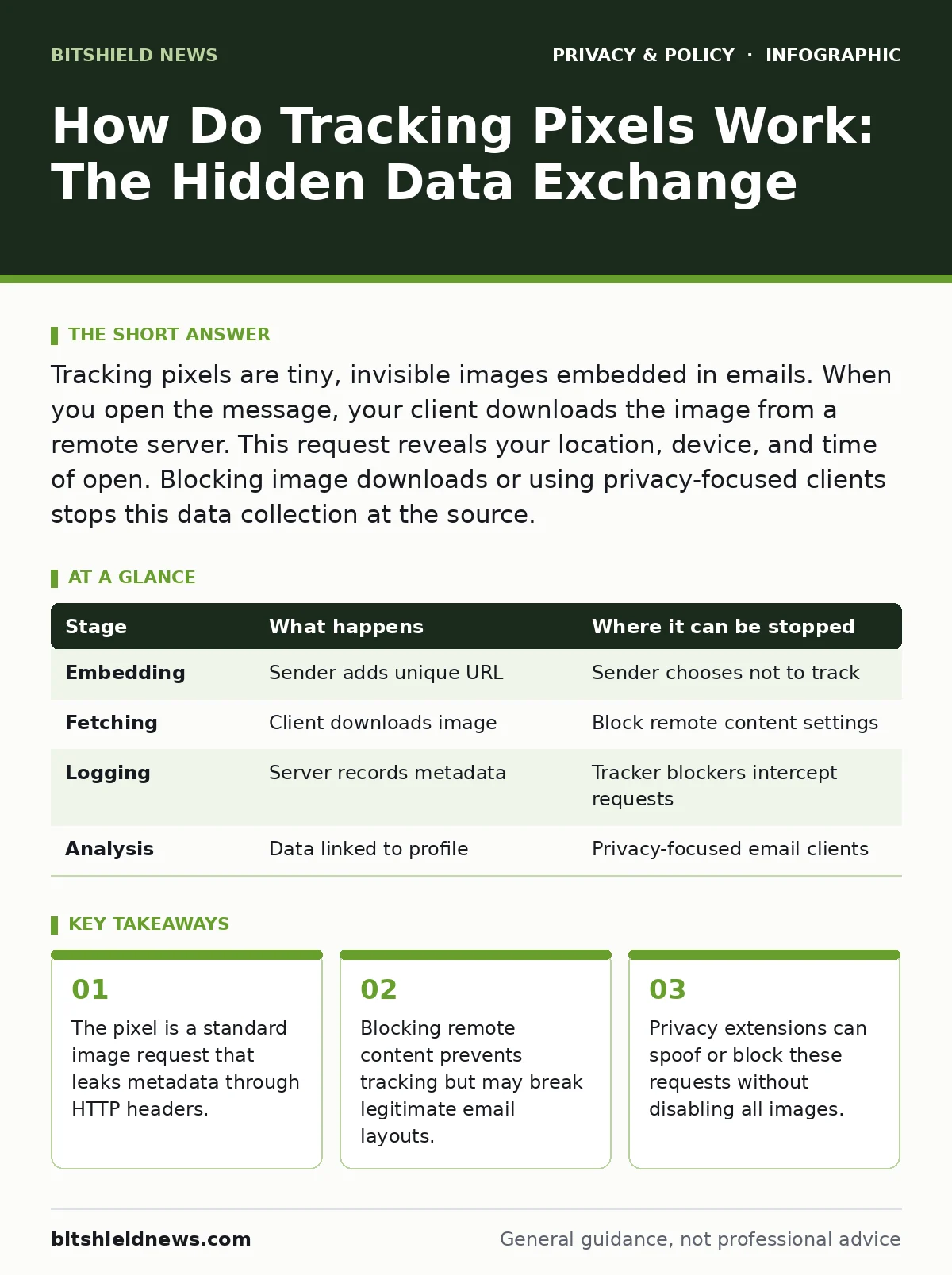
Tracking pixels are tiny, invisible images embedded in emails. When you open the message, your client downloads the image from a remote server. This request reveals your location, device, and time of open. Blocking image downloads or using privacy-focused clients stops this data collection at the source.
Understanding the Image Request Mechanism
How do tracking pixels work? They operate by exploiting the standard way email clients render content. An email is not just text; it is a document that can contain references to external resources. When you view a message, your software attempts to load every image linked within the HTML structure. A tracking pixel is a 1x1 pixel transparent GIF or PNG file hosted on a remote server. The file itself contains no visual data. Its sole purpose is to trigger a network request. This request carries metadata about you and your environment. The sender receives this data as server logs. You see nothing, but the exchange is complete.
### Stage 1: Embedding the Unique Identifier
The process begins when the sender composes the email. They insert a line of code that points to a specific URL on their server. This URL includes a unique identifier for you. This identifier might be a random string of characters or a hash of your email address. The identifier ensures the sender can distinguish your open from another recipient's open. The image source looks like a normal web address. It does not stand out in the raw code. The sender relies on the assumption that your email client will automatically fetch this resource. This stage is passive for you. No action is required on your part. The trap is set before you even receive the message.
### Stage 2: The Client Fetches Remote Content
Your email client receives the message and prepares to display it. Most modern clients default to downloading remote content automatically. When the client encounters the image tag, it initiates a connection to the remote server. This connection uses the Hypertext Transfer Protocol. The client sends a GET request to the URL specified in the email. This request includes several pieces of information in the HTTP headers. Your IP address is included to determine your general location. Your user-agent string reveals your operating system and email client version. The timestamp of the request records when you opened the email. This data travels across the internet to the sender's server.
### Stage 3: Server Logging and Data Correlation
The remote server receives the HTTP request. It does not necessarily send back the actual image file. Some servers return a blank response or a tiny transparent image. The critical action is the logging of the request. The server records the unique identifier from the URL. It combines this with the metadata from the HTTP headers. The sender now knows that the specific recipient associated with that ID opened the email. They know your approximate geographic location based on your IP address. They know what device you used. This data is stored in a database. It can be used for analytics or to trigger further actions.
### Stage 4: Behavioral Analysis and Retargeting
The collected data is rarely used in isolation. The sender correlates the open event with other known data about you. If you clicked a link in the same email, that is also logged. The sender may update your profile in their customer relationship management system. They might tag you as "engaged" or "interested." This tag can influence future marketing efforts.
You might receive more frequent emails. You might see related advertisements on other websites. The pixel itself does not place cookies on your device. It relies on the server-side log. However, the server can set a cookie if you later visit their website. This connects your email activity to your web browsing behavior.
| Stage | What happens | Where it can be stopped |
|---|---|---|
| Embedding | Sender adds unique URL | Sender chooses not to track |
| Fetching | Client downloads image | Block remote content settings |
| Logging | Server records metadata | Tracker blockers intercept requests |
| Analysis | Data linked to profile | Privacy-focused email clients |
See also: What is Personal Data: Definition, Scope and Control Tactics · What privacy impact assessments do for your data strategy
Where the Mechanism Fails or Stops
The tracking pixel relies on your client making a network request. If that request never leaves your device, the tracking fails. Many email clients allow you to block automatic loading of remote content. When enabled, the client displays a placeholder or a warning. You must manually choose to load images. This breaks the automatic tracking chain. The sender will not know you opened the email unless you click "Load Images." Some clients mask your IP address when fetching remote content. They act as a proxy. The server sees the proxy's IP, not yours. This hides your location and device details.
The Role of Privacy Extensions and Protocols
Browser-based email clients are vulnerable to tracking pixels. Extensions that block trackers can intercept these requests. They look for known tracking domains and block them silently. This prevents the server from receiving the log entry. Desktop email clients may also have built-in privacy features. Some clients strip out image tags before displaying the message. Others use secure DNS to resolve domains privately. Secure DNS prevents your internet service provider from seeing which tracking servers you contact. This adds a layer of obscurity. It does not stop the tracking if the client still sends the request. It only hides the destination from intermediate network observers.
Comparing Tracking Methods
Tracking pixels are not the only way to monitor email engagement. They are often combined with other techniques. Third-party cookies can track you across websites after you click a link. Browser fingerprinting creates a unique ID based on your device settings. These methods provide deeper insights than a simple pixel. Pixels only tell the sender you opened the email. They do not tell you how long you read it. They do not tell you if you forwarded it. File metadata in attachments can also leak information. Understanding these differences helps you prioritize your defenses. Pixels are the most common and easiest to block. Other methods require more sophisticated tools.
Protecting Your Email Privacy
You can reduce tracking by adjusting your email client settings. Disable automatic loading of remote images. This is the most effective step. Use an email client that supports privacy-focused features. Some clients allow you to load images through a proxy. This hides your IP address from the sender. Consider using tracker blockers in your web browser. These extensions block requests to known tracking domains. Be aware that some senders may detect these blocks. They might adjust their analytics accordingly. No single method provides complete protection. A layered approach offers the best defense. Combine client settings with browser extensions.
The Trade-Off Between Functionality and Privacy
Blocking tracking pixels has a cost. You may lose the ability to see images in emails. This can make newsletters look broken. Some interactive elements may not work. You must decide if privacy is worth this inconvenience. For sensitive communications, privacy is paramount. For casual newsletters, you might choose to load images. You can create rules in your email client. Allow images from trusted senders. Block them from unknown sources. This balances usability with security. You retain control over who can track your activity. Regular review of your settings ensures they remain effective. Technology changes, and so do tracking methods.
Key takeaways
- The pixel is a standard image request that leaks metadata through HTTP headers.
- Blocking remote content prevents tracking but may break legitimate email layouts.
- Privacy extensions can spoof or block these requests without disabling all images.
Frequently asked questions
Can I see if an email has a tracking pixel?
You cannot visually see the pixel, but you can view the source code of the email. Look for image tags with URLs pointing to unknown domains or containing long strings of characters.
Do tracking pixels install malware on my device?
No, tracking pixels are simple image requests. They do not execute code or install software. They only collect metadata about your device and connection.
Can blocking pixels affect my ability to receive emails?
Blocking pixels does not prevent emails from arriving. It only prevents the automatic downloading of images within those emails. The text content remains fully accessible.
Are tracking pixels legal in all countries?
Laws vary by region. Some jurisdictions require consent for tracking. Others have more lenient rules. Check your local privacy regulations to understand your rights regarding email tracking.
How this guide was produced: written by the BitShield News editorial team with AI assistance, checked against the public references listed below, and reviewed when the facts change. See our editorial policy or report an error.