Privacy impact assessments do more than check compliance boxes. They map data movement, identify specific privacy risks, and force teams to justify data collection. You use them to find blind spots in your architecture before a breach exposes sensitive information or violates user trust.
The Library Analogy for Data Tracking
Imagine you run a library that lends books to patrons. You keep a log of who borrows what, when they return it, and whether they damaged the cover. A privacy impact assessment is like an annual audit of that log. You check if you are keeping records longer than necessary. You verify that only librarians can see the borrowing history. You ensure that patrons can request deletion of their records. This simple analogy reveals the core purpose of the process. It is about accountability and minimizing exposure.
What privacy impact assessments do
Privacy impact assessments do three specific things for your organization. First, they document every data flow from collection to deletion. Second, they evaluate the necessity of each data point. Third, they identify gaps in your current controls. The process forces you to answer why you hold specific information. If you cannot justify the retention, the assessment flags it for removal. This reduces the total amount of sensitive data at risk. Fewer records mean fewer targets for attackers.
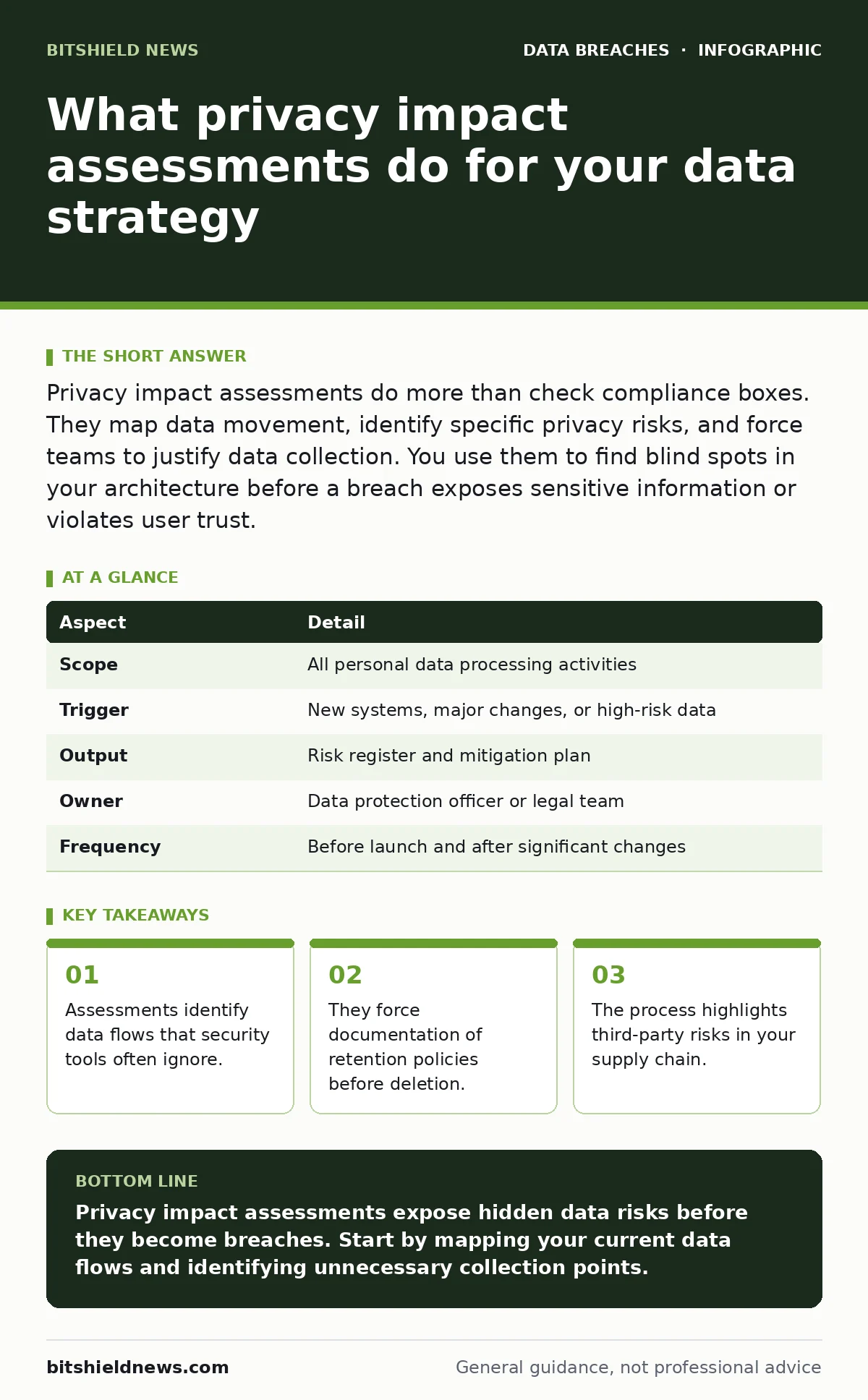
| Aspect | Detail |
|---|---|
| Scope | All personal data processing activities |
| Trigger | New systems, major changes, or high-risk data |
| Output | Risk register and mitigation plan |
| Owner | Data protection officer or legal team |
| Frequency | Before launch and after significant changes |
How the Process Works in Practice
The workflow begins with inventory. You list every system that touches personal data. You include databases, email servers, and third-party applications. Next, you map the flow. You draw lines showing how data moves between these systems. You note where encryption at rest protects the storage. You identify where data leaves your network. This mapping exposes blind spots. You might find that a legacy system shares data with a vendor who lacks proper security. The assessment forces you to confront these connections.
Who Is Affected by the Findings
Every department that handles user data feels the impact. Engineering teams must adjust their data models. They might need to implement data masking for non-production environments. This ensures developers cannot see real customer names during testing. Marketing teams must review their tracking pixels. They often collect more identifiers than necessary for analytics. Legal teams review the retention schedules. They ensure you delete data when the purpose expires. The assessment shifts privacy from a legal checkbox to an engineering requirement.
Common Mistakes in Execution
Many organizations treat the assessment as a one-time document. They write it once and file it away. This approach fails because systems change constantly. You must update the assessment whenever you add new features. Another mistake is focusing only on technical controls. You ignore the human element. Staff might bypass security protocols for convenience. The assessment must address training and culture. A third error is skipping third-party risks. You trust your vendors too easily. You must verify their security posture as part of your own assessment.
See also: What is Personal Data: Definition, Scope and Control Tactics · How Do Tracking Pixels Work: The Hidden Data Exchange
What People Usually Get Wrong
People often confuse security with privacy. Security protects data from unauthorized access. Privacy ensures data is used correctly. You can have strong security but poor privacy practices. For example, you might encrypt all data but retain it forever. This violates privacy principles. Another misconception is that assessments are only for large companies. Small organizations with sensitive data face the same risks. The scale of the assessment changes, but the need does not. You must also avoid vague language. "We protect data" is not a control. "We use AES-256 encryption" is a control. Specificity matters.
Integrating with Other Security Measures
The assessment works best when combined with other frameworks. You should align it with your role-based access control policies. This ensures only authorized staff can view sensitive records. You must also review your exposed API keys during the process. Unsecured keys can leak entire databases. The assessment helps you identify these integration points. You can then apply secure file sharing protocols for external transfers. This holistic view prevents gaps. It connects privacy goals with technical reality.
Handling High-Risk Scenarios
Some data types require deeper scrutiny. Health records, financial data, and children’s information carry higher risks. The assessment must detail specific mitigations for these categories. You might implement stricter retention limits. You could add additional consent mechanisms. The goal is to reduce the impact of a potential breach. If you only collect minimal data, the damage is limited. This is the principle of data minimization. It is the most effective privacy control. You achieve it by questioning every data field.
The Hidden Cost of Inaction
Skipping the assessment creates hidden liabilities. You might discover a data leak months later. By then, the damage is done. Users lose trust. Regulators impose fines. The cost of remediation exceeds the cost of prevention. An assessment takes time, but it saves resources later. It prevents expensive legal battles. It also protects your reputation. In a market where trust is currency, privacy is a competitive advantage. You build confidence by showing transparency. This benefits long-term growth.
Final Steps for Implementation
Start by appointing a responsible owner. This person drives the process. They coordinate between teams. They ensure documentation is accurate. Next, define your data inventory scope. Be thorough. Include all systems and vendors. Then, establish a timeline. Set deadlines for each phase. Review the findings with stakeholders. Implement the recommended controls. Monitor the effectiveness over time. Repeat the process regularly. This creates a culture of privacy. It makes your organization resilient.
Key takeaways
- Assessments identify data flows that security tools often ignore.
- They force documentation of retention policies before deletion.
- The process highlights third-party risks in your supply chain.
Privacy impact assessments expose hidden data risks before they become breaches. Start by mapping your current data flows and identifying unnecessary collection points.
Frequently asked questions
How often should I repeat the assessment?
You should repeat it whenever you launch new systems or change data processing methods. Annual reviews are also recommended to catch drift.
Do small businesses need this process?
Yes, if you handle personal data. The scale may be smaller, but the legal and reputational risks remain the same for any organization collecting user information.
Who is responsible for writing the document?
A designated data protection officer or privacy lead typically oversees it. Engineering and legal teams contribute specific details about systems and compliance.
Can software automate the entire assessment?
Software can help map data flows and inventory assets. However, human judgment is required to assess legal necessity and privacy risks accurately.
How this guide was produced: written by the BitShield News editorial team with AI assistance, checked against the public references listed below, and reviewed when the facts change. See our editorial policy or report an error.