
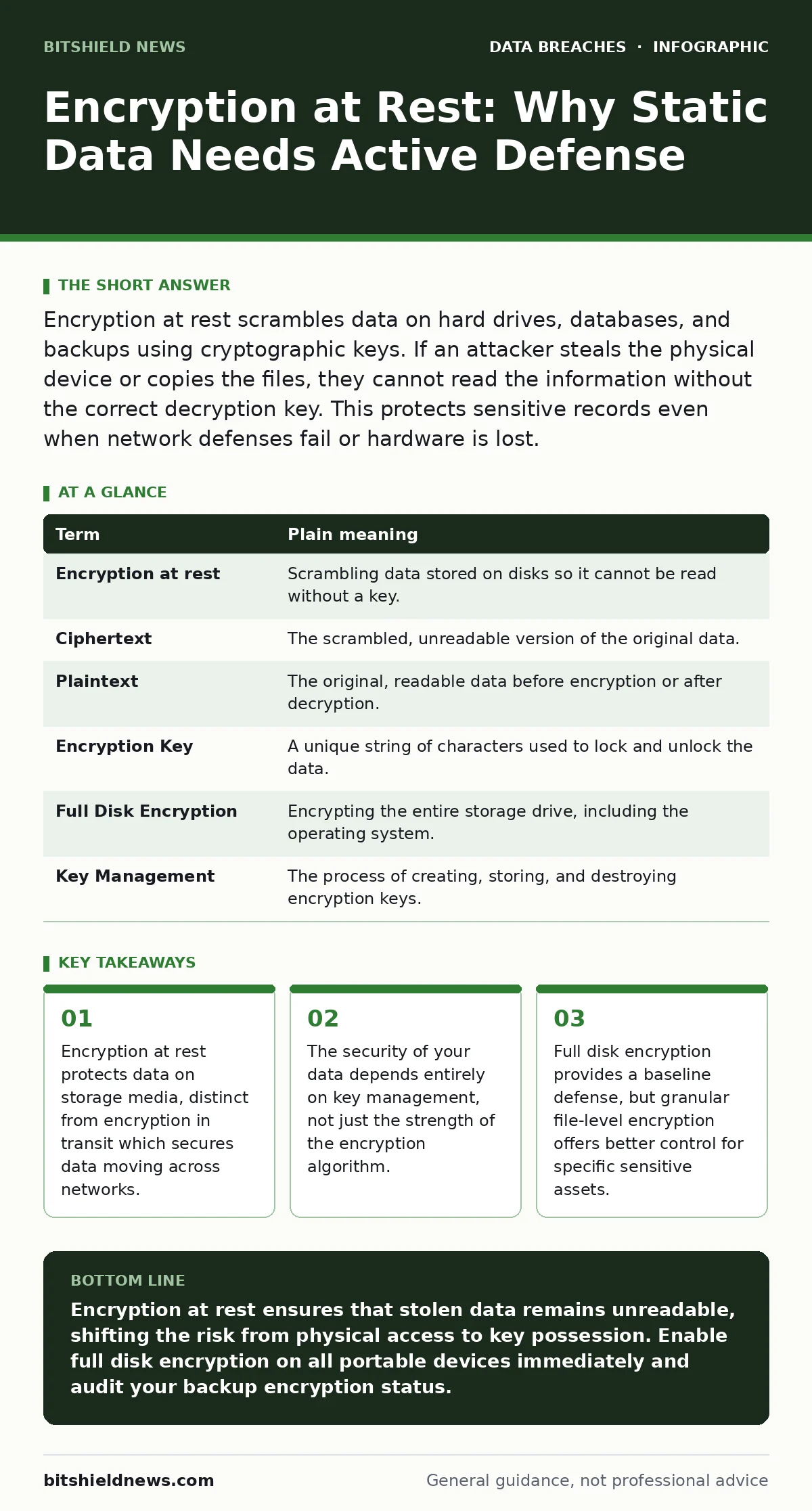
Encryption at rest scrambles data on hard drives, databases, and backups using cryptographic keys. If an attacker steals the physical device or copies the files, they cannot read the information without the correct decryption key. This protects sensitive records even when network defenses fail or hardware is lost.
The Sealed Envelope Analogy
Imagine your data as a stack of confidential letters. When these letters sit on a desk, anyone who walks by can read them. This is unencrypted data at rest. Now, imagine placing each letter inside a sealed steel envelope that requires a unique, complex key to open. Even if someone steals the entire stack of envelopes, they cannot read the contents without that specific key. This is encryption at rest.
The physical security of the desk matters less when the envelopes are sealed. You can still secure the room, but the primary defense is the envelope itself. This shifts the risk from physical access to key possession. Attackers must now find the key, not just the data.
Defining Static Protection
Encryption at rest refers to the process of encoding data while it is stored on a physical medium. This includes hard drives, solid-state drives, USB sticks, and database servers. It is different from encryption in transit, which protects data as it moves from one point to another over a network.
Many organizations focus heavily on network security. They build firewalls and monitor traffic. However, if an attacker bypasses the network or steals a laptop, the data inside is often readable. Encryption at rest closes this gap. It ensures that the data itself is unintelligible without the proper authorization.
| Term | Plain meaning |
|---|---|
| Encryption at rest | Scrambling data stored on disks so it cannot be read without a key. |
| Ciphertext | The scrambled, unreadable version of the original data. |
| Plaintext | The original, readable data before encryption or after decryption. |
| Encryption Key | A unique string of characters used to lock and unlock the data. |
| Full Disk Encryption | Encrypting the entire storage drive, including the operating system. |
| Key Management | The process of creating, storing, and destroying encryption keys. |
The Hidden Cost of Convenience
You might assume that enabling encryption is a simple toggle. It is not. The hidden cost is performance and complexity. Every time you write data to the disk, the system must encrypt it. Every time you read it, the system must decrypt it. This adds computational overhead.
For high-speed databases, this can slow down operations. You must balance security with speed. Choosing the wrong algorithm or key size can create bottlenecks. Furthermore, if you lose the key, the data is gone forever. There is no backdoor. This is a trade-off you must accept.
Managing the Keys Properly
The strength of your encryption is only as good as your key management. If you store the key on the same drive as the data, an attacker who steals the drive gets both. This is like hiding the key to the steel envelope inside the envelope.
You need a separate system for key storage. This could be a hardware security module or a dedicated key management service. The key must be accessible to authorized systems but isolated from the data itself. This separation ensures that stealing the data does not automatically grant access to the key.
Imagine a bank vault. The vault door is strong, but the combination is kept in a separate safe. If a thief breaks into the vault room, they still need the combination. Your keys are the combination. Keep them separate.
Granular vs. Full Disk Protection
Full disk encryption is the easiest starting point. It encrypts everything on the drive. This is good for laptops and servers where any file could be sensitive. However, it offers no granularity. You cannot selectively decrypt a single file without unlocking the whole drive.
For sensitive databases, consider file-level or column-level encryption. This allows you to protect specific fields, like social security numbers, while leaving other data accessible for processing. This approach reduces performance impact and limits exposure if a breach occurs.
See also: Secure File Sharing Best Practices for Enterprise Data Protection · Shadow AI Explained: 8 Questions Answered for Secure Operations
First Practical Steps
You do not need to overhaul your entire infrastructure today. Start with these three steps to establish a baseline.
- Audit your current storage. Identify which devices and servers hold sensitive data. Check if they currently have any form of encryption enabled.
- Enable full disk encryption on all portable devices. Laptops, tablets, and external drives are the most likely to be physically stolen. Most operating systems include this feature built-in.
- Review your backup strategies. Ensure that your backups are also encrypted. A backup is just another copy of your data. If it is not encrypted, it is a target.
Integrating with Other Defenses
Encryption at rest is not a standalone solution. It works best when combined with other measures. For instance, if you practice data minimization, you have less data to encrypt and protect. This reduces the attack surface.
Consider data masking for development environments. You do not need real customer data in your testing databases. Masking replaces real values with fake ones, reducing the risk if those databases are exposed.
Also, review your secure file sharing practices. If you send encrypted files via insecure channels, you may expose the keys or metadata. Ensure that your sharing methods align with your encryption standards.
Key takeaways
- Encryption at rest protects data on storage media, distinct from encryption in transit which secures data moving across networks.
- The security of your data depends entirely on key management, not just the strength of the encryption algorithm.
- Full disk encryption provides a baseline defense, but granular file-level encryption offers better control for specific sensitive assets.
Encryption at rest ensures that stolen data remains unreadable, shifting the risk from physical access to key possession. Enable full disk encryption on all portable devices immediately and audit your backup encryption status.
Frequently asked questions
Does encryption at rest protect against ransomware?
It does not prevent ransomware from encrypting your data, but it can help if you have clean, encrypted backups to restore from without paying the ransom.
Is software-based encryption as good as hardware-based?
Both are effective if implemented correctly. Hardware-based encryption often offers better performance, but software solutions provide more flexibility and portability.
What happens if I forget my encryption password?
The data becomes permanently inaccessible. There is no master password or backdoor in standard encryption protocols.
Do I need to encrypt temporary files?
Yes, temporary files can contain sensitive data. Ensure your operating system encrypts swap space and temporary directories to prevent data leakage.
How this guide was produced: written by the BitShield News editorial team with AI assistance, checked against the public references listed below, and reviewed when the facts change. See our editorial policy or report an error.