
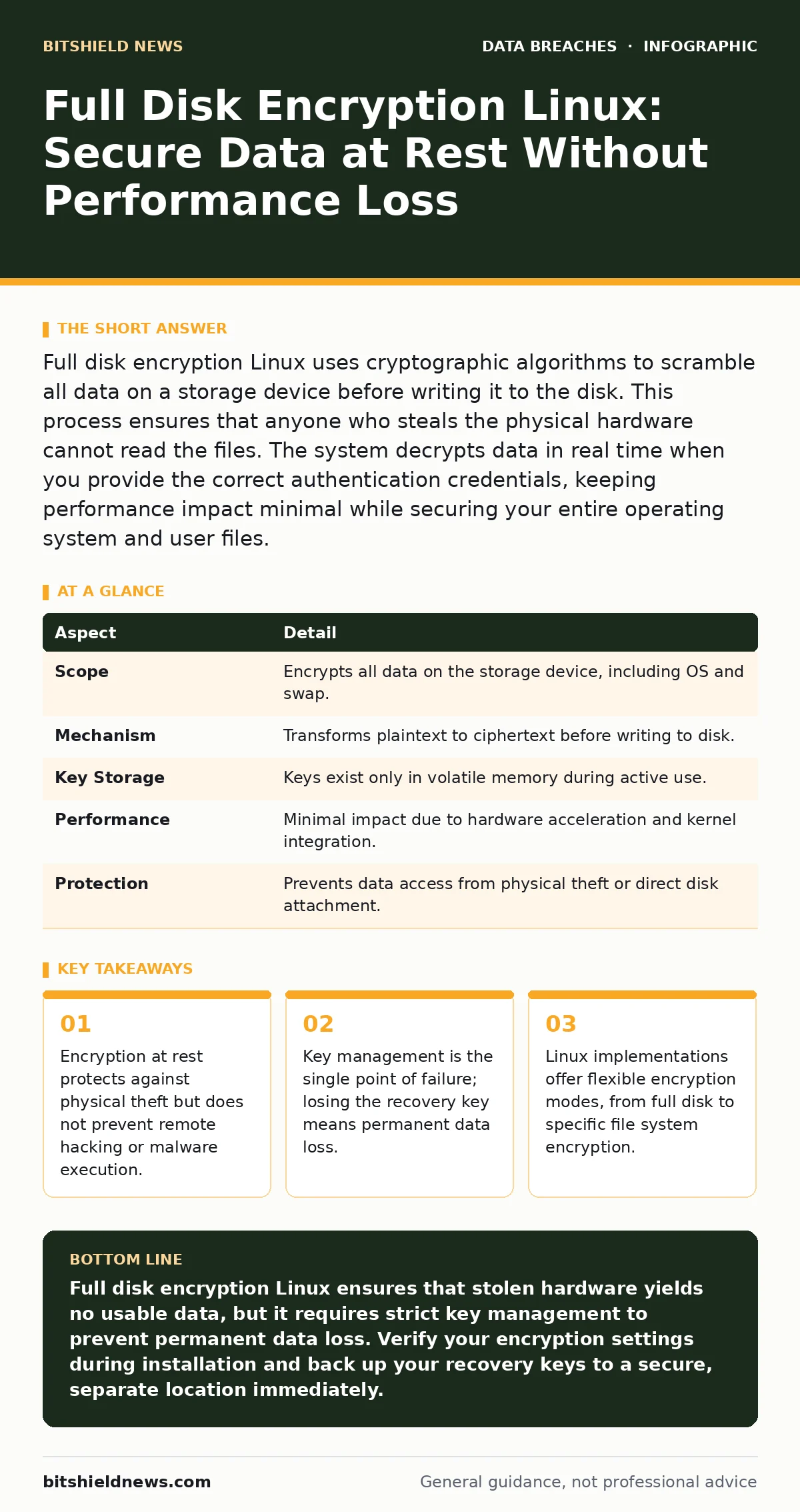
Full disk encryption Linux uses cryptographic algorithms to scramble all data on a storage device before writing it to the disk. This process ensures that anyone who steals the physical hardware cannot read the files. The system decrypts data in real time when you provide the correct authentication credentials, keeping performance impact minimal while securing your entire operating system and user files.
How Full Disk Encryption Linux Works in Practice
Imagine a locked diary where every page is written in a complex code. Even if someone steals the diary, they cannot read it without the specific key to decode the messages. Full disk encryption Linux operates on this same principle but at the speed of modern processors. The system transforms readable data into ciphertext before it touches the physical storage medium. When you boot the machine, you provide a passphrase or key. The system uses this input to derive the decryption key in memory. It then decrypts data on the fly as the operating system requests it. This ensures that the data is never written to the disk in a readable format.
The process happens at the block layer or the file system layer. Block-level encryption encrypts entire storage devices, including the operating system and swap space. File-level encryption allows you to choose which specific folders or files are protected. Both methods rely on strong cryptographic standards. The Linux kernel includes support for these standards, making them accessible without third-party software. This integration ensures that the encryption overhead remains low. You do not notice a significant slowdown in daily tasks. The hardware handles the heavy lifting of encryption and decryption.
| Aspect | Detail |
|---|---|
| Scope | Encrypts all data on the storage device, including OS and swap. |
| Mechanism | Transforms plaintext to ciphertext before writing to disk. |
| Key Storage | Keys exist only in volatile memory during active use. |
| Performance | Minimal impact due to hardware acceleration and kernel integration. |
| Protection | Prevents data access from physical theft or direct disk attachment. |
Understanding the Encryption Layers and Keys
The security of your system depends on how keys are managed. In a typical setup, you enter a passphrase at boot. This passphrase is not the actual encryption key. It is used to unlock a master key that is stored on the disk. The master key encrypts the actual data. This two-step process prevents attackers from brute-forcing the data encryption directly. They must first guess your passphrase. Modern systems use key derivation functions that slow down these attempts.
You must understand the difference between the passphrase and the key. Losing your passphrase means you cannot access the master key. Without the master key, the data remains encrypted forever. There is no backdoor. No vendor can recover your data if you lose the credentials. This is a critical design feature. It ensures that only you can access your information. It also means you must back up your recovery keys securely. Store them in a location separate from the encrypted device. Digital wallets or physical safe deposit boxes work well for this purpose.
Who Is Affected by Physical Security Risks
Anyone who stores sensitive data on portable devices is at risk. Laptops are the most common target because they are small and easy to steal. If a thief takes your laptop, they can remove the hard drive. They can then attach it to another computer to read the files. Without encryption, they have immediate access to everything. With full disk encryption Linux, the drive appears as random noise. They cannot mount the file system or read the partitions.
This protection extends to servers as well. Data centers can experience physical breaches. Staff with physical access might attempt to remove drives. Encryption ensures that only authorized personnel with the keys can read the data. It also protects you when disposing of old hardware. You do not need to degauss or physically destroy the drive. Deleting the encryption key renders the data unrecoverable. This simplifies the disposal process and reduces environmental waste.
Consider data classification policies when deciding what to encrypt. Not all data requires the same level of protection. Public information does not need heavy encryption. Confidential customer records do. Align your encryption strategy with the sensitivity of the data. This approach saves resources and reduces complexity.
Common Misconceptions About Encryption Security
Many users believe that encryption makes their system invulnerable. This is incorrect. Encryption at rest protects against physical access. It does not protect against remote attacks. If a hacker gains access to your running system, they can read the decrypted data. They can install keyloggers to steal your passphrase. They can copy files before you shut down. You must combine encryption with other security measures.
Another common mistake is ignoring the swap space. Swap space is temporary storage on your disk. The system uses it when RAM is full. If you do not encrypt the swap space, sensitive data might be written to it in plain text. When you reboot, that data remains on the disk. Full disk encryption Linux solutions usually include the swap partition in the encryption volume. Verify this setting during installation. Failing to do so creates a security hole.
Implementing Encryption on Linux Systems
Most Linux distributions offer encryption during installation. You will be asked if you want to encrypt your new installation. Select this option to enable full disk encryption. The installer will guide you through creating a strong passphrase. Choose a passphrase that is long and complex. A series of random words works well. It is easier to remember than a complex string of characters.
After installation, verify that the encryption is active. Check the mount points and the device mapper status. You should see encrypted volumes rather than raw partitions. Regularly back up your encryption metadata. If the metadata is corrupted, you cannot mount the drive. Keep a copy of your recovery keys. Test the recovery process periodically. Ensure that you can restore access if you forget your primary passphrase.
Integrating With Other Security Controls
Encryption is just one layer of your security strategy. Combine it with role-based access control to limit who can access specific files. Even if someone bypasses the encryption, they cannot access everything. Use data masking for non-production environments. This prevents sensitive data from being exposed in testing scenarios.
Monitor for database exposure and exposed API keys. These are common entry points for attackers. If an attacker gains remote access, encryption at rest does not help. They can extract data while the system is running. Implement privacy impact assessments to identify where sensitive data resides. This helps you prioritize encryption efforts.
Be aware of data extortion risks. Attackers may encrypt your files and demand payment. This is different from full disk encryption. They use malicious software to lock your files. Full disk encryption protects against this by preventing unauthorized changes to the system. Regular backups are essential to recover from such attacks.
What People Usually Get Wrong About Performance
Users often worry that encryption will slow down their system. Modern processors have hardware support for encryption algorithms. This reduces the performance impact significantly. The difference is often negligible for most tasks. Database operations might see a slight increase in latency. However, the security benefit outweighs the minor performance cost.
Do not disable encryption to improve speed. The risk of data exposure is far greater than the minor performance gain. Optimize your system in other ways. Use solid-state drives for faster I/O. Ensure your Linux kernel is up to date. Newer kernels often have improved encryption performance.
Conclusion on Full Disk Encryption Linux
Full disk encryption Linux is a fundamental security control. It protects your data from physical theft and unauthorized access. Implement it on all devices that store sensitive information. Manage your keys carefully. Combine it with other security measures for comprehensive protection. Remember that encryption at rest is not a silver bullet. It is one part of a larger security strategy. Stay informed about best practices and update your systems regularly.
Key takeaways
- Encryption at rest protects against physical theft but does not prevent remote hacking or malware execution.
- Key management is the single point of failure; losing the recovery key means permanent data loss.
- Linux implementations offer flexible encryption modes, from full disk to specific file system encryption.
Full disk encryption Linux ensures that stolen hardware yields no usable data, but it requires strict key management to prevent permanent data loss. Verify your encryption settings during installation and back up your recovery keys to a secure, separate location immediately.
Frequently asked questions
Does full disk encryption Linux slow down my computer?
Modern hardware includes encryption acceleration, so the performance impact is minimal for most users. You may notice slight latency in heavy database operations, but the security benefit justifies this.
Can I recover my data if I forget my passphrase?
Only if you have a backup of your recovery key. Without the key or passphrase, the data is mathematically unrecoverable. No vendor can help you bypass the encryption.
Is full disk encryption enough to protect against hackers?
No. Encryption at rest only protects against physical access. It does not prevent remote hacking, malware, or phishing attacks. You need additional security controls like firewalls and access controls.
What happens if I lose my recovery key?
You will permanently lose access to your encrypted data. This is why backing up recovery keys to a secure, separate location is critical. Plan for key recovery before you encrypt your data.
How this guide was produced: written by the BitShield News editorial team with AI assistance, checked against the public references listed below, and reviewed when the facts change. See our editorial policy or report an error.