
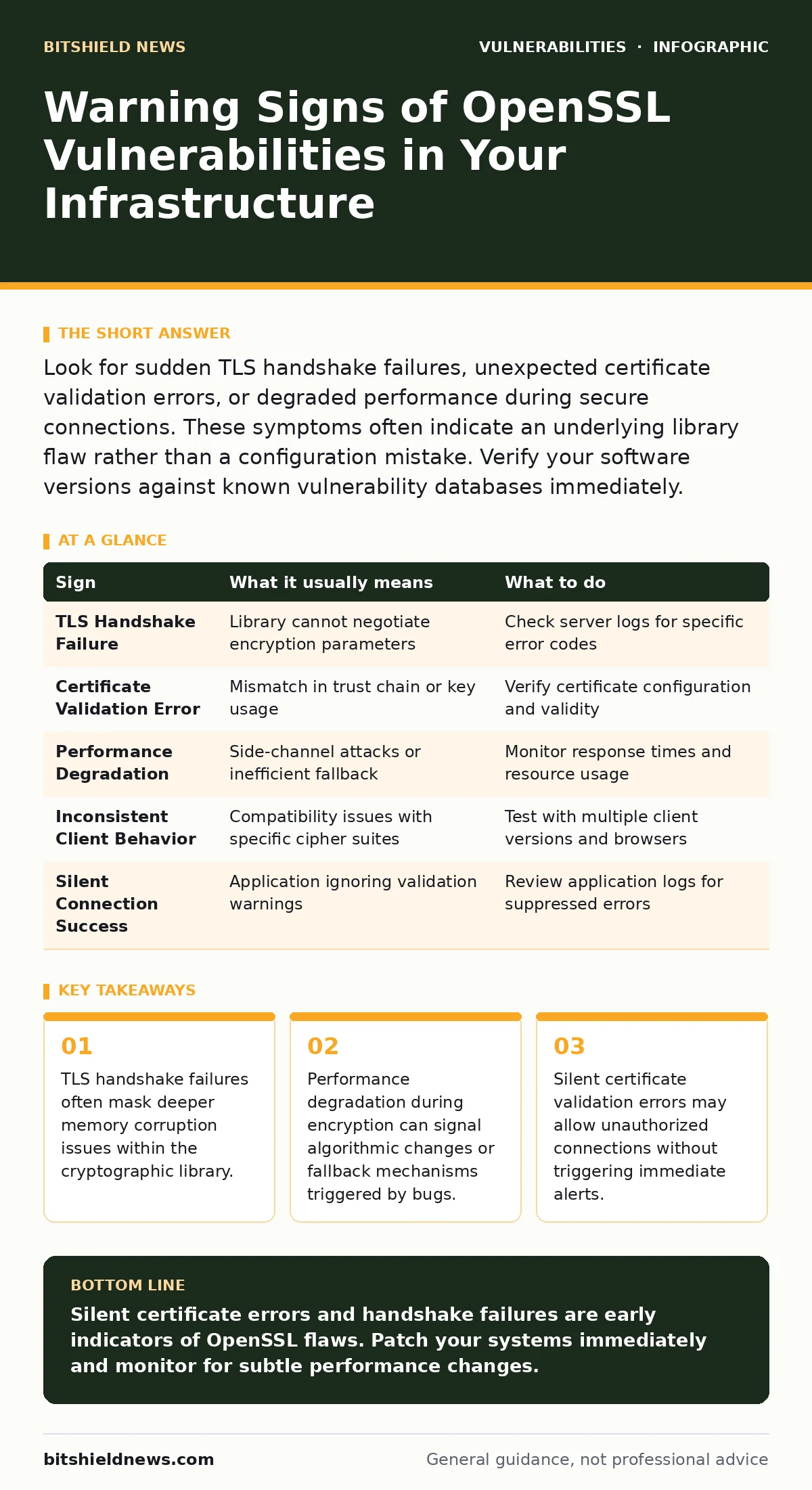
Look for sudden TLS handshake failures, unexpected certificate validation errors, or degraded performance during secure connections. These symptoms often indicate an underlying library flaw rather than a configuration mistake. Verify your software versions against known vulnerability databases immediately.
Immediate Signs of OpenSSL Issues
Users notice connection drops first when OpenSSL vulnerabilities manifest. A sudden inability to establish secure HTTPS connections is the most common alert. Browsers display generic security warnings when the server cannot complete the TLS handshake. This happens because the library fails to negotiate encryption parameters correctly. You see these errors across all client devices simultaneously.
The failure is not isolated to one user or one browser type. System logs show repeated connection timeouts or reset signals. These logs indicate the server actively rejects or fails to process incoming secure requests. The service remains up, but the secure channel breaks. This distinction helps you rule out network connectivity issues. The problem lies specifically in the cryptographic layer.
Subtle Indicators That Are Easy to Miss
Silent failures are harder to detect than outright crashes. Certificate validation errors that do not stop the connection are dangerous. Some applications ignore specific validation failures and proceed anyway. This creates a false sense of security while the connection remains vulnerable. You must check application-level logs for ignored warnings. Another sign is inconsistent behavior across different client versions.
Older clients might connect while newer ones fail. This often points to a compatibility issue within the library’s handling of specific cipher suites. Timing attacks are another hidden threat. Small delays in response times can indicate side-channel vulnerabilities. These delays are often too small for human perception but detectable by automated monitoring tools.
Understanding the Root Cause
OpenSSL vulnerabilities often stem from complex memory management issues. Buffer overflows and integer overflow vulnerabilities allow attackers to manipulate data structures. These flaws can lead to remote code execution or information disclosure. The library’s widespread use means a single flaw affects many systems. You must understand that OpenSSL is a foundational component.
It sits below most web servers and applications. A flaw here bypasses application-level security controls. This is why monitoring for attack surface changes is critical. Any change in how your systems handle encryption can expose new risks. You need to track not just the library version, but how it is configured.
What to Do When You See a Sign
Immediate isolation is the first step when you suspect a vulnerability. Disable the affected service if possible to prevent exploitation. Do not restart the service without patching, as this may reset state but not fix the flaw. Check your software versions against known vulnerability databases. Use VEX documents to determine if your specific configuration is affected.
Not all vulnerabilities impact every deployment. Some require specific configurations or hardware to exploit. Verify your certificate chains and key lengths. Weak keys can exacerbate library vulnerabilities. Ensure your systems enforce strong cipher suites. Disable outdated protocols like SSLv3 and TLS 1.0. These older protocols often have known weaknesses that interact poorly with library bugs.
Table of Common Signs and Actions
| Sign | What it usually means | What to do |
|---|---|---|
| TLS Handshake Failure | Library cannot negotiate encryption parameters | Check server logs for specific error codes |
| Certificate Validation Error | Mismatch in trust chain or key usage | Verify certificate configuration and validity |
| Performance Degradation | Side-channel attacks or inefficient fallback | Monitor response times and resource usage |
| Inconsistent Client Behavior | Compatibility issues with specific cipher suites | Test with multiple client versions and browsers |
| Silent Connection Success | Application ignoring validation warnings | Review application logs for suppressed errors |
Patching and Mitigation Strategies
Patching is the only permanent fix for known vulnerabilities. Delaying updates increases your risk exposure significantly. Follow Patch Tuesday schedules for operating system updates. For applications, check for library updates independently. Node.js application vulnerabilities often include OpenSSL fixes. Ensure your build process includes the latest secure versions. Test patches in a staging environment before production deployment. Cryptographic changes can break existing connections if not tested. Verify that your applications still function correctly after the update. Monitor logs closely for any new errors or warnings. This helps you catch configuration issues early.
Long-Term Security Practices
Regular security audits are necessary to maintain a secure posture. Review your configuration files for hardcoded secrets in source code. These secrets can be extracted if the library is compromised. Use environment variables or secret management tools instead. Enable HTTP security headers to protect against client-side attacks. These headers add an extra layer of defense. Monitor for directory listing exposure that could reveal sensitive files. Ensure your servers do not expose unnecessary information. Keep your systems updated with the latest security patches. Regular testing helps you identify weaknesses before attackers do.
Key takeaways
- TLS handshake failures often mask deeper memory corruption issues within the cryptographic library.
- Performance degradation during encryption can signal algorithmic changes or fallback mechanisms triggered by bugs.
- Silent certificate validation errors may allow unauthorized connections without triggering immediate alerts.
Silent certificate errors and handshake failures are early indicators of OpenSSL flaws. Patch your systems immediately and monitor for subtle performance changes.
Frequently asked questions
How do I know if my specific OpenSSL version is vulnerable?
Check your version number against the official OpenSSL security advisories. Compare it with known vulnerable ranges to determine your risk level.
Can I mitigate OpenSSL vulnerabilities without patching?
You can reduce risk by disabling vulnerable cipher suites and protocols. However, patching is the only way to fully eliminate known flaws.
Why do some clients connect while others fail?
Different clients support different cipher suites. A vulnerability may only affect specific encryption methods. Older clients might use less secure methods that bypass the flaw.
How often should I update OpenSSL?
Update immediately when security patches are released. Regular updates ensure you have the latest fixes for known vulnerabilities.
How this guide was produced: written by the BitShield News editorial team with AI assistance, checked against the public references listed below, and reviewed when the facts change. See our editorial policy or report an error.