
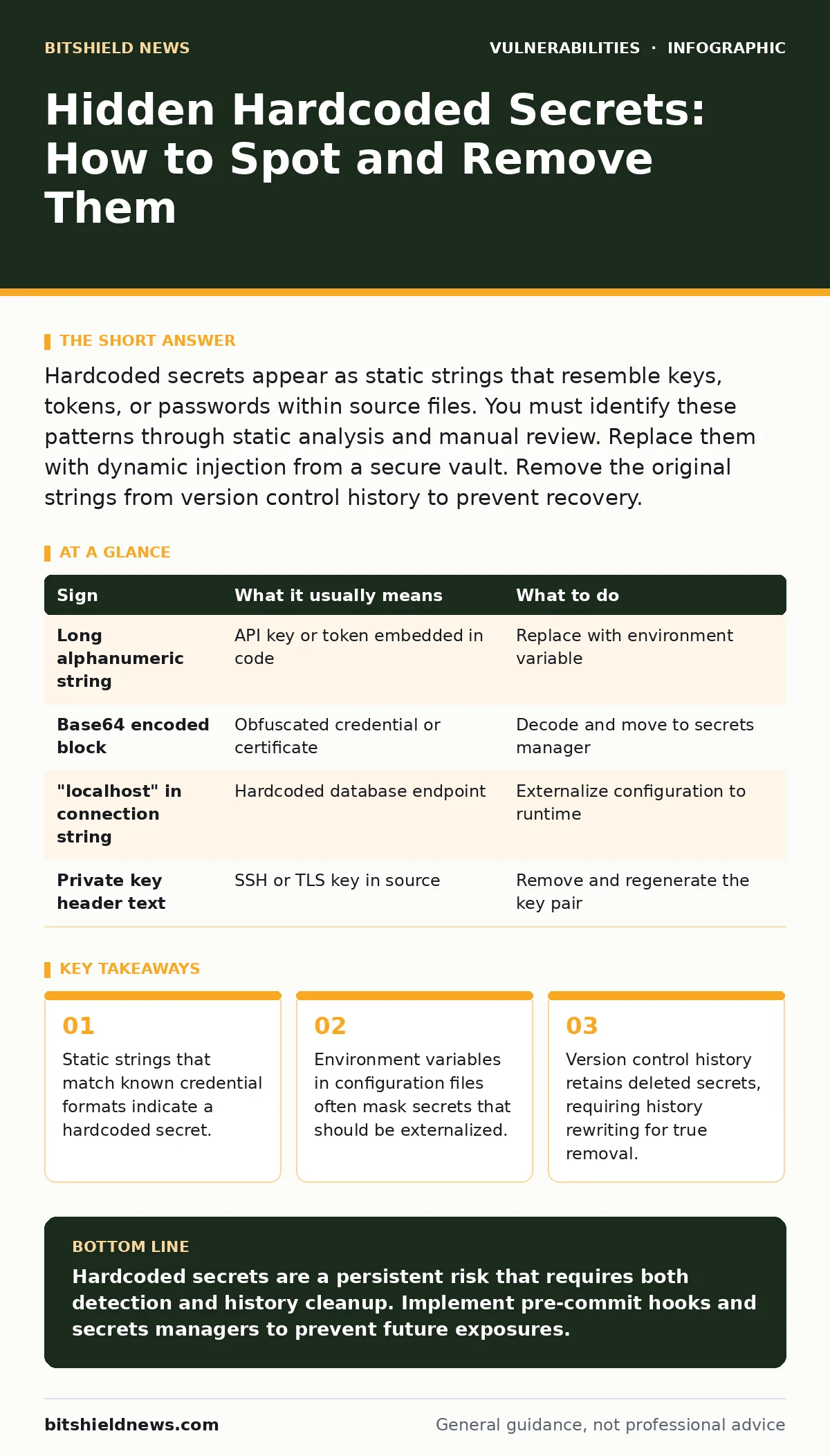
Hardcoded secrets appear as static strings that resemble keys, tokens, or passwords within source files. You must identify these patterns through static analysis and manual review. Replace them with dynamic injection from a secure vault. Remove the original strings from version control history to prevent recovery.
Visual Indicators of Embedded Credentials
You notice hardcoded secrets first when they break the pattern of normal code. Look for string literals that contain long sequences of alphanumeric characters. These strings often resemble API keys, database connection strings, or private keys. They appear directly in application logic rather than being passed as parameters.
Developers often insert these values for quick testing. They forget to remove them before merging the code into the main branch. The result is a permanent record of sensitive data in your repository. You must scan for these patterns regularly.
Subtle Signs That Escape Review
Some secrets hide in plain sight by using obfuscation techniques. You might see base64 encoded strings that decode to readable credentials. You might find hex-encoded values that represent private keys. These methods do not provide security. They only hide the data from casual inspection.
Another hidden sign is the use of environment variables that are defined within the codebase. If a variable is set to a specific value in the source file, it is effectively hardcoded. True environment variables are injected at runtime by the hosting platform. You must distinguish between configuration and credential storage.
The Cost of Static Storage
Hardcoded secrets create a permanent liability. You cannot rotate a secret that is embedded in binary code. You must rebuild and redeploy the entire application to change the value. This delay leaves your systems exposed for longer periods.
Imagine a scenario where a developer leaves a test password in a utility script. An attacker finds this script and accesses your internal database. You change the password, but the old one remains in the code. The attacker still has access until you patch the code. This lag is the primary risk.
Automated Detection Methods
You need automated tools to find these secrets at scale. Static Application Security Testing (SAST) tools scan source code for known patterns. They identify strings that match the structure of AWS keys, SSH private keys, or JWT tokens. These tools integrate with your build pipeline to block commits that contain secrets.
Regular expression searches are a basic form of detection. You can create rules that flag strings starting with specific prefixes like "sk_live" or "BEGIN RSA". These rules catch obvious mistakes. They do not catch obfuscated secrets or custom credential formats. You must combine automated scanning with manual review.
Handling Obfuscated and Split Secrets
Attackers and careless developers sometimes split secrets into multiple parts. You might see a string "part1" and "part2" concatenated in the code. This technique defeats simple pattern matching. You must review the logic that assembles these strings.
Another technique is to store the secret in a separate configuration file. If this file is committed to version control, it is still a hardcoded secret. You must treat all configuration files as sensitive. Store them in a secure vault or use a secrets manager that injects them at runtime.
See also: AI Model Serving Framework Vulnerabilities Prevention Checklist
Remediation and History Cleanup
Finding the secret is only the first step. You must remove it from the current codebase. Replace the static string with a reference to an environment variable or a secrets manager. This change ensures that the secret is not stored in the source code.
You must also remove the secret from version control history. Deleting the file does not remove it from previous commits. Attackers can clone your repository and retrieve the old values. You must rewrite the history to permanently erase the secret. This process is complex and requires careful coordination with your team.
| Sign | What it usually means | What to do |
|---|---|---|
| Long alphanumeric string | API key or token embedded in code | Replace with environment variable |
| Base64 encoded block | Obfuscated credential or certificate | Decode and move to secrets manager |
| "localhost" in connection string | Hardcoded database endpoint | Externalize configuration to runtime |
| Private key header text | SSH or TLS key in source | Remove and regenerate the key pair |
Preventing Future Exposures
You must establish a culture of security. Developers should never commit secrets to version control. Use pre-commit hooks to scan for secrets before they are pushed. These hooks act as a first line of defense. They catch mistakes before they enter the repository.
Integrate secret scanning into your continuous integration pipeline. Fail the build if a secret is detected. This enforcement ensures that secrets do not reach production. You should also review related topics like compensating controls to understand how to mitigate risks when you cannot immediately remove a secret. Understanding OpenSSL vulnerabilities helps you appreciate the importance of managing cryptographic material correctly.
The Role of Secrets Managers
Secrets managers provide a secure way to store and retrieve credentials. They inject secrets into applications at runtime. This method ensures that secrets are never stored in source code. They are also encrypted at rest and in transit.
You should adopt a secrets manager for all production environments. This tool reduces the risk of hardcoded secrets. It also allows you to rotate secrets without changing code. This capability is critical for maintaining security over time.
Key takeaways
- Static strings that match known credential formats indicate a hardcoded secret.
- Environment variables in configuration files often mask secrets that should be externalized.
- Version control history retains deleted secrets, requiring history rewriting for true removal.
Hardcoded secrets are a persistent risk that requires both detection and history cleanup. Implement pre-commit hooks and secrets managers to prevent future exposures.
Frequently asked questions
How do I know if a string is a secret?
Look for strings that match known formats for API keys, passwords, or certificates. If the string is long, alphanumeric, and not user-facing, it is likely a secret.
Can I just delete the secret from the current file?
No. You must also remove it from version control history. Otherwise, it remains accessible to anyone with access to the repository.
What is the best way to store secrets?
Use a dedicated secrets manager or environment variables injected at runtime. Never store them in source code or configuration files committed to version control.
Do automated tools catch all hardcoded secrets?
No. Automated tools catch known patterns. They may miss obfuscated secrets or custom formats. You must combine automated scanning with manual review.
How this guide was produced: written by the BitShield News editorial team with AI assistance, checked against the public references listed below, and reviewed when the facts change. See our editorial policy or report an error.