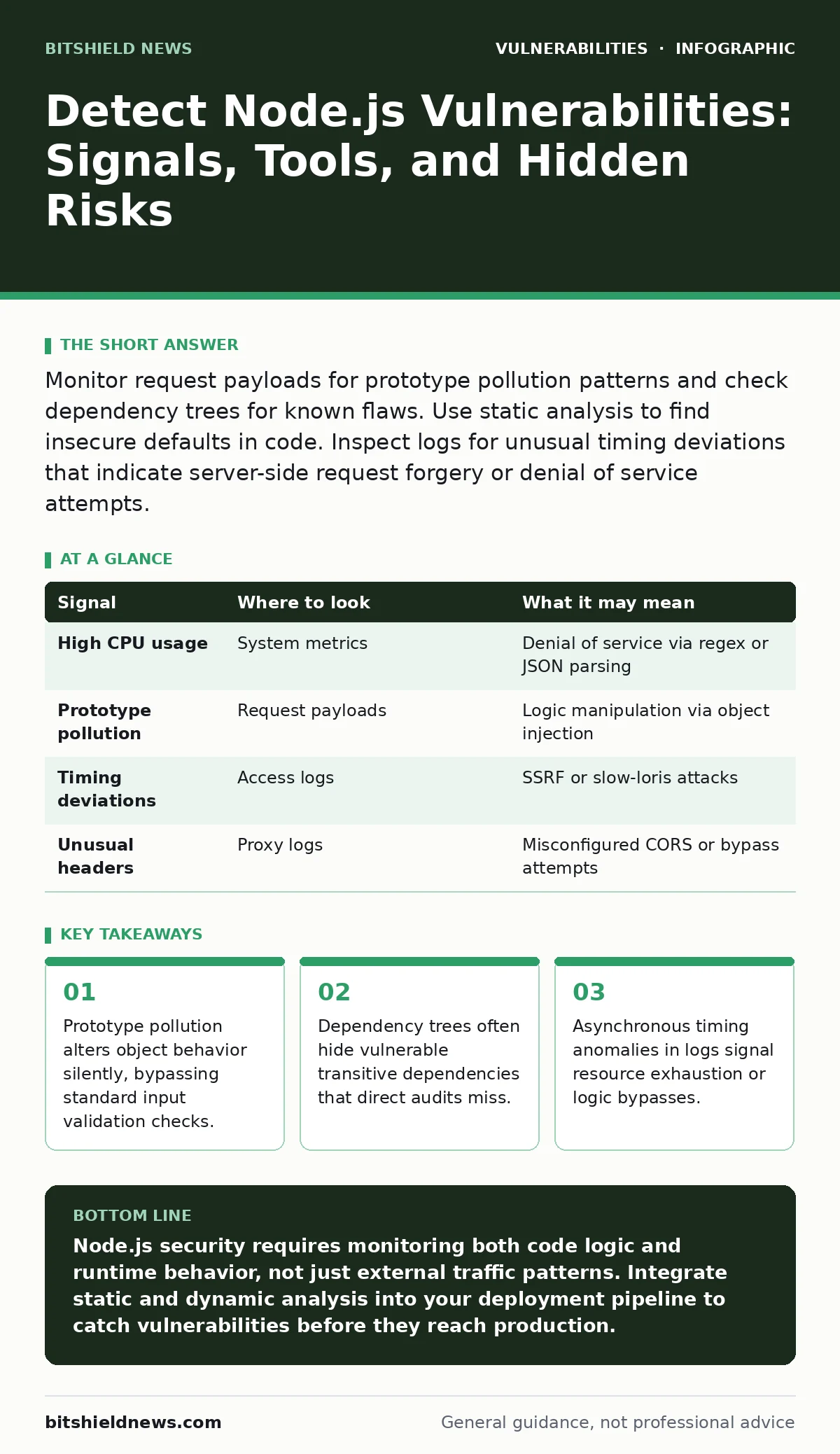
Monitor request payloads for prototype pollution patterns and check dependency trees for known flaws. Use static analysis to find insecure defaults in code. Inspect logs for unusual timing deviations that indicate server-side request forgery or denial of service attempts.
Log Signals for Node.js Anomalies
Node.js applications generate distinct log patterns when under attack. You must look beyond standard HTTP status codes. Request latency spikes often indicate server-side request forgery (SSRF) attempts where the server waits for external responses. Unusual user-agent strings combined with rapid sequential requests suggest automated scanning for exposed endpoints.
Watch for errors related to JSON parsing. Malformed JSON payloads can trigger excessive CPU usage during deserialization. These errors appear as repeated stack traces in application logs. They indicate an attacker is probing for deserialization flaws. Consistent 404 errors on non-existent routes may be reconnaissance for hidden administrative panels.
| Signal | Where to look | What it may mean |
|---|---|---|
| High CPU usage | System metrics | Denial of service via regex or JSON parsing |
| Prototype pollution | Request payloads | Logic manipulation via object injection |
| Timing deviations | Access logs | SSRF or slow-loris attacks |
| Unusual headers | Proxy logs | Misconfigured CORS or bypass attempts |
System Resource Behavior
Node.js runs on a single-threaded event loop. This architecture creates specific failure modes under stress. When the event loop blocks, all incoming requests stall. You will see network connections accumulate in the TIME_WAIT state. This happens when the application cannot process responses fast enough.
Monitor heap memory usage closely. Memory leaks in Node.js often result from closures holding references to large objects. These leaks grow slowly and are hard to detect until performance degrades significantly. A sudden drop in memory after a spike might indicate a crash and restart cycle. This behavior often precedes a complete service outage.
Static Code Analysis Findings
Static analysis tools scan source code for known vulnerability patterns. They identify insecure defaults before deployment. Look for usage of eval() or new Function() with user-supplied input. These constructs allow arbitrary code execution. Tools flag these as critical risks because they bypass sandbox restrictions.
Check for improper error handling. Developers often log sensitive data or stack traces to the console in production. These logs can leak internal structure information. Static analysis highlights these leaks. It also detects missing input validation on API endpoints. This validation is necessary to prevent injection attacks.
Dependency Tree Inspection
Node.js applications rely heavily on third-party packages. Each package introduces its own dependencies. This creates deep trees where vulnerable code hides. You must scan the entire tree, not just direct dependencies. A small utility library might depend on a package with known flaws.
Use automated tools to compare your dependencies against known vulnerability databases. These tools identify packages that require updates. They also highlight packages with no maintainer. Abandoned packages pose a high risk because they will not receive security patches. Regular audits ensure you stay ahead of emerging threats.
Runtime Detection Mechanisms
Runtime application self-protection (RASP) tools monitor application behavior during execution. They detect attacks that bypass static defenses. RASP instruments the application to watch for suspicious function calls. It blocks malicious requests in real time. This approach catches zero-day exploits that signature-based tools miss.
RASP tools identify prototype pollution by monitoring object property assignments. They detect when an attacker modifies the __proto__ property. This modification changes the behavior of all objects inheriting from that prototype. Blocking these assignments prevents logic manipulation. RASP also monitors file system access to prevent directory traversal attacks.
See also: AI Model Serving Framework Vulnerabilities Prevention Checklist
Common Blind Spots in Detection
Many security teams overlook configuration files. Environment variables stored in .env files often contain secrets. If these files are committed to version control, secrets are exposed. Detection tools usually ignore these files by default. You must explicitly include them in your scanning scope.
Another blind spot is native modules. Node.js allows compilation of C++ code for performance. These modules run outside the V8 sandbox. Vulnerabilities in native code can lead to memory corruption and code execution. Standard JavaScript static analysis tools cannot inspect C++ code. You need separate analysis for native components.
Integrating Detection into Workflows
Detection must be continuous to be effective. Integrate scanning tools into your continuous integration pipeline. This ensures every build is checked for vulnerabilities. Block deployments if critical flaws are found. This shift-left approach catches issues early.
Combine multiple detection methods for coverage. Use static analysis for code flaws. Use dependency scanning for library risks. Use runtime protection for active attacks. Each method covers different attack vectors. Together they provide a layered defense strategy. Regular reviews of detection rules ensure they stay relevant against new techniques.
Addressing Complex Threat Vectors
Node.js applications often interact with external services. These interactions create attack surfaces. Server-side request forgery allows attackers to make the server request internal resources. You must validate and restrict outbound connections. Use allowlists for permitted URLs.
Authentication bypasses remain a persistent threat. Misconfigured session handling can allow unauthorized access. Ensure session tokens are securely generated and validated. Check for pre-authentication vulnerabilities where endpoints are accessible without login. These flaws allow attackers to probe the application freely.
Maintaining Detection Hygiene
Detection tools require regular updates. Vulnerability signatures change as new flaws are discovered. Keep your scanning engines current. Review false positives to tune your detection rules. This reduces alert fatigue and ensures real threats are noticed.
Document your detection strategy. Define what constitutes a critical finding. Establish response procedures for different severity levels. This preparation speeds up incident response. Regular testing of detection mechanisms ensures they work when needed. Simulate attacks to verify your tools catch them.
Key takeaways
- Prototype pollution alters object behavior silently, bypassing standard input validation checks.
- Dependency trees often hide vulnerable transitive dependencies that direct audits miss.
- Asynchronous timing anomalies in logs signal resource exhaustion or logic bypasses.
Node.js security requires monitoring both code logic and runtime behavior, not just external traffic patterns. Integrate static and dynamic analysis into your deployment pipeline to catch vulnerabilities before they reach production.
Frequently asked questions
How do I detect prototype pollution in Node.js?
Use runtime protection tools that monitor object property assignments. Scan source code for unsafe JSON parsing functions. Validate input to prevent modification of the `__proto__` property.
What are the signs of a Node.js memory leak?
Look for gradual increases in heap memory usage over time. Monitor for increased garbage collection frequency. Check for closures holding large object references that prevent cleanup.
Can static analysis find all Node.js vulnerabilities?
No, static analysis finds code flaws but misses runtime issues. It cannot detect configuration errors or logic bugs that only appear with specific inputs. Combine it with dynamic testing.
How often should I scan Node.js dependencies?
Scan dependencies on every build and deployment. Run full scans weekly to catch new vulnerabilities in transitive dependencies. Monitor for abandoned packages that stop receiving updates.
How this guide was produced: written by the BitShield News editorial team with AI assistance, checked against the public references listed below, and reviewed when the facts change. See our editorial policy or report an error.