
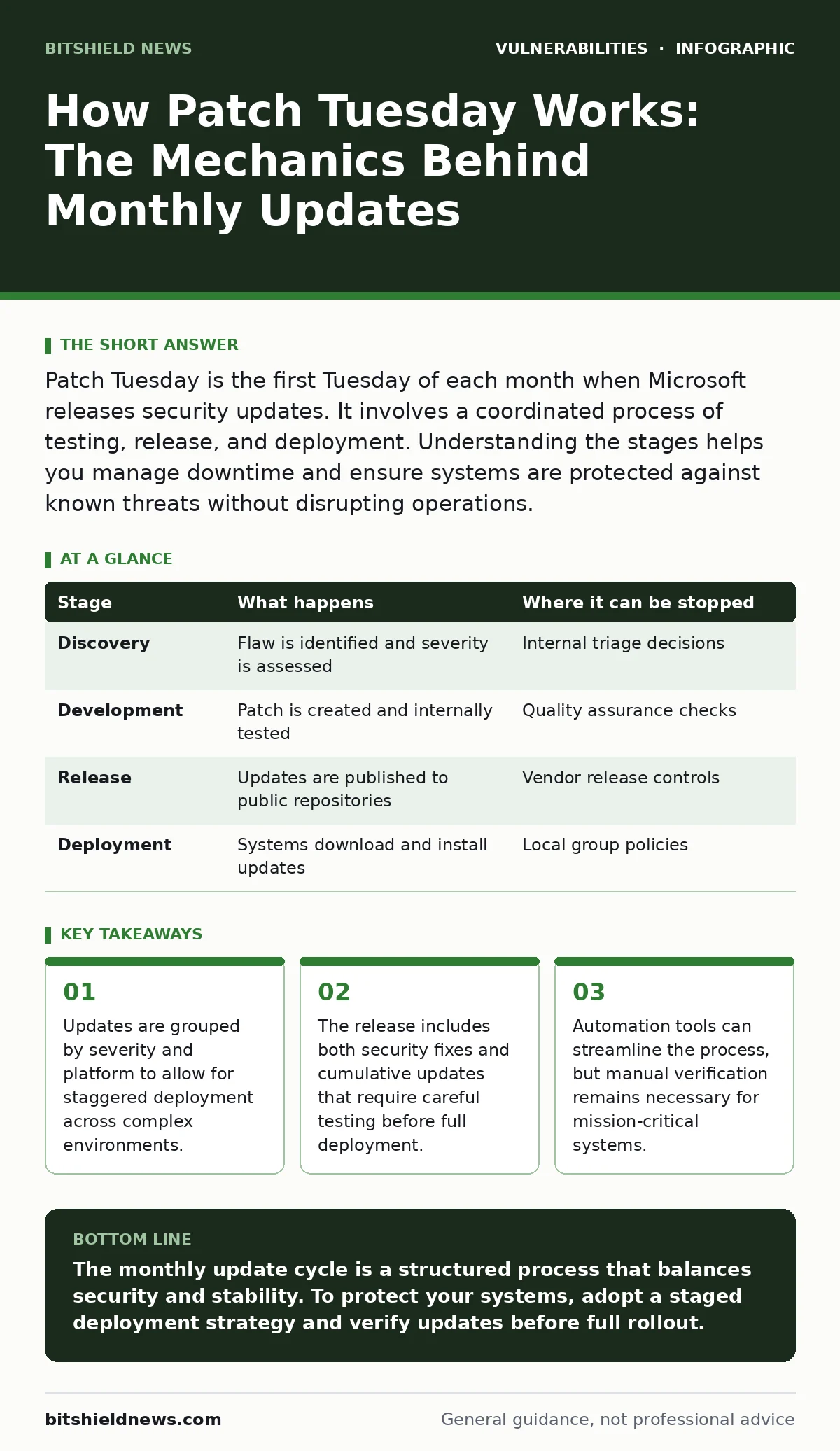
Patch Tuesday is the first Tuesday of each month when Microsoft releases security updates. It involves a coordinated process of testing, release, and deployment. Understanding the stages helps you manage downtime and ensure systems are protected against known threats without disrupting operations.
The Coordination Mechanism
The monthly update cycle operates on a predictable schedule to reduce the chaos of random patches. Vendors release fixes on the second Tuesday of the month to allow administrators time to prepare. This predictability enables organizations to plan maintenance windows and test updates in controlled environments. The goal is to minimize exposure to newly discovered vulnerabilities while maintaining system stability.
Imagine a global enterprise with thousands of servers. If updates were released randomly, the IT team would face constant interruptions. By consolidating releases, the vendor allows for a structured approach to security. This structure reduces the cognitive load on administrators who must track dozens of individual fixes. It also allows for better resource allocation during the deployment phase.
Stage 1: Vulnerability Discovery and Triage
The process begins when researchers or internal teams identify a security flaw. The vendor assesses the severity and potential impact of the vulnerability. They determine whether the issue requires an immediate out-of-band patch or can wait for the monthly cycle. High-severity issues that are actively exploited may trigger emergency releases. These are exceptions to the standard schedule and require immediate attention.
For most vulnerabilities, the fix is queued for the next monthly release. The vendor works to create a patch that resolves the issue without introducing new bugs. This stage involves rigorous internal testing to ensure compatibility with existing software. The trade-off here is speed versus stability. A rushed patch might fix the security hole but break a critical application.
| Stage | What happens | Where it can be stopped |
|---|---|---|
| Discovery | Flaw is identified and severity is assessed | Internal triage decisions |
| Development | Patch is created and internally tested | Quality assurance checks |
| Release | Updates are published to public repositories | Vendor release controls |
| Deployment | Systems download and install updates | Local group policies |
Stage 2: Development and Internal Testing
Developers write code to address the identified vulnerability. This code undergoes multiple rounds of testing in isolated environments. The goal is to verify that the patch fixes the issue without causing regressions. Regressions are new problems introduced by the update, such as application crashes. These tests simulate various operating conditions to catch edge cases.
Consider a scenario where a patch fixes a memory leak but causes a specific database driver to fail. Internal testing aims to catch such conflicts before the update reaches users. The vendor also checks for compatibility with different hardware configurations. This stage is critical for ensuring that the update does not disrupt business operations. It is where the balance between security and stability is maintained.
Stage 3: Publication and Distribution
On the designated day, the updates are published to public repositories. Administrators can download the patches for testing. The vendor provides detailed notes describing the changes and any known issues. These notes help administrators decide whether to deploy the update immediately or wait. The distribution channels are designed to handle high traffic volumes.
The release includes both security updates and optional feature updates. Security updates are typically mandatory for compliance and protection. Feature updates may be optional and require more extensive testing. Administrators should review the release notes carefully to understand the scope of the changes. This information is vital for planning the deployment strategy.
Stage 4: Staged Deployment
Organizations deploy updates in stages to mitigate risk. The first stage involves a small group of non-critical systems. These systems act as canaries to detect any unforeseen issues. If the update performs well, it is rolled out to a larger group. This gradual approach prevents widespread disruption if a patch fails.
Suppose a patch causes a printer driver to fail on Windows 10. By deploying to a small group first, the IT team can identify and rollback the update before it affects the entire organization. This stage allows for real-world validation of the patch. It also provides time to document any new procedures or configurations required.
See also: Warning Signs of OpenSSL Vulnerabilities in Your Infrastructure
Stage 5: Full Rollout and Verification
Once the update has proven stable in the test groups, it is deployed to all remaining systems. This phase may involve rebooting servers and workstations. Administrators monitor systems for any signs of instability or performance degradation. Verification steps include checking that applications are functioning correctly. This ensures that the update has not introduced any new issues.
The rollout may take several days or weeks, depending on the size of the organization. Automated tools can help manage the deployment process. However, manual verification is still necessary for critical systems. This final stage ensures that all systems are protected and operational. It closes the loop on the monthly update cycle.
Managing Complexity with Standards
The monthly update cycle is complex, but it can be managed effectively. Using standards like the CISA Known Exploited Vulnerabilities catalog helps prioritize patches. This catalog lists vulnerabilities that are actively being exploited in the wild. Focusing on these high-risk items ensures that the most critical issues are addressed first.
Integrating patch management with broader security practices enhances effectiveness. For instance, applying least privilege access limits the damage if a vulnerability is exploited. Similarly, using web application firewalls can provide an additional layer of protection. These measures complement the patching process by reducing the attack surface.
Continuous Improvement
The monthly update cycle is not a one-time event. It requires continuous monitoring and adjustment. Administrators should review the effectiveness of their patching strategy regularly. This includes analyzing any issues that arose during deployment. Lessons learned from each cycle can improve future processes.
Feedback from users and system logs is valuable for identifying problems. This information helps refine the testing and deployment procedures. Over time, the process becomes more efficient and reliable. The goal is to maintain a secure and stable environment. This ongoing effort ensures that the organization remains resilient against evolving threats.
Key takeaways
- Updates are grouped by severity and platform to allow for staggered deployment across complex environments.
- The release includes both security fixes and cumulative updates that require careful testing before full deployment.
- Automation tools can streamline the process, but manual verification remains necessary for mission-critical systems.
The monthly update cycle is a structured process that balances security and stability. To protect your systems, adopt a staged deployment strategy and verify updates before full rollout.
Frequently asked questions
What is Patch Tuesday?
It is the first Tuesday of each month when Microsoft releases security updates for its products. This predictable schedule helps organizations plan their patching activities.
Why are updates released monthly?
Monthly releases allow for coordinated testing and deployment. This reduces the risk of breaking critical applications and minimizes disruption to business operations.
How can I prioritize which patches to apply?
Focus on high-severity vulnerabilities and those listed in the CISA Known Exploited Vulnerabilities catalog. These patches address the most critical risks to your systems.
What should I do if a patch causes issues?
Roll back the update if possible and investigate the root cause. Contact the vendor for support and wait for a corrected patch before redeploying.
How this guide was produced: written by the BitShield News editorial team with AI assistance, checked against the public references listed below, and reviewed when the facts change. See our editorial policy or report an error.