
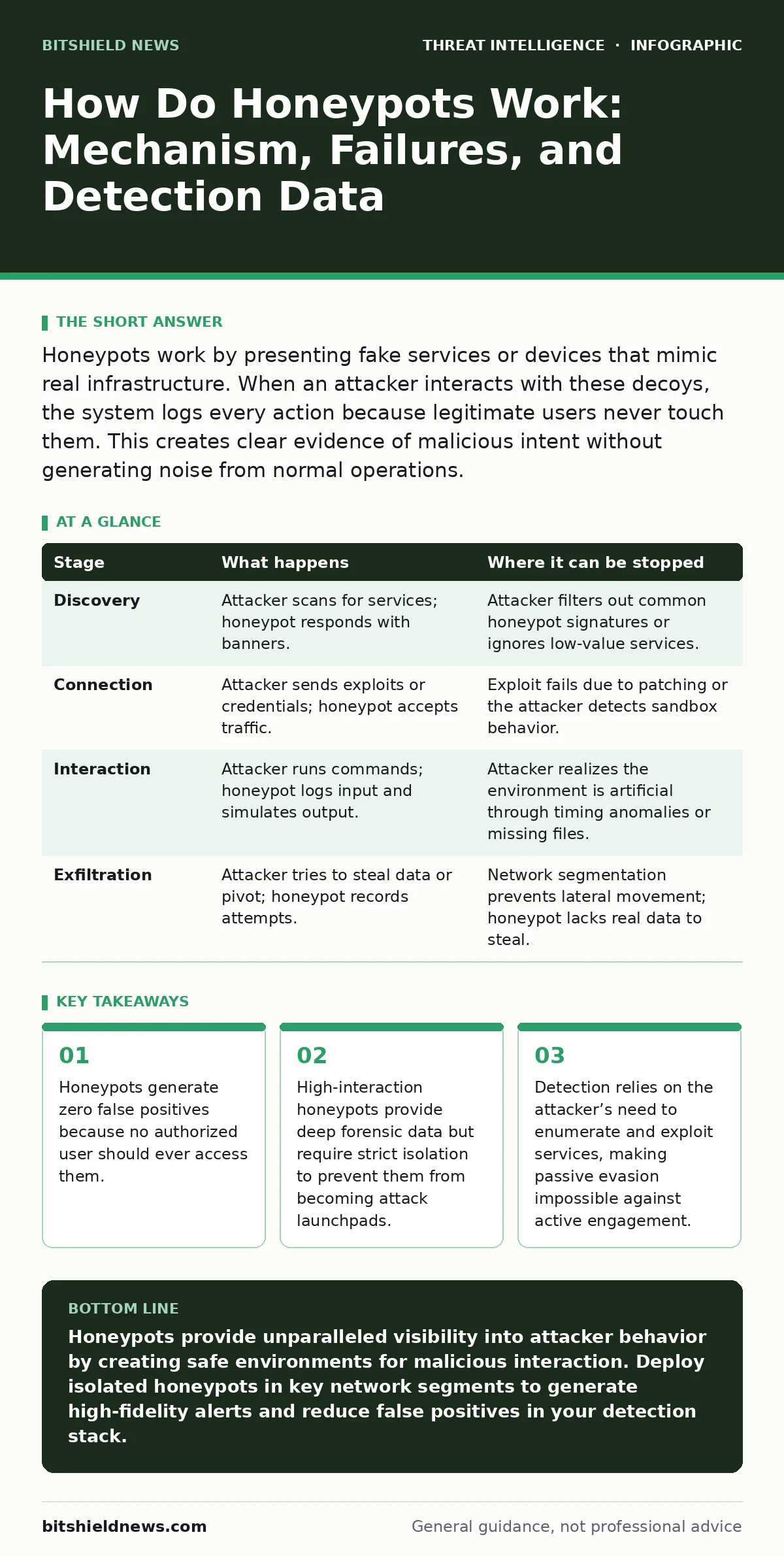
Honeypots work by presenting fake services or devices that mimic real infrastructure. When an attacker interacts with these decoys, the system logs every action because legitimate users never touch them. This creates clear evidence of malicious intent without generating noise from normal operations.
How do honeypots work in practice
Honeypots operate by exploiting the fundamental asymmetry between legitimate traffic and malicious scanning. Legitimate users connect to production servers for specific, authorized tasks. Attackers, however, must scan networks to find vulnerabilities before they can exploit them. A honeypot sits in this scanning path. It presents itself as a valuable target. When an attacker connects, the honeypot records the connection details, the commands sent, and the payloads delivered. This mechanism turns the attacker’s necessary reconnaissance into clear evidence of compromise attempts.
The core value lies in the lack of legitimate activity. Production systems generate millions of logs daily, many of which are benign. This noise makes it difficult to spot subtle intrusions. Honeypots generate no legitimate traffic. Any connection to a honeypot is, by definition, unauthorized. This eliminates false positives entirely. You gain immediate visibility into attacker behavior without filtering through routine operational data. This clarity allows security teams to focus on actual threats rather than chasing ghosts in the log files.
The mechanism step by step
Understanding the lifecycle of an interaction reveals why honeypots are effective. The process begins with visibility. The honeypot must appear on the network like any other host. It responds to standard probes. It advertises services. It looks real enough to attract attention but fake enough to contain the damage. The following stages describe this interaction from initial contact to data collection.
Stage 1: Discovery and Enumeration
The attacker uses tools to scan the network for open ports and services. This is network enumeration. The honeypot responds to these scans, often revealing banners or service versions that look attractive. The attacker sees a vulnerable service and decides to investigate further. This stage is critical because it confirms the honeypot is visible. If the honeypot does not respond correctly to enumeration tools, the attacker will ignore it.
Stage 2: Initial Connection and Exploitation
The attacker establishes a connection to the honeypot service. They send exploit code or authentication attempts. The honeypot accepts this traffic. It does not reject it. It simulates success or failure as needed to keep the attacker engaged. This stage captures the initial exploit vector. You see exactly what code the attacker used to try to break in. This data is valuable for updating defenses on real systems.
Stage 3: Interaction and Command Execution
Once the attacker believes they have access, they begin issuing commands. They might try to read files, install backdoors, or pivot to other systems. The honeypot records every command. In high-interaction honeypots, these commands may actually execute in a sandboxed environment. This provides deep insight into the attacker’s tactics, techniques, and procedures. The attacker thinks they are controlling a real system. They are actually feeding data to the defender.
Stage 4: Data Exfiltration and Logging
The attacker attempts to steal data or move laterally. The honeypot intercepts these attempts. It logs the destinations, the methods, and the volume of data. It may simulate successful exfiltration to keep the attacker engaged longer. All this activity is stored securely. The defender can later analyze this data to understand the attacker’s goals and refine their security posture. This stage provides the forensic evidence needed for incident triage.
| Stage | What happens | Where it can be stopped |
|---|---|---|
| Discovery | Attacker scans for services; honeypot responds with banners. | Attacker filters out common honeypot signatures or ignores low-value services. |
| Connection | Attacker sends exploits or credentials; honeypot accepts traffic. | Exploit fails due to patching or the attacker detects sandbox behavior. |
| Interaction | Attacker runs commands; honeypot logs input and simulates output. | Attacker realizes the environment is artificial through timing anomalies or missing files. |
| Exfiltration | Attacker tries to steal data or pivot; honeypot records attempts. | Network segmentation prevents lateral movement; honeypot lacks real data to steal. |
What happens behind the scenes
The infrastructure supporting a honeypot is as important as the decoy itself. Low-interaction honeypots simulate services at the network level. They respond to requests without executing code. This is safe but offers limited detail. High-interaction honeypots run full operating systems. They execute code. They provide rich data but carry risk. If an attacker escapes the sandbox, they could access the rest of the network.
Isolation is the primary defense against this risk. Honeypots must run in separate network segments. They should have no direct path to production data. Virtualization technology allows you to snapshot the environment. If the honeypot is compromised, you can revert it to a clean state instantly. This reset capability is vital for maintaining long-term data collection. It ensures the honeypot remains a reliable source of threat intelligence.
Where the mechanism can fail
Honeypots are not magic bullets. They have limitations. One major failure point is detection. Sophisticated attackers use heuristics to identify honeypots. They look for unusual timing, missing files, or unexpected responses. If the attacker identifies the honeypot, they may disengage or send false data to confuse the defender. This is known as feeding the honeypot. It can lead to incorrect threat assessments.
Another failure mode is network segmentation breakdown. If a high-interaction honeypot is not properly isolated, a successful escape can lead to a real breach. The attacker uses the honeypot as a foothold. This turns a defensive tool into an attack vector. You must treat honeypots as high-risk assets. They require constant monitoring and strict access controls. Failure to maintain this discipline can undermine your entire security posture.
Integration with broader defense strategies
Honeypots do not work in isolation. They feed into your broader detection and response capabilities. The data collected from honeypots can trigger automated responses. For example, if an IP address interacts with a honeypot, that IP can be blocked at the firewall. This reduces the attack surface for the rest of the network. Honeypots also help validate other security tools. They provide ground truth for testing intrusion detection systems.
This integration is particularly useful for understanding advanced threats. Techniques like DNS tunneling or DCSync attacks often leave subtle traces. Honeypots can simulate the environments where these attacks occur. By observing how attackers use these techniques against decoys, you can improve your detection rules for real systems. This proactive approach enhances your ability to respond to incidents quickly and effectively.
See also: Citrix NetScaler Mistakes That Leave Your Network Open
Strategic deployment considerations
Placement is key to honeypot effectiveness. Deploy them in areas where attackers are likely to probe. Demilitarized zones, public-facing services, and internal segments with high-value data are good candidates. You should also consider the type of honeypot. Low-interaction honeypots are suitable for broad network coverage. High-interaction honeypots are better for deep analysis of specific threats.
Maintenance is often overlooked. Honeypots drift over time. Services need updates. Signatures change. If a honeypot looks outdated, attackers will ignore it. Regular maintenance ensures the honeypot remains convincing. It also ensures the data collected is relevant. Neglected honeypots become blind spots. They waste resources and provide no value. Treat them like any other security asset. Regular audits and updates are necessary to maintain their effectiveness.
The human element in honeypot analysis
Data from honeypots is only as good as the analysis behind it. You need skilled analysts to interpret the logs. They must distinguish between automated scanning and targeted attacks. They must identify patterns and trends. This requires a deep understanding of attacker behavior. It also requires familiarity with the tools and techniques used in cybercrime.
Training is essential. Analysts must know how to query the data. They must understand the context of the alerts. Without this expertise, the data is just noise. Invest in training for your security team. Ensure they can derive actionable insights from honeypot data. This transforms raw logs into strategic intelligence. It empowers your team to stay ahead of emerging threats.
Key takeaways
- Honeypots generate zero false positives because no authorized user should ever access them.
- High-interaction honeypots provide deep forensic data but require strict isolation to prevent them from becoming attack launchpads.
- Detection relies on the attacker’s need to enumerate and exploit services, making passive evasion impossible against active engagement.
Honeypots provide unparalleled visibility into attacker behavior by creating safe environments for malicious interaction. Deploy isolated honeypots in key network segments to generate high-fidelity alerts and reduce false positives in your detection stack.
Frequently asked questions
Can honeypots detect internal threats?
Yes, internal honeypots can detect compromised accounts or insider threats. Since legitimate users should never access them, any internal connection is immediately suspicious.
Do honeypots slow down the network?
Properly configured honeypots have minimal impact on network performance. They only process traffic directed at them, which is usually a small fraction of total network activity.
Is it legal to use honeypots?
Honeypots are generally legal for defensive purposes. However, you must ensure they do not entrap innocent users or violate privacy laws. Always consult legal counsel before deployment.
How long does it take to set up a honeypot?
Setup time varies. Low-interaction honeypots can be deployed in hours. High-interaction honeypots require more time for configuration, isolation, and testing to ensure security.
How this guide was produced: written by the BitShield News editorial team with AI assistance, checked against the public references listed below, and reviewed when the facts change. See our editorial policy or report an error.