
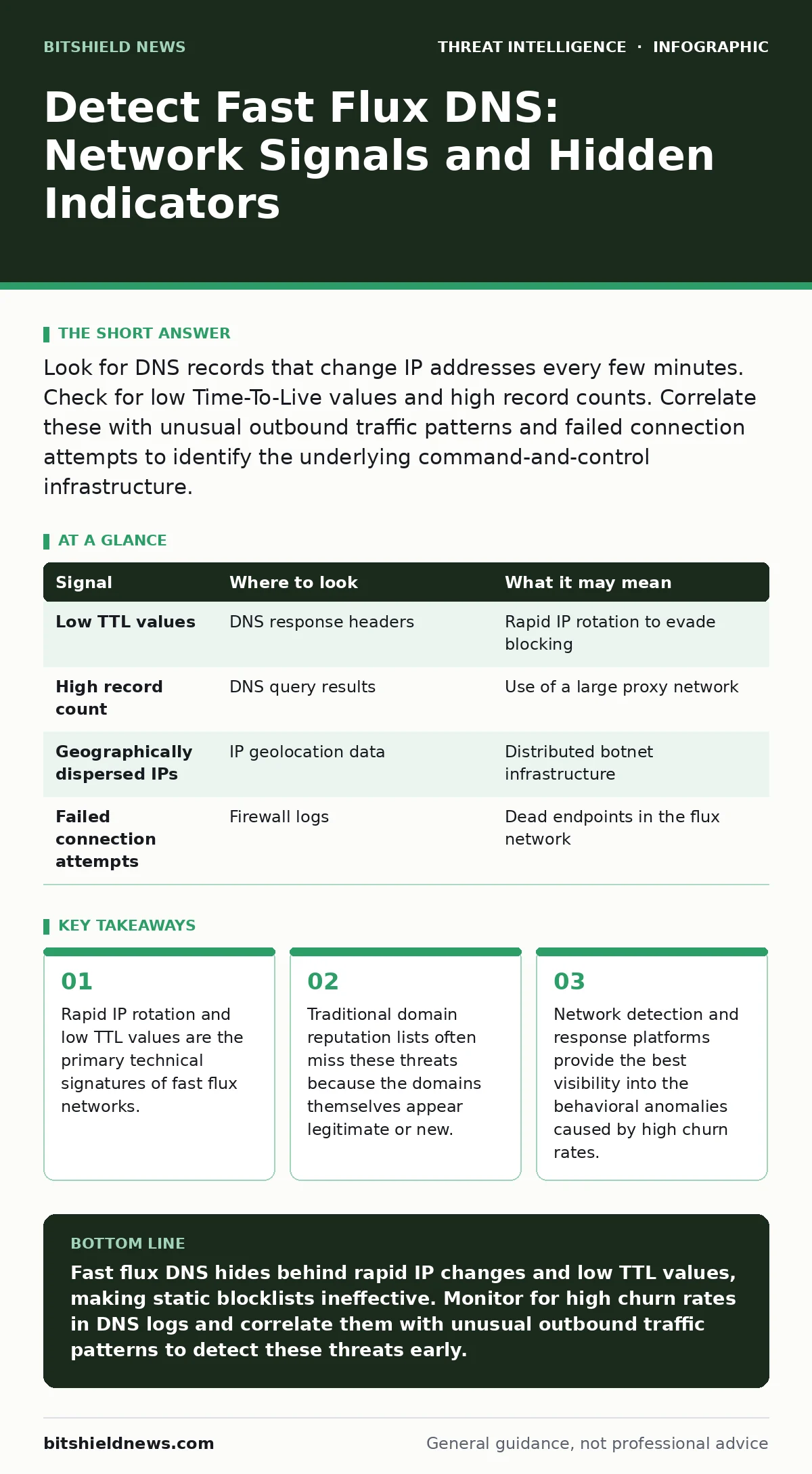
Look for DNS records that change IP addresses every few minutes. Check for low Time-To-Live values and high record counts. Correlate these with unusual outbound traffic patterns and failed connection attempts to identify the underlying command-and-control infrastructure.
The Mechanics of Evasion
Fast flux DNS is a technique used to obscure the location of malicious servers. Instead of pointing a domain name to a single static IP address, the system rotates through a large pool of addresses. This pool often includes compromised consumer devices, creating a decentralized network. The goal is to make takedown efforts difficult and to distribute traffic across many nodes.
This method relies on two main mechanisms: low Time-To-Live values and high record counts. TTL is the duration a DNS record stays in cache before needing refresh. By setting TTL to seconds, the network forces frequent updates. This ensures that even if one node is blocked, the domain quickly resolves to a new address.
Imagine you are monitoring a standard web request. The DNS query returns an IP, and your device connects. In a fast flux scenario, the IP changes before your next query. This creates a moving target that traditional static blocklists cannot track effectively. The underlying infrastructure is often a botnet, meaning the bandwidth is stolen from unsuspecting users.
DNS Log Anomalies
Your first line of defense lies in DNS query logs. You must look for domains that exhibit unusual resolution behavior. Standard websites rarely change their IP addresses more than once or twice a day. Fast flux domains may change dozens of times within an hour.
Check for extremely low TTL values in your DNS responses. A TTL of sixty seconds or less is a strong indicator of flux behavior. Most legitimate services use TTLs measured in hours or days to reduce server load. High frequency changes increase network noise and complicate caching.
Also monitor the number of IP addresses returned per query. A single domain returning ten or more distinct IP addresses is highly suspicious. This is known as high churn. When combined with low TTL, this pattern suggests an attempt to hide the true origin of the traffic.
| Signal | Where to look | What it may mean |
|---|---|---|
| Low TTL values | DNS response headers | Rapid IP rotation to evade blocking |
| High record count | DNS query results | Use of a large proxy network |
| Geographically dispersed IPs | IP geolocation data | Distributed botnet infrastructure |
| Failed connection attempts | Firewall logs | Dead endpoints in the flux network |
Network Traffic Patterns
DNS logs provide the initial alert, but network traffic confirms the activity. Fast flux networks generate significant outbound noise. Your security telemetry should capture this background chatter. Look for connections to IP addresses that have no established reputation.
These IP addresses are often residential or dynamic. They do not host standard web services. When your internal devices connect to them, the connections may fail quickly. This happens because many nodes in the flux network are offline or blocked. The malware client attempts multiple IPs until it finds a working one.
This behavior creates a distinct pattern in your firewall logs. You will see many short-lived connections to different destinations for the same domain. This is different from normal web browsing, where connections to a single site are stable. The variance in destination IPs is the key anomaly.
Endpoint Behavior
On the endpoint, the malware must manage the complexity of the flux network. It cannot rely on the operating system’s standard DNS resolver alone. Instead, it often implements custom logic to handle the rapid changes. This can manifest as increased CPU usage or network utilization.
The malware may also perform network enumeration of the flux nodes. It tests each IP to see if it is responsive. This testing process generates small packets that might be missed by perimeter defenses. However, they are visible on internal network segments.
If you suspect an infection, check for persistent processes that maintain outbound connections. These processes often restart if killed. They are designed to reconnect to the next available IP in the rotation. This persistence is a hallmark of the malware family using the fast flux technique.
Common Blind Spots
Many security teams miss fast flux because they focus on domain reputation. They trust that if a domain is not on a blacklist, it is safe. This is a dangerous assumption. Fast flux domains are often newly registered or hijacked legitimate domains. They have no history to speak of.
Another blind spot is the reliance on static IP blocking. Blocking one IP address does not stop the communication. The network simply shifts to another node. This leads to alert fatigue, as analysts block hundreds of IPs that are just symptoms of the larger problem.
You may also miss the traffic if it is encrypted. If the command-and-control channel uses HTTPS, you cannot inspect the payload. You must rely on metadata, such as the frequency of connections and the size of data transfers. Encrypted flux traffic is harder to detect but still leaves behavioral fingerprints.
See also: Stop DNS Amplification Attacks: Practical Prevention Steps · How Do Honeypots Work: Mechanism, Failures, and Detection Data
Tooling and Visibility
To detect these threats, you need tools that can correlate DNS and network data. Simple antivirus solutions are often blind to the network-level indicators. You require network detection and response capabilities to see the full picture.
These platforms can aggregate DNS queries and firewall logs. They can identify domains with high churn rates automatically. Look for features that allow you to set custom thresholds for TTL and record counts. This allows you to tune the detection to your specific environment.
Additionally, ensure your logging retention is sufficient. Fast flux activity may be sporadic. You need enough historical data to spot trends over time. Short retention periods may erase the evidence before you can analyze it. Proper incident triage depends on having complete context.
Operational Response
When you identify a fast flux indicator, act quickly but methodically. First, isolate the affected endpoint from the network. This stops the malware from communicating with the command-and-control servers. Do not simply disconnect it, as this may destroy volatile memory evidence.
Next, block the domain at your DNS resolver. This prevents other devices from resolving the malicious address. However, remember that the attackers may register a new domain. Blocking one domain is a temporary fix. You must find and remove the malware from the endpoint.
Finally, review your logs for any lateral movement. The malware may have spread to other systems before you detected it. Check for unusual authentication attempts or file transfers. Understanding the scope of the compromise is critical for effective remediation.
Key takeaways
- Rapid IP rotation and low TTL values are the primary technical signatures of fast flux networks.
- Traditional domain reputation lists often miss these threats because the domains themselves appear legitimate or new.
- Network detection and response platforms provide the best visibility into the behavioral anomalies caused by high churn rates.
Fast flux DNS hides behind rapid IP changes and low TTL values, making static blocklists ineffective. Monitor for high churn rates in DNS logs and correlate them with unusual outbound traffic patterns to detect these threats early.
Frequently asked questions
How do I distinguish fast flux from a legitimate CDN?
Legitimate CDNs use high TTL values and stable IP sets for specific regions. Fast flux networks use very low TTLs and rotate IPs globally and rapidly, often including residential addresses.
Can firewalls stop fast flux networks?
Firewalls can block individual IP addresses, but this is ineffective against fast flux. The network will simply shift to other nodes. You must block the domain and remove the malware from the infected host.
Why is DNS logging so critical for this threat?
DNS logs reveal the resolution behavior. Without them, you only see connections to random IPs. The DNS logs link those IPs to the malicious domain, providing the context needed for detection.
Does encryption hide fast flux activity?
Encryption hides the payload, but not the metadata. You can still detect the high frequency of connections and the rapid change of destination IPs. Behavioral analysis remains effective even with encryption.
How this guide was produced: written by the BitShield News editorial team with AI assistance, checked against the public references listed below, and reviewed when the facts change. See our editorial policy or report an error.