
Real-time protection does not scan the entire network or stop all malware. It intercepts file system calls and executable loads to block known malicious patterns. Misunderstanding its scope leads to false security when attackers use memory-resident tools, browser-based exploits, or legitimate software for unauthorized actions.
Misreading: Real-time protection scans all network traffic
Real-time protection does not inspect packets flowing across your network. Endpoint agents monitor activity on the local machine where they reside. They watch for files being read, written, or executed. Network traffic bypasses these local sensors entirely. Imagine an attacker exfiltrating data via DNS tunneling. The endpoint agent sees DNS queries as normal outbound traffic. It does not decode the payload. You need separate network detection tools to catch this. Relying solely on endpoint protection leaves lateral movement and data theft invisible. The agent protects the host, not the wire.
Correct reading: Real-time protection is host-centric. It intercepts system calls related to storage and execution. It cannot see traffic that never touches the disk or processes it does not manage. Network monitoring complements endpoint security by inspecting the flow between hosts.
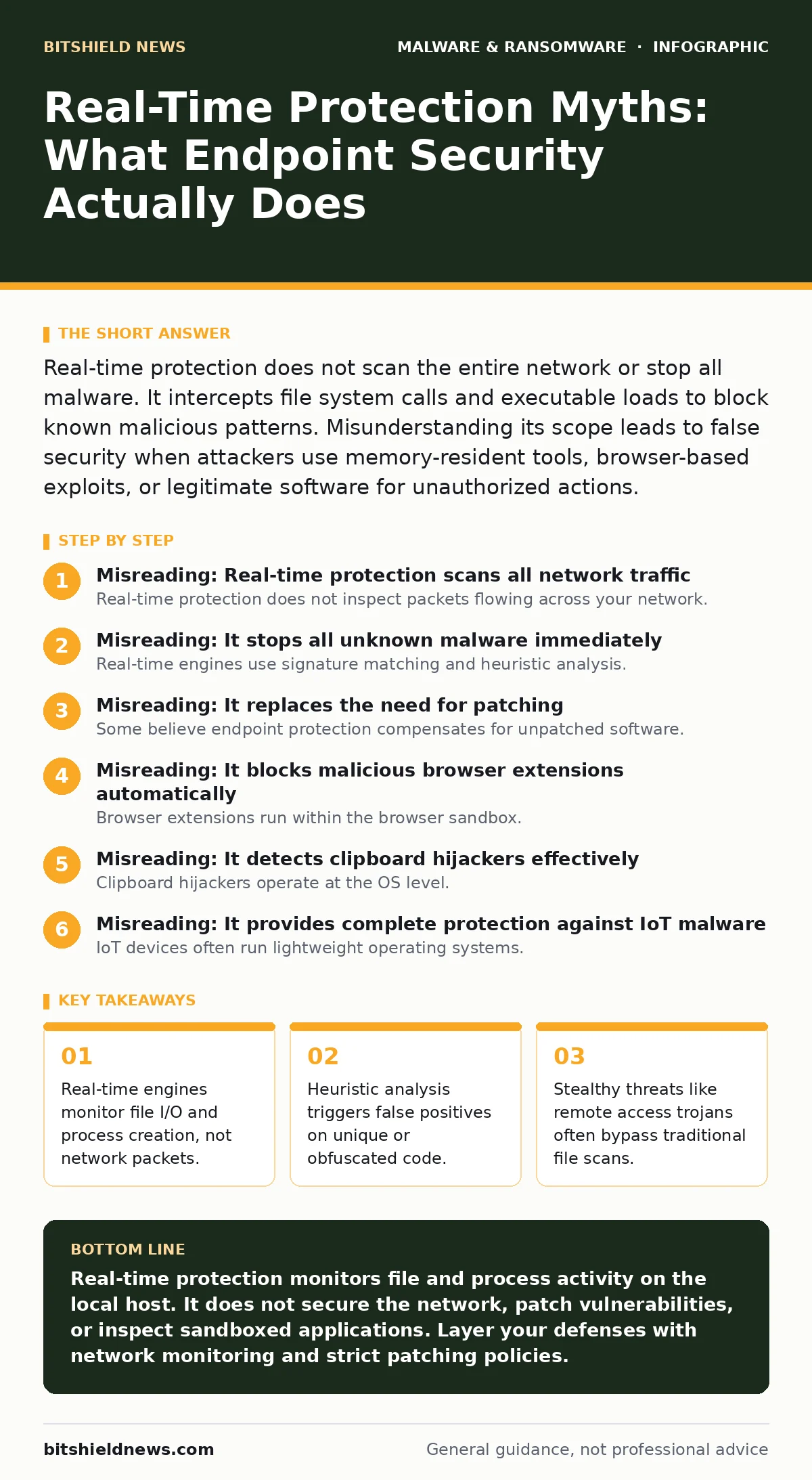
Misreading: It stops all unknown malware immediately
Real-time engines use signature matching and heuristic analysis. Signatures identify known threats with high accuracy. Heuristics guess whether new code is malicious based on behavior. Heuristics are imperfect. They generate false positives. They also miss sophisticated malware that mimics legitimate behavior. Suppose a attacker uses a living-off-the-land binary like PowerShell. The code is signed by Microsoft. The agent trusts it. The malicious payload runs in memory. No file is dropped. The agent sees nothing wrong. Memory-only attacks evade file-based scanning.
Correct reading: Real-time protection catches known threats reliably. It struggles with zero-day exploits and fileless attacks. Threats that do not write to disk remain invisible to traditional scanners. You must layer memory inspection and behavioral monitoring to catch these advanced techniques.
Misreading: It replaces the need for patching
Some believe endpoint protection compensates for unpatched software. This is a dangerous assumption. Protection tools react to exploitation attempts. They cannot fix the underlying vulnerability. An unpatched server remains an open door. Attackers exploit these holes before the agent can intervene. Consider a web server with an outdated framework. A web shell uploads directly into the memory space. The agent might not flag the initial request. Once inside, the attacker moves freely. Patching removes the entry point entirely.
Correct reading: Real-time protection is a defensive layer, not a cure. Vulnerabilities provide the initial foothold. Without patching, attackers bypass detection by exploiting trusted processes. Update software regularly to reduce the attack surface. Protection tools mitigate risk but do not eliminate it.
Misreading: It blocks malicious browser extensions automatically
Browser extensions run within the browser sandbox. Endpoint agents often lack visibility into extension activity. They see the browser process as a single entity. They do not inspect individual extension calls. Malicious extensions can steal credentials or modify web pages. The agent sees only network requests from the browser. It cannot distinguish between legitimate and malicious extension traffic. Imagine a fake password manager extension harvesting login data. The endpoint agent records outbound HTTPS traffic. It does not analyze the extension code.
Correct reading: Browser security requires extension auditing. Endpoint protection cannot fully monitor sandboxed environments. Users must install extensions from verified sources. Regularly review extension permissions. Combine endpoint security with browser hardening policies to prevent credential theft.
Misreading: It detects clipboard hijackers effectively
Clipboard hijackers operate at the OS level. They monitor copy-paste operations. They replace sensitive data like cryptocurrency addresses. Endpoint agents focus on file integrity and process behavior. They rarely inspect clipboard content in real-time. The hijacker runs as a background process. It may appear legitimate to the agent. The malicious action happens in the user interface layer. The agent sees no file modification or suspicious execution. You paste a wrong address because the data changed in transit.
Correct reading: Clipboard threats require specific monitoring. Traditional real-time protection overlooks data manipulation in memory. Use applications that verify addresses before transactions. Do not rely on endpoint scanners for data integrity during copy-paste operations. Validate sensitive inputs manually.
See also: What Is Command and Control: How Malware Steers Your Systems · How to Prevent Keyloggers: 5 Layers of Defense That Actually Work
Misreading: It provides complete protection against IoT malware
IoT devices often run lightweight operating systems. They lack resources for full endpoint agents. Real-time protection on these devices is minimal or non-existent. Attackers exploit default credentials and open ports. The device becomes a bot. It communicates with command and control servers. The endpoint agent on a nearby PC sees only network noise. It does not protect the IoT device itself. Imagine a compromised camera sending traffic out. The PC agent cannot scan the camera’s firmware.
Correct reading: IoT devices need network segmentation. Endpoint protection on standard computers does not extend to IoT. Isolate IoT devices on separate VLANs. Monitor traffic patterns from these devices. Use dedicated IoT security solutions that understand constrained environments.
Key takeaways
- Real-time engines monitor file I/O and process creation, not network packets.
- Heuristic analysis triggers false positives on unique or obfuscated code.
- Stealthy threats like remote access trojans often bypass traditional file scans.
Real-time protection monitors file and process activity on the local host. It does not secure the network, patch vulnerabilities, or inspect sandboxed applications. Layer your defenses with network monitoring and strict patching policies.
Frequently asked questions
Does real-time protection stop ransomware encrypting files?
It blocks known ransomware signatures and suspicious encryption behavior. Advanced ransomware may evade detection by mimicking legitimate processes or operating in memory.
Can I rely on real-time protection for email threats?
No. Endpoint agents scan downloaded attachments. They do not filter email traffic. Use dedicated email security solutions to block phishing and malicious links before they reach the user.
Does real-time protection work offline?
Yes. It uses local signatures and heuristics. However, it cannot update its database without internet access. New threats emerging after the last update may not be detected.
How do I know if real-time protection is active?
Check the agent status icon in the system tray. Look for a shield symbol or status message indicating active monitoring. Verify logs show recent scan activity.
How this guide was produced: written by the BitShield News editorial team with AI assistance, checked against the public references listed below, and reviewed when the facts change. See our editorial policy or report an error.