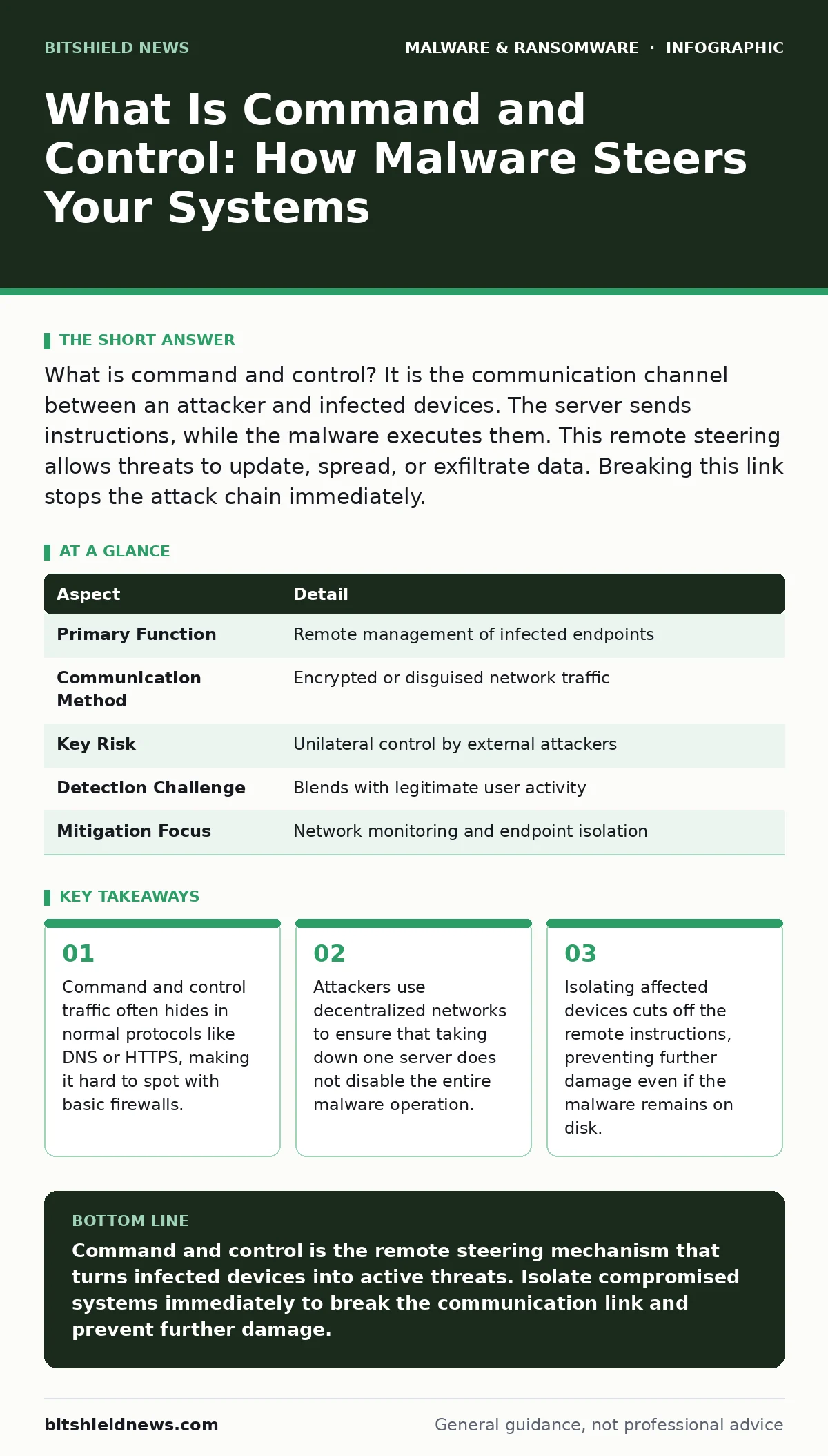
What is command and control? It is the communication channel between an attacker and infected devices. The server sends instructions, while the malware executes them. This remote steering allows threats to update, spread, or exfiltrate data. Breaking this link stops the attack chain immediately.
What Is Command and Control in Cybersecurity
What is command and control? It is the backend communication infrastructure that allows attackers to manage infected computers remotely. The malware acts as a listener, waiting for orders from a central server. Without this channel, the malicious code sits idle on the device. It cannot exfiltrate sensitive files, download additional payloads, or join a botnet. The controller provides the direction that turns installed software into an active threat.
This architecture separates the attacker from the victim. The operator does not need to maintain a direct connection to every infected machine. Instead, the malware checks in periodically to report status and receive new tasks. This design creates a persistent foothold in the target environment. It allows for long-term surveillance or delayed execution of destructive commands.
| Aspect | Detail |
|---|---|
| Primary Function | Remote management of infected endpoints |
| Communication Method | Encrypted or disguised network traffic |
| Key Risk | Unilateral control by external attackers |
| Detection Challenge | Blends with legitimate user activity |
| Mitigation Focus | Network monitoring and endpoint isolation |
How the Communication Channel Works
The malware establishes a beaconing routine to contact the controller. This routine defines how often the infected device checks for instructions. Short intervals provide real-time control but increase detection risk. Long intervals reduce visibility but slow down the attack. Attackers balance these factors based on their goals. The malware uses standard protocols to blend in with normal traffic. It might use HTTPS to hide payload content or DNS queries to tunnel data. This camouflage makes simple port blocking ineffective.
Once the connection is established, the attacker can push updates. These updates might add new capabilities, such as screen recording or keylogging. The attacker can also command the malware to scan the local network. This allows the threat to spread laterally to other devices. The controller can issue a mass command to all connected bots simultaneously. This synchronization is critical for large-scale attacks.
Who Bears the Risk of Remote Control
Any device with network access is a potential target. The malware does not care about the value of the individual machine. It only cares about connectivity and permissions. However, the impact scales with the device’s role. A personal laptop might lose photos and browser history. A server holding customer databases faces catastrophic data loss. The damage extends beyond the initial victim. Lateral movement allows the attacker to reach critical infrastructure.
Organizations with poor network segmentation suffer the most. When an infected device can talk freely to other systems, the controller can guide the malware through the entire network. This turns a single infection into a systemic failure. Cloud environments are equally vulnerable. Misconfigured cloud storage buckets can become the target of exfiltration commands. The attacker uses the compromised device as a bridge to reach these assets.
Common Misconceptions About C2 Infrastructure
Many defenders assume that blocking known malicious IPs stops the threat. This approach fails because attackers use domain generation algorithms. These algorithms create thousands of potential domain names. The malware tries them until one resolves to an active server. Even if you block the current domain, the malware switches to another. Static blacklists cannot keep pace with this dynamic infrastructure.
Another mistake is believing that internal traffic is safe. Attackers often set up internal command and control servers. They infect a trusted device first, then turn it into a controller for other machines. This bypasses perimeter defenses entirely. The traffic never leaves the local network. Traditional firewalls see only local communication and allow it. This internal pivot makes detection much harder.
Detecting Hidden Controllers in Traffic
Detection requires looking for behavior, not just signatures. You must identify the anomaly in communication patterns. Regular users do not send encrypted data to unknown servers every few minutes. You should monitor for consistent beaconing intervals. Tools that analyze network flows can highlight these rhythmic patterns. You also need to inspect encrypted traffic metadata. The size and timing of packets can reveal hidden channels.
Decoy hosts help validate alerts. You place inactive systems in the network that mimic real services. Real users do not interact with these decoys. If malware contacts a decoy, it is likely attempting to reach a command and control server. This technique reduces false positives. It confirms that the traffic is automated and malicious. Combining decoys with network monitoring provides strong evidence of compromise.
See also: Detect Ransomware-as-a-Service: Log Signals and Blind Spots
Disrupting the Link to Stop Attacks
The most effective response is immediate isolation. You must cut the infected device from the network. This breaks the command and control link. The malware can no longer receive instructions or send data. It becomes dormant again. You should not power off the device immediately. Memory may contain evidence needed for analysis. Use network segmentation to isolate the segment containing the device. This allows you to preserve forensic data while stopping the attack.
After isolation, you must identify the scope. Check logs to see what the malware contacted. Look for lateral movement indicators. Determine if other devices received commands from the same controller. You may need to reset credentials accessed by the compromised system. This prevents the attacker from using stolen credentials to regain access. A thorough investigation ensures that no hidden controllers remain active.
Integrating Defense with Broader Strategies
Command and control detection works best when combined with other security layers. You should integrate network monitoring with endpoint detection. The endpoint sees the malware process, while the network sees the communication. Correlating these signals confirms the threat. You can also use threat intelligence feeds to block known controller domains. These feeds update continuously with new indicators of compromise.
Understanding how malware analysis reveals hidden capabilities helps you prioritize responses. Some malware includes modules for credential theft, while others focus on data exfiltration. Knowing the specific threat helps you tailor your isolation strategy. You might also consider how remote access trojans bypass traditional security. These tools often use legitimate remote administration software to establish control. Recognizing these patterns improves your detection accuracy.
Key takeaways
- Command and control traffic often hides in normal protocols like DNS or HTTPS, making it hard to spot with basic firewalls.
- Attackers use decentralized networks to ensure that taking down one server does not disable the entire malware operation.
- Isolating affected devices cuts off the remote instructions, preventing further damage even if the malware remains on disk.
Command and control is the remote steering mechanism that turns infected devices into active threats. Isolate compromised systems immediately to break the communication link and prevent further damage.
Frequently asked questions
Can antivirus software detect command and control traffic?
Traditional antivirus focuses on file signatures and may miss network-based command and control. You need specialized network monitoring tools to detect the communication patterns associated with remote controllers.
How do attackers hide their command and control servers?
Attackers use domain generation algorithms and fast-flux DNS to constantly change server addresses. They also encrypt their traffic to blend in with normal web browsing, making it difficult to distinguish from legitimate activity.
What happens if I disconnect a device from the internet?
Disconnecting the device breaks the command and control link, stopping remote instructions. However, the malware may still execute locally scheduled tasks or remain dormant until reconnected, so you must still clean the system.
Is command and control only used for ransomware?
No, command and control infrastructure is used by many types of malware, including spyware, botnets, and remote access trojans. Any malware that requires remote management or updates uses this communication channel.
How this guide was produced: written by the BitShield News editorial team with AI assistance, checked against the public references listed below, and reviewed when the facts change. See our editorial policy or report an error.