
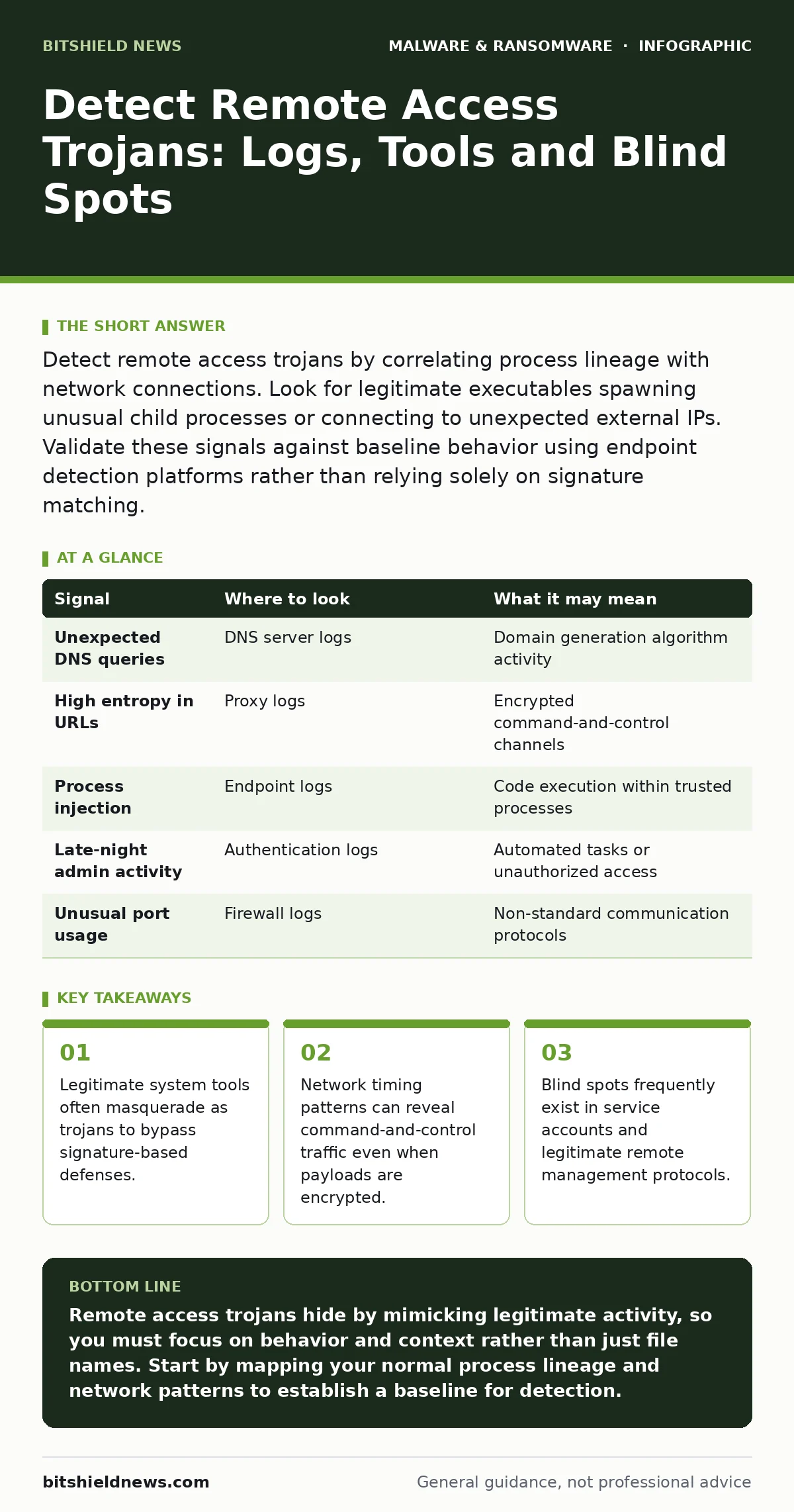
Detect remote access trojans by correlating process lineage with network connections. Look for legitimate executables spawning unusual child processes or connecting to unexpected external IPs. Validate these signals against baseline behavior using endpoint detection platforms rather than relying solely on signature matching.
Process Lineage and Parent-Child Relationships
Remote access trojans rely on stealth. They rarely execute as standalone files with obvious malicious names. Instead, they inject code into running processes or spawn from trusted system utilities. You must examine the parent-child relationship of every suspicious process. If a web browser spawns a command shell, or if a text editor launches a network listener, the lineage is broken.
Standard security tools often miss this because they inspect the final process in isolation. You need to trace the execution chain back to the origin. A legitimate user action should not result in a system utility initiating outbound connections to unknown endpoints. This technique, known as living off the land, uses the tools already present on the operating system to avoid detection.
Network Timing and Beaconing Patterns
Even when traffic is encrypted, the rhythm of communication often reveals malicious activity. Command-and-control servers require regular check-ins from infected hosts. These check-ins, or beacons, occur at fixed intervals. Statistical analysis of packet timing can expose this regularity.
Random human behavior is irregular. Automated malware is precise. If a host sends packets to the same destination every thirty seconds with millisecond accuracy, it is likely compromised. You do not need to decrypt the payload to see this pattern. Look for connections that persist despite network disruptions or that resume immediately after a reboot. This persistence is a hallmark of remote access trojans seeking to maintain their foothold.
| Signal | Where to look | What it may mean |
|---|---|---|
| Unexpected DNS queries | DNS server logs | Domain generation algorithm activity |
| High entropy in URLs | Proxy logs | Encrypted command-and-control channels |
| Process injection | Endpoint logs | Code execution within trusted processes |
| Late-night admin activity | Authentication logs | Automated tasks or unauthorized access |
| Unusual port usage | Firewall logs | Non-standard communication protocols |
Legitimate Tool Misuse Detection
Attackers prefer tools that are already installed and trusted. PowerShell, Windows Management Instrumentation, and Linux cron jobs are prime targets. These tools are necessary for administration, so blocking them is not an option. Instead, you must monitor for their misuse.
A script running from a temporary directory is suspicious. A command executing with elevated privileges at an odd hour is suspicious. You should define what normal usage looks like for your environment. Any deviation from this baseline warrants investigation. This approach reduces false positives by focusing on context rather than content. It requires a deep understanding of your own infrastructure, which is why many teams struggle to implement it effectively.
Endpoint Detection and Response Platforms
Traditional antivirus software relies on signatures. It compares file hashes against a database of known threats. Remote access trojans change their code frequently to evade this detection. Signature-based methods fail against new or customized variants.
Endpoint detection and response platforms offer a better alternative. They monitor behavior in real-time. They can see what a process is doing, not just what it is called. These platforms allow you to set rules for specific behaviors, such as file encryption or registry modification. You can also isolate infected devices quickly to prevent lateral movement. For a deeper understanding of containment strategies, refer to our guide on isolating infected devices.
Authentication and Privilege Escalation
Remote access trojans often seek higher privileges to move laterally. They exploit misconfigurations or stolen credentials to access other systems. Monitor for failed login attempts followed by successful ones. This pattern suggests credential stuffing or brute-force attacks.
Also watch for privilege escalation events. If a standard user account suddenly gains administrative rights, investigate immediately. Check for the creation of new user accounts or the modification of existing ones. Attackers often create hidden accounts to maintain access even if they remove the initial trojan. These accounts may have names that look similar to legitimate ones, such as adding an extra space or using a different case.
See also: How Security Telemetry Works: From Raw Data to Actionable Insight · Why Embeddings Matter for Security Operations
The Hidden Cost of False Negatives
The biggest risk is not a false alarm. It is the missed detection. A false negative allows the attacker to remain in your network for days or weeks. During this time, they can exfiltrate data or deploy additional malware. The cost of remediation increases with every hour the trojan remains undetected.
You must balance sensitivity with operational stability. Too many alerts lead to alert fatigue, where staff ignore warnings. Too few alerts leave gaps in your defense. Regularly review your detection rules to ensure they remain effective. Tune them based on your specific environment. This ongoing effort is necessary to stay ahead of evolving techniques.
Common Blind Spots in Detection
Many teams focus heavily on endpoints and networks. They neglect other areas where trojans can hide. One major blind spot is legitimate remote management software. Administrators use these tools daily, so their traffic often bypasses scrutiny. Attackers can compromise these tools or use them to mask their own activity.
Another blind spot is service accounts. These accounts often have broad permissions and are rarely monitored for unusual activity. If a service account logs in from an unexpected location or at an unusual time, it should trigger an alert. Additionally, do not overlook the browser environment. Malicious browser extensions can act as trojans, stealing data and injecting code into web pages. For more on this threat, see our guide on malicious browser extensions.
Integrating Multiple Data Sources
No single tool provides a complete picture. You must correlate data from multiple sources. Combine endpoint logs with network flow data and authentication records. This holistic view helps you identify complex attacks that span multiple vectors.
For example, a suspicious process on an endpoint might correlate with unusual network traffic and a failed login attempt. By linking these events, you can confirm a compromise with higher confidence. This integration requires robust logging and storage capabilities. Ensure that all systems are synchronized and that logs are retained for a sufficient period. This allows you to investigate incidents retroactively.
Maintaining Detection Hygiene
Detection capabilities degrade over time. New tools are added, configurations change, and attackers adapt. You must regularly test your detection rules. Use simulated attacks to verify that your systems alert as expected. This practice, known as purple teaming, helps identify gaps in your coverage.
Also, keep your detection signatures and rules up to date. While signatures alone are insufficient, they can catch known variants while you investigate behavioral anomalies. Review your detection logic quarterly. Remove rules that generate excessive false positives. Add new rules for emerging threats. This continuous improvement ensures your defenses remain effective.
For those interested in deeper technical analysis of malware samples, our guide on static malware analysis provides methods for dissecting executable files. Additionally, understanding how backdoors function can help you identify similar mechanisms in your environment.
Key takeaways
- Legitimate system tools often masquerade as trojans to bypass signature-based defenses.
- Network timing patterns can reveal command-and-control traffic even when payloads are encrypted.
- Blind spots frequently exist in service accounts and legitimate remote management protocols.
Remote access trojans hide by mimicking legitimate activity, so you must focus on behavior and context rather than just file names. Start by mapping your normal process lineage and network patterns to establish a baseline for detection.
Frequently asked questions
How do I distinguish between a remote access trojan and legitimate remote support software?
Legitimate software uses known protocols and connects to verified vendor servers. Trojans often use encrypted channels to unknown IPs and exhibit irregular timing patterns.
Can remote access trojans be detected without endpoint agents?
Yes, by analyzing network traffic for beaconing patterns and correlating DNS queries with known malicious domains, though endpoint data provides higher accuracy.
What is the first sign of a remote access trojan in system logs?
Often, it is a legitimate system utility spawning a child process that it never should, such as a text editor launching a command shell.
How often should I review my detection rules for remote access trojans?
Review them at least quarterly, or immediately after any major infrastructure change or security incident, to ensure they remain relevant.
How this guide was produced: written by the BitShield News editorial team with AI assistance, checked against the public references listed below, and reviewed when the facts change. See our editorial policy or report an error.