
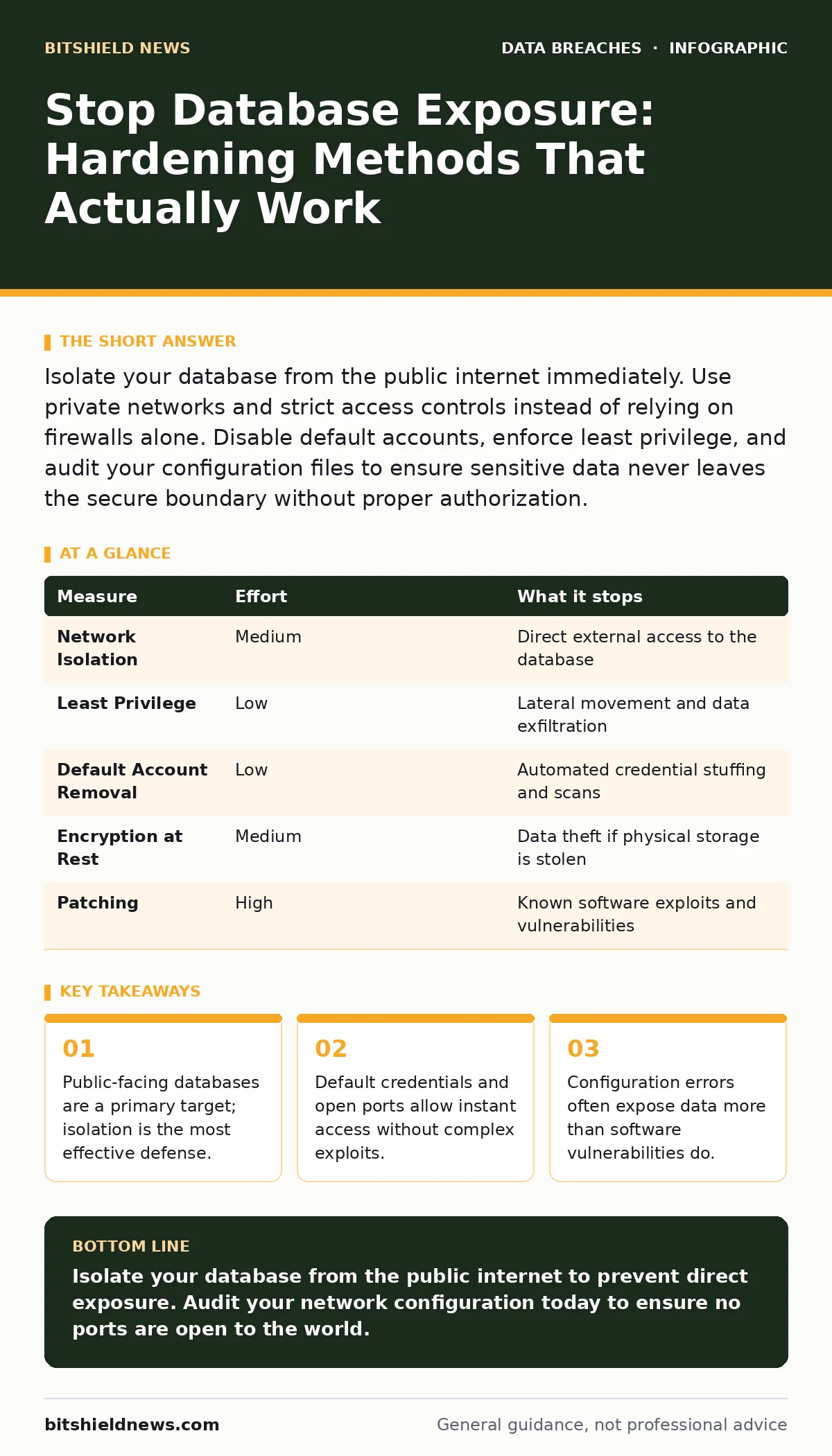
Isolate your database from the public internet immediately. Use private networks and strict access controls instead of relying on firewalls alone. Disable default accounts, enforce least privilege, and audit your configuration files to ensure sensitive data never leaves the secure boundary without proper authorization.
The Illusion of Perimeter Security
You might believe that placing a database behind a corporate firewall is enough to keep attackers out. This assumption is dangerous. Modern attackers do not always try to break through the outer wall. They look for services that you accidentally left open to the world. A database listening on a public IP address is an invitation.
Imagine a scenario where a misconfigured cloud instance exposes a database port directly to the internet. An automated bot scans the entire IPv4 address space. It finds your open port in seconds. It does not need to guess passwords if the database allows anonymous access or uses default credentials. This is how exposure happens. It is rarely a sophisticated breach. It is a configuration error.
Isolate the Data Layer
The single most effective step you can take is to remove the database from the public internet. Use a Virtual Private Cloud or a private network segment. Ensure that only application servers can reach the database. This creates a boundary that external attackers cannot cross directly.
Do not rely on security groups or firewall rules as your only line of defense. These are filters, not barriers. If a rule is misconfigured, the database becomes accessible. By placing the database in a private network, you ensure that even if the firewall fails, the database has no route to the outside world. This approach aligns with principles found in secure file sharing protocols, where data only moves between trusted endpoints.
Enforce Least Privilege Access
Every application and user should have the minimum permissions necessary to function. Administrators often grant broad permissions to avoid troubleshooting access issues later. This creates a hidden risk. If an application account is compromised, the attacker gains access to all data that the application can touch.
Create separate accounts for different applications. Do not use the root or administrator account for daily operations. Configure these accounts to read only specific tables or columns. This limits the blast radius of a compromise. If one application is breached, the attacker cannot access data used by other services. This mirrors the concept of data minimization, where you reduce the amount of sensitive data available to any single point of failure.
Disable Default Accounts and Credentials
Database software ships with default accounts and sometimes even default passwords. Many administrators install the software and forget to change these settings. Attackers know these defaults. They are the first thing bots try.
Delete or disable default accounts immediately. Change default passwords to strong, unique values. Do not use the same password for the database as you do for other systems. If one system is compromised, the attacker will try those credentials everywhere. This is a quick win that removes a large amount of risk with minimal effort.
| Measure | Effort | What it stops |
|---|---|---|
| Network Isolation | Medium | Direct external access to the database |
| Least Privilege | Low | Lateral movement and data exfiltration |
| Default Account Removal | Low | Automated credential stuffing and scans |
| Encryption at Rest | Medium | Data theft if physical storage is stolen |
| Patching | High | Known software exploits and vulnerabilities |
Encrypt Sensitive Data
Encryption at rest protects your data if the physical storage media is stolen or if an attacker gains direct access to the disk files. It does not protect the data while it is being processed or while it is in memory. Do not treat encryption as a substitute for access controls.
Use standard encryption algorithms supported by your database software. Manage the encryption keys separately from the data. If an attacker steals the database files but not the keys, the data remains unreadable. This adds a layer of defense that buys you time to detect and respond to a breach. It does not prevent the breach itself.
See also: 7 Mistakes That Enable Data Extortion and How to Stop Them · Role-Based Access Control Myths That Leave Data Exposed
Monitor for Anomalous Activity
You cannot prevent every attack. You must detect the ones that slip through your defenses. Set up monitoring for unusual login attempts, large data exports, or access from unexpected locations. These indicators can signal a compromise in progress.
Review logs regularly. Look for patterns that deviate from normal behavior. If an application suddenly queries a table it never touches, investigate. If a user logs in at an unusual time, verify the activity. This proactive stance helps you respond before significant damage occurs. It complements your backup strategies, ensuring you can recover data even if it is corrupted or deleted by an attacker.
What Does Not Work
Many organizations believe that hiding their database behind a complex password is enough. This is false. Passwords can be guessed, stolen, or phished. Without network isolation, a strong password is just a delay.
Another common misconception is that encryption alone prevents exposure. Encryption protects the data at rest, but it does not stop an attacker from accessing the database and reading the data in memory. You must combine encryption with strict access controls and network isolation.
Finally, do not ignore the CISA Known Exploited Vulnerabilities catalog. Using outdated software versions leaves you open to known exploits. Patching is not optional. It is a baseline requirement. Neglecting patches is like leaving your front door unlocked and hoping no one notices.
Immediate Action Checklist
Take these three steps today to reduce your risk of database exposure. Do not wait for a scheduled maintenance window. These actions can be performed with minimal disruption.
- Verify that your database is not accessible from the public internet. Check your network configuration and firewall rules.
- Disable all default accounts and change any default passwords. Ensure that no service accounts use shared credentials.
- Review your access controls. Ensure that each application and user has only the permissions they need. Remove any unnecessary access.
Key takeaways
- Public-facing databases are a primary target; isolation is the most effective defense.
- Default credentials and open ports allow instant access without complex exploits.
- Configuration errors often expose data more than software vulnerabilities do.
Isolate your database from the public internet to prevent direct exposure. Audit your network configuration today to ensure no ports are open to the world.
Frequently asked questions
How do I know if my database is exposed to the internet?
Use online port scanning tools to check if your database port is accessible from outside your network. If you can connect from a public device, it is exposed.
Is encryption at rest enough to protect my data?
No. Encryption at rest protects data on disk but does not prevent unauthorized access to the database service. You must also use access controls and network isolation.
What is the difference between a firewall and network isolation?
A firewall filters traffic based on rules. Network isolation places the database in a private network segment that has no direct route to the public internet. Isolation is a stronger control.
How often should I review database permissions?
Review permissions quarterly or whenever there is a change in personnel or applications. Regular audits ensure that least privilege is maintained over time.
How this guide was produced: written by the BitShield News editorial team with AI assistance, checked against the public references listed below, and reviewed when the facts change. See our editorial policy or report an error.