
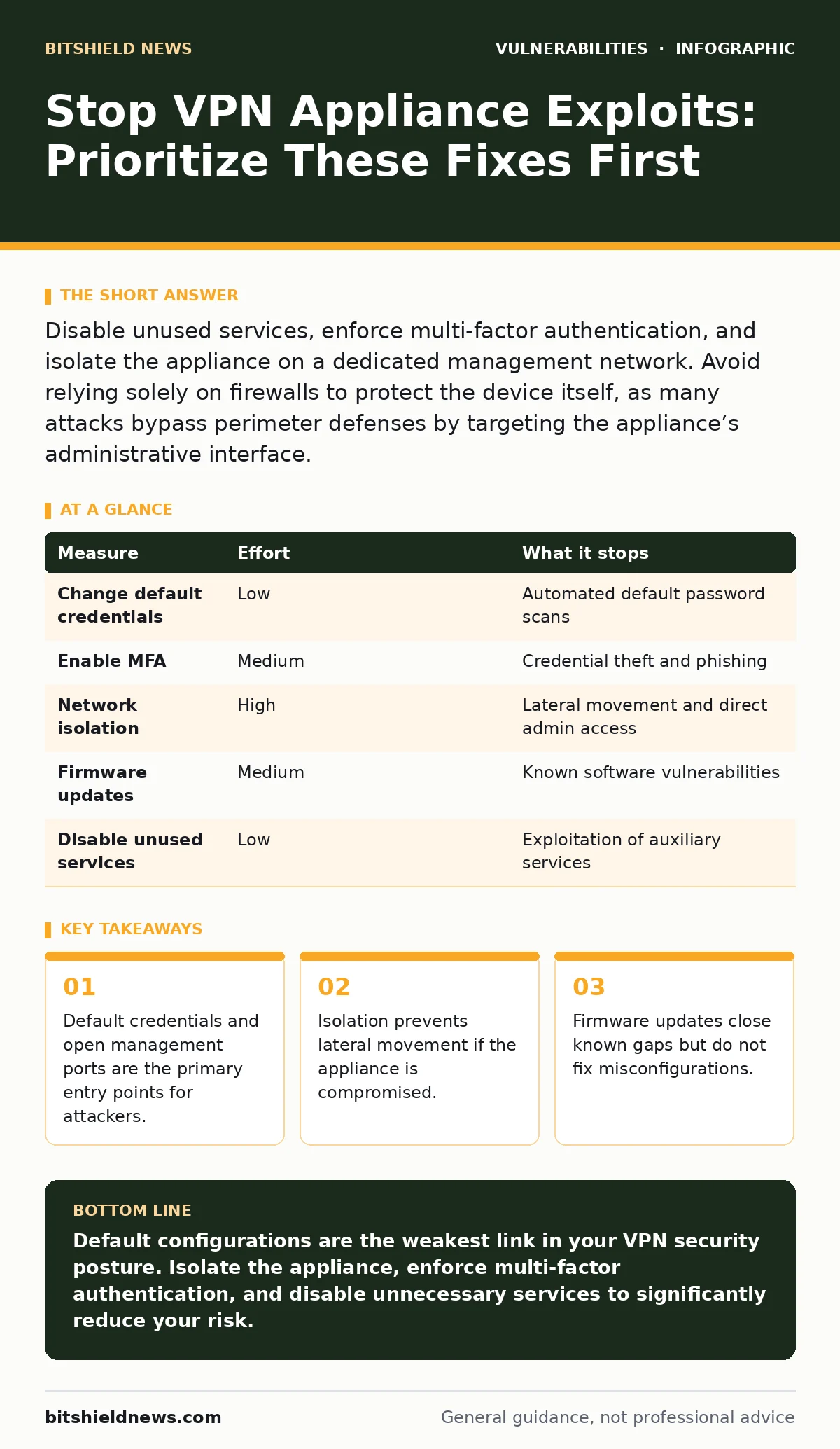
Disable unused services, enforce multi-factor authentication, and isolate the appliance on a dedicated management network. Avoid relying solely on firewalls to protect the device itself, as many attacks bypass perimeter defenses by targeting the appliance’s administrative interface.
Disable Default Administrative Access
The most common failure point is the administrative interface. Many appliances ship with default usernames and passwords that are publicly documented. Attackers automate scans for these defaults before attempting complex exploits. You must change every default credential immediately. Do not rely on obfuscation or simple renaming of the admin account.
Imagine an attacker scanning your public IP range. They find a login page that accepts the factory default password. They gain full control without writing a single line of code. This is not a hypothetical edge case; it is the baseline expectation for automated attack tools.
Remove the default accounts entirely if the firmware allows it. If you must keep them, enforce complex passwords that exceed standard length requirements. Enable account lockout policies after a small number of failed attempts. This slows down brute-force attacks, giving you time to detect and respond.
Enforce Multi-Factor Authentication
Password-only authentication is insufficient for remote access devices. Even strong passwords can be phished or stolen from other breaches. Multi-factor authentication (MFA) requires a second form of verification, such as a hardware token or a push notification. This adds a layer that attackers cannot bypass with stolen credentials alone.
You should disable any option that allows password-only login for administrative access. If your appliance does not support native MFA, place it behind an identity provider that does. This ensures that every administrative session requires two distinct proofs of identity.
Isolate the Appliance Network Segment
A VPN appliance sits between your internal network and the outside world. If an attacker compromises it, they often gain a foothold inside your environment. To prevent this, place the appliance on a dedicated management network segment. This segment should have strict access controls limiting who can reach the administrative ports.
Do not connect the appliance’s management interface to the same VLAN as user data traffic. Separation ensures that even if the data plane is compromised, the control plane remains isolated. Use firewalls to restrict access to the management interface only from specific, trusted IP addresses.
This isolation reduces the attack surface significantly. It forces attackers to breach the perimeter firewall before they can even attempt to interact with the appliance’s configuration. It also limits the damage if the appliance itself is infected with malware.
Update Firmware and Verify Integrity
Vendors regularly release patches for known vulnerabilities. These updates often address critical flaws in the encryption protocols or the web management interface. You must establish a routine for applying these updates. Delaying updates leaves you exposed to exploits that are already in the wild.
Before applying an update, verify its integrity. Download the firmware from the vendor’s official site and check the cryptographic signature. This ensures that the file has not been tampered with during transit. Imagine downloading a patch that contains a backdoor because the original file was compromised on a third-party mirror.
Check for references to your appliance model in the CISA Known Exploited Vulnerabilities catalog. This resource highlights vulnerabilities that are actively being used in attacks. Prioritize patches for these specific issues over general maintenance updates.
Restrict Unnecessary Services
Many appliances run services that are not required for basic VPN operation. These include SSH, Telnet, HTTP, and various diagnostic tools. Each open service is a potential entry point. You should disable any service that is not strictly necessary for your operation.
Audit the services running on the appliance. Compare the list against your operational requirements. If you do not need Telnet for remote management, turn it off. If you do not need HTTP for web management, force HTTPS. This reduces the number of ports an attacker can target.
See also: AI Model Serving Framework Vulnerabilities Prevention Checklist
Monitor Logs and Detect Anomalies
Even with strong defenses, attempts will occur. You must monitor the appliance’s logs for signs of compromise. Look for repeated failed login attempts, configuration changes from unexpected sources, or unusual traffic patterns. Centralize these logs in a security information and event management system for better visibility.
Do not rely on the appliance’s local log storage alone. Attackers often clear local logs to cover their tracks. Sending logs to a remote server ensures that evidence is preserved even if the appliance is fully compromised.
Set up alerts for critical events. For example, an alert should trigger if the root user logs in from an unknown location. This allows you to respond quickly before an attacker can establish persistence.
What Does Not Work
Many administrators believe that placing a firewall in front of the VPN appliance is sufficient protection. This is a mistake. The firewall protects the network behind the appliance, not the appliance itself. Attackers target the appliance’s external interface directly.
Another common misconception is that changing the default ports provides security. This is security through obscurity. Automated scanners check common non-standard ports as well. It does not stop a determined attacker and only makes management more difficult for you.
| Measure | Effort | What it stops |
|---|---|---|
| Change default credentials | Low | Automated default password scans |
| Enable MFA | Medium | Credential theft and phishing |
| Network isolation | High | Lateral movement and direct admin access |
| Firmware updates | Medium | Known software vulnerabilities |
| Disable unused services | Low | Exploitation of auxiliary services |
Closing Checklist
Use this checklist to secure your VPN appliance today. These steps provide the highest return on investment for risk reduction.
- Change all default administrative passwords and remove default accounts.
- Enable multi-factor authentication for all administrative access.
- Verify that the management interface is isolated from user data traffic.
Key takeaways
- Default credentials and open management ports are the primary entry points for attackers.
- Isolation prevents lateral movement if the appliance is compromised.
- Firmware updates close known gaps but do not fix misconfigurations.
Default configurations are the weakest link in your VPN security posture. Isolate the appliance, enforce multi-factor authentication, and disable unnecessary services to significantly reduce your risk.
Frequently asked questions
Should I use a web application firewall to protect my VPN appliance?
A web application firewalls can help filter malicious traffic, but they do not replace the need for strong authentication and network isolation. They are an additional layer, not a substitute for basic hardening.
How often should I review my VPN appliance configuration?
You should review the configuration quarterly or after any significant change. This ensures that new services have not been enabled inadvertently and that access controls remain strict.
Is it safe to use the appliance for both user traffic and management?
It is not recommended. Mixing management and data traffic increases the risk that a data plane exploit could affect the control plane. Separate them whenever possible.
What if my appliance vendor goes out of business?
If your vendor stops providing updates, you are at high risk. You should plan to replace the appliance or move to a supported alternative as soon as possible. Untended appliances become liabilities quickly.
How this guide was produced: written by the BitShield News editorial team with AI assistance, checked against the public references listed below, and reviewed when the facts change. See our editorial policy or report an error.