Cloud guardrails are automated rules that prevent infrastructure from moving outside approved security boundaries. They act as a safety net, blocking dangerous changes while allowing safe innovation. This approach stops errors at the source rather than detecting them after damage occurs.
The Highway Metaphor
Imagine driving on a multi-lane highway. The pavement allows you to travel fast, but the concrete barriers on the side exist to keep you from driving off the road. You do not notice the barriers when driving correctly. You only feel their presence when you drift too far toward the edge.
Cloud guardrails function exactly like those barriers. They define the safe boundary for your infrastructure. They do not slow down normal traffic. They only stop actions that would push resources into danger.
Many teams treat security as a toll booth. They stop every car to check documents. This creates traffic jams. Guardrails are different. They let you drive freely within the lane. They only intervene when you try to leave the road.
Defining the Safety Boundaries
To build effective guardrails, you must understand the components. These terms define how the system interacts with your cloud environment.
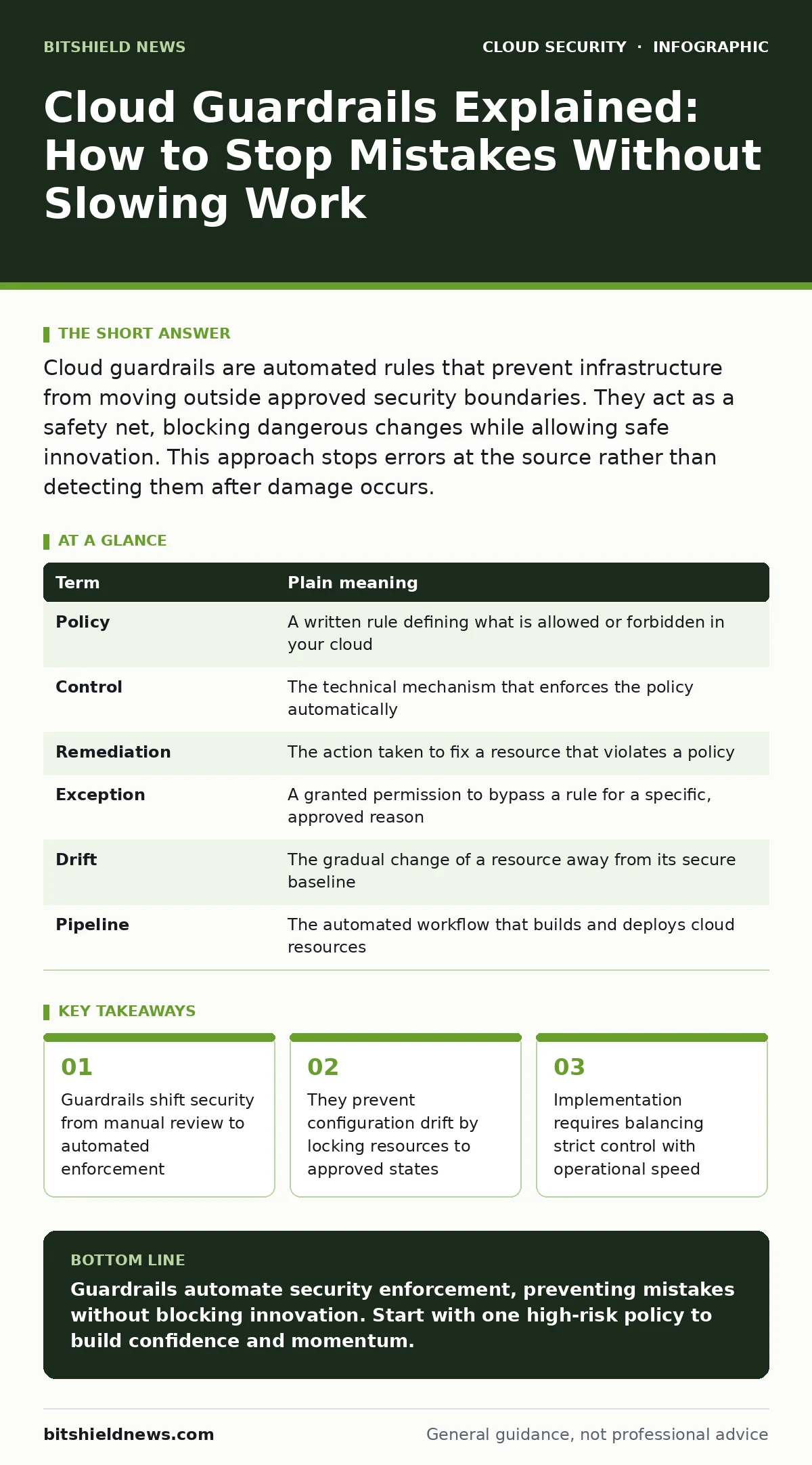
| Term | Plain meaning |
|---|---|
| Policy | A written rule defining what is allowed or forbidden in your cloud |
| Control | The technical mechanism that enforces the policy automatically |
| Remediation | The action taken to fix a resource that violates a policy |
| Exception | A granted permission to bypass a rule for a specific, approved reason |
| Drift | The gradual change of a resource away from its secure baseline |
| Pipeline | The automated workflow that builds and deploys cloud resources |
These elements work together. The policy states the rule. The control checks the rule. Remediation fixes the break. Without all three, you have only a suggestion, not a guardrail.
Why Manual Checks Fail
You cannot secure the cloud by reading configuration files. The cloud changes too quickly. A single server might be replaced by hundreds of containers in minutes. Manual review scales poorly. It introduces human error and fatigue.
Suppose you hire a team to check every new server. They will miss things. They will become slow. The business will complain about delays. You will face a choice: slow down innovation or reduce security.
Guardrails remove this choice. They run continuously. They check every change, regardless of volume. They provide consistent enforcement. This consistency is the hidden value. It removes the variance of human judgment.
The Cost of Over-Strictness
A common mistake is making guardrails too tight. If you block every unusual action, your engineers will find ways around you. They might use personal accounts. They might bypass the official tools. This creates shadow IT, which is harder to secure.
Imagine a guardrail that blocks all external access to databases. It is secure. It is also useless for any application that needs to serve data. Your team will disable the rule. The guardrail becomes a nuisance, not a protector.
You must design for friction, not elimination. The goal is to stop dangerous actions, not all actions. Allow safe deviations through exceptions. This keeps the workflow moving while maintaining safety. For deeper context on access control, see our guide on identity as the new perimeter.
Automating the Correction
Detection is not enough. Finding a broken rule is only half the battle. You must fix it. Manual remediation is slow and error-prone. Automated remediation ensures the fix happens immediately.
When a guardrail detects a violation, it can trigger a script. This script might delete the resource. It might apply a missing patch. It might send an alert to an engineer. The key is speed. The longer a violation exists, the higher the risk.
Consider a database left open to the public internet. An automated guardrail can close that port in seconds. A manual process might take hours. In those hours, attackers can exfiltrate data. This is why automation is critical. It bridges the gap between detection and safety.
See also: What Is Disaster Recovery in Cloud Computing: A Practical Blueprint
Your First Practical Step
Start small. Do not try to secure everything at once. Pick one high-risk area. Look for resources that are often misconfigured. Storage buckets are a common target. They often contain sensitive data.
- Identify one type of resource to secure, such as public storage containers.
- Write a policy that forbids public access to these containers.
- Implement a control that checks this policy daily.
This simple step creates a safety net. It prevents accidental exposure. It builds confidence in the system. You can expand from here. Add more policies. Add more resource types.
Handling Configuration Changes
Cloud environments are dynamic. Resources change state constantly. This is known as configuration drift. A server might be secure today and insecure tomorrow. Guardrails must account for this movement.
Suppose an engineer updates a server for performance. They might accidentally disable a security setting. The guardrail detects this change. It flags the drift. It reminds the team that the resource is no longer compliant.
This continuous checking is vital. It ensures that security keeps pace with change. It prevents the slow decay of security posture. For more on managing these changes, read our guide on configuration drift.
Integrating with Other Defenses
Guardrails are not a standalone solution. They work best with other security layers. They prevent mistakes, but they do not stop determined attackers. You need encryption for data at rest. You need access controls for identity.
Imagine a guardrail that prevents open databases. It stops accidental leaks. It does not stop an attacker who steals credentials. You need defense in depth. Guardrails are one layer. They are the barrier on the highway.
Other tools handle different risks. For data protection, see cloud encryption. For network security, consider secure access service edge (SASE). For key management, review leaked cloud access keys. For database safety, check unsecured cloud databases. For instance protection, study cloud metadata service attacks. For moving workloads, plan cloud migration security.
Key takeaways
- Guardrails shift security from manual review to automated enforcement
- They prevent configuration drift by locking resources to approved states
- Implementation requires balancing strict control with operational speed
Guardrails automate security enforcement, preventing mistakes without blocking innovation. Start with one high-risk policy to build confidence and momentum.
Frequently asked questions
Do cloud guardrails slow down development teams?
No, when designed correctly, they only block dangerous actions. Safe work proceeds without interruption, and automation reduces the need for manual security reviews.
Can guardrails stop a determined hacker?
Guardrails prevent accidental misconfigurations and low-effort attacks. They are not a replacement for intrusion detection or advanced threat protection against targeted breaches.
How do I handle false positives in guardrails?
Start with alerting rather than blocking. Review alerts to refine your policies. Add exceptions for approved deviations to reduce noise and maintain trust.
Should I build custom guardrails or use existing tools?
Existing cloud provider tools offer standard controls that are well-tested. Use these first. Build custom logic only for unique business requirements that standard tools cannot handle.
How this guide was produced: written by the BitShield News editorial team with AI assistance, checked against the public references listed below, and reviewed when the facts change. See our editorial policy or report an error.