
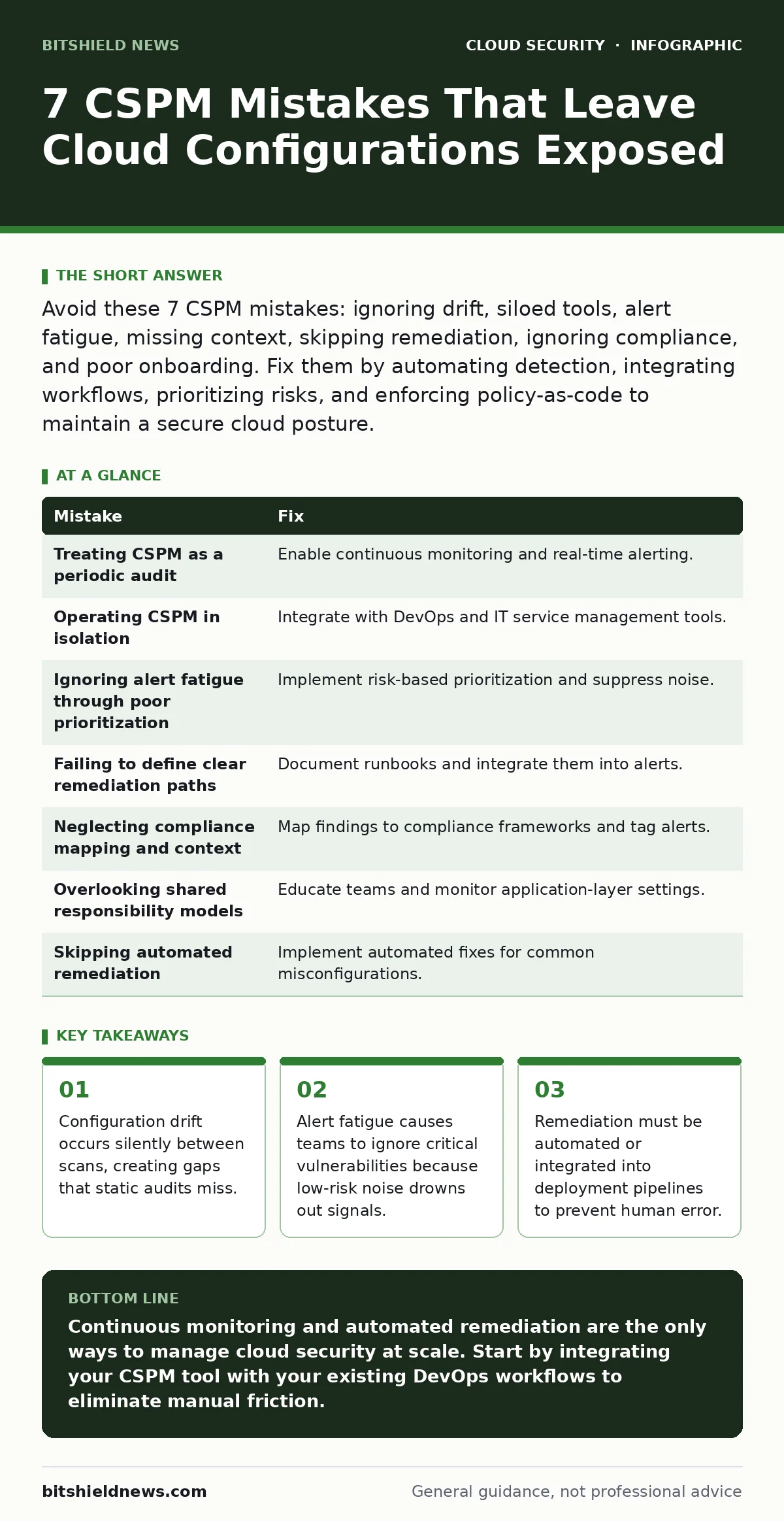
Avoid these 7 CSPM mistakes: ignoring drift, siloed tools, alert fatigue, missing context, skipping remediation, ignoring compliance, and poor onboarding. Fix them by automating detection, integrating workflows, prioritizing risks, and enforcing policy-as-code to maintain a secure cloud posture.
Mistake 1: Treating CSPM as a periodic audit
Cloud security posture management tools are often configured to run weekly or monthly scans. This approach assumes the cloud environment remains static between checks. In reality, cloud infrastructure changes constantly. Developers spin up resources, modify permissions, and update configurations multiple times per hour. A periodic audit provides only a snapshot. It misses the seconds or minutes where a misconfiguration exists. This window of exposure is enough for an attacker to exploit a vulnerability. The tool reports a clean bill of health at the next scheduled run, hiding the breach that occurred in between.
Why it hurts:
Silent configuration drift creates persistent security gaps. Attackers exploit the time between scans. A resource might be misconfigured for only 10 minutes, but that is sufficient for data exfiltration. The security team sees no alerts because the scan ran before the mistake was made and after it was fixed. You lose visibility into the true state of your environment.
The fix:
Enable continuous monitoring and real-time alerting. Configure the CSPM solution to detect changes as they happen. Integrate the tool with your cloud provider’s event logs. This ensures you receive immediate notification when a resource violates policy. Automate the detection process so it runs independently of human schedules. This closes the visibility gap and reduces the attack surface window.
Mistake 2: Operating CSPM in isolation
Many teams deploy CSPM as a standalone tool. They use it to find misconfigurations but keep it separate from their ticketing systems, deployment pipelines, and communication platforms. This creates a siloed workflow. Security analysts find issues in the CSPM dashboard but must manually create tickets in Jira or ServiceNow. This manual handoff introduces delays and errors. Developers do not see the security context in their own tools. They fix issues reactively rather than preventing them during development. The separation breaks the feedback loop.
Why it hurts:
Manual workflows slow down remediation significantly. Critical vulnerabilities remain open longer because of administrative friction. Developers ignore security findings that do not appear in their immediate workspace. This leads to repeat mistakes and a culture of friction between security and engineering teams. The lack of integration means security becomes a bottleneck rather than an enabler.
The fix:
Integrate CSPM with your existing DevOps and IT service management tools. Use webhooks or native connectors to push alerts directly into Slack, Teams, or your ticketing system. Embed security checks into your CI/CD pipelines. This allows developers to see security feedback at the point of creation. Automate the ticket creation process to ensure no finding is lost. This alignment accelerates remediation and embeds security into the development lifecycle.
Mistake 3: Ignoring alert fatigue through poor prioritization
CSPM tools generate hundreds of alerts daily. Many of these alerts are low-risk or false positives. When teams receive too many notifications, they become desensitized. They start ignoring alerts altogether to manage the noise. Critical vulnerabilities get buried under a mountain of informational messages. This phenomenon is known as alert fatigue. It renders the monitoring tool useless because the human element fails to respond. The sheer volume of data overwhelms the team’s capacity to act.
Why it hurts:
Critical risks go unaddressed because they are indistinguishable from noise. Teams waste time triaging low-impact issues while high-impact threats linger. This leads to burnout and reduced trust in the security tooling. Eventually, the team may disable alerts entirely, leaving the environment completely blind to new threats.
The fix:
Implement risk-based prioritization. Configure the CSPM tool to score alerts based on the actual risk to your business. Consider factors like data sensitivity, exposure to the internet, and existing compensating controls. Suppress low-risk alerts that do not require immediate action. This ensures that every alert triggers a meaningful response.
Mistake 4: Failing to define clear remediation paths
Finding a misconfiguration is only half the battle. Many CSPM deployments lack clear, documented remediation steps for each finding. Developers do not know how to fix the issue without breaking their application. They delay fixes because they are unsure of the correct procedure. This ambiguity leads to inconsistent fixes. One developer might close a port, while another might add a firewall rule. Neither approach is standardized. The lack of clarity slows down the entire remediation process.
Why it hurts:
Ambiguity causes delays and inconsistent security postures. Developers may implement workarounds that create new vulnerabilities. Without a standard procedure, you cannot automate fixes at scale. This results in recurring issues and a fragile security stance. The team spends more time figuring out how to fix issues than actually fixing them.
The fix:
Document remediation steps for every common misconfiguration. Create runbooks that provide clear, step-by-step instructions. Integrate these runbooks into the CSPM alerts. Provide links to specific documentation or automated scripts that can fix the issue. This reduces the cognitive load on developers and ensures consistent fixes. Automate remediation where possible to eliminate human error.
Mistake 5: Neglecting compliance mapping and context
CSPM tools often report technical misconfigurations without mapping them to compliance frameworks. Teams struggle to understand how a specific setting relates to regulations like GDPR or HIPAA. This disconnect makes it difficult to prioritize fixes based on compliance requirements. You might fix a low-priority technical issue while ignoring a high-priority compliance violation. The lack of context prevents you from demonstrating compliance to auditors.
Why it hurts:
Compliance failures can lead to significant legal and financial penalties. Without clear mapping, you cannot prove that your security controls meet regulatory standards. Auditors require evidence of compliance, not just technical fixes. This gap forces manual effort to bridge the technical and regulatory worlds. It increases the risk of non-compliance and audit failures.
The fix:
Map your CSPM findings to relevant compliance frameworks. Configure the tool to tag alerts with their compliance implications. This provides immediate context for each finding. Prioritize fixes that address compliance requirements. Use this mapping to generate compliance reports automatically. This simplifies the audit process and ensures you meet regulatory obligations. For deeper insights, review our guide on cloud identity governance to understand how access controls tie into compliance.
See also: Cloud Identity Management: Stop Privilege Creep and Secure Access
Mistake 6: Overlooking shared responsibility models
Cloud providers secure the infrastructure, but customers secure what they put on it. Many teams assume the cloud provider handles all security aspects. They misconfigure their applications, databases, and storage buckets. They leave default settings in place. This misunderstanding of the shared responsibility model leaves critical assets exposed. The CSPM tool may not detect these application-layer issues if it is not configured correctly.
Why it hurts:
Exposure of sensitive data occurs when teams assume the provider is responsible for everything. Misconfigured databases and storage buckets are common entry points for attackers. These mistakes are often preventable but are overlooked due to confusion. The result is data breaches that could have been avoided with proper configuration.
The fix:
Educate your team on the shared responsibility model. Clearly define which security aspects are your responsibility. Configure CSPM to monitor application-layer settings. Check for open ports, public access, and weak permissions. Ensure that your security policies cover the full stack. This clarity prevents gaps in your security posture.
Mistake 7: Skipping automated remediation
Manual remediation is slow and error-prone. Many teams rely on humans to fix every misconfiguration. This approach does not scale. As your cloud environment grows, the number of misconfigurations increases. Human teams cannot keep up with the volume. Errors occur when tired analysts apply fixes incorrectly. Automated remediation is the only way to maintain security at scale.
Why it hurts:
Manual fixes are inconsistent and slow. Critical vulnerabilities remain open for days or weeks. Human error introduces new risks. The team becomes overwhelmed by the volume of work. This leads to a reactive security posture that cannot keep pace with threats.
The fix:
Implement automated remediation for common misconfigurations. Use policy-as-code to enforce security standards. Configure the CSPM tool to automatically fix issues like open ports or excessive permissions. This ensures immediate response and consistency. Monitor automated fixes to ensure they do not break applications. This approach scales your security efforts effectively.
| Mistake | Fix |
|---|---|
| Treating CSPM as a periodic audit | Enable continuous monitoring and real-time alerting. |
| Operating CSPM in isolation | Integrate with DevOps and IT service management tools. |
| Ignoring alert fatigue through poor prioritization | Implement risk-based prioritization and suppress noise. |
| Failing to define clear remediation paths | Document runbooks and integrate them into alerts. |
| Neglecting compliance mapping and context | Map findings to compliance frameworks and tag alerts. |
| Overlooking shared responsibility models | Educate teams and monitor application-layer settings. |
| Skipping automated remediation | Implement automated fixes for common misconfigurations. |
Key takeaways
- Configuration drift occurs silently between scans, creating gaps that static audits miss.
- Alert fatigue causes teams to ignore critical vulnerabilities because low-risk noise drowns out signals.
- Remediation must be automated or integrated into deployment pipelines to prevent human error.
Continuous monitoring and automated remediation are the only ways to manage cloud security at scale. Start by integrating your CSPM tool with your existing DevOps workflows to eliminate manual friction.
Frequently asked questions
How often should CSPM scans run?
CSPM scans should run continuously in real-time to detect configuration drift as it happens. Periodic scans leave windows of exposure that attackers can exploit.
Can CSPM replace a cloud security architect?
No, CSPM automates detection and remediation but cannot replace human strategic planning. Architects design the security architecture and define the policies that CSPM enforces.
Is CSPM enough for cloud security?
CSPM handles configuration management but does not cover identity or network security. You need additional tools for identity governance and network protection to achieve a complete security posture.
How do I handle alert fatigue?
Prioritize alerts based on risk and business impact. Suppress low-risk notifications and focus on critical findings. Integrate alerts into existing workflows to reduce noise.
How this guide was produced: written by the BitShield News editorial team with AI assistance, checked against the public references listed below, and reviewed when the facts change. See our editorial policy or report an error.