
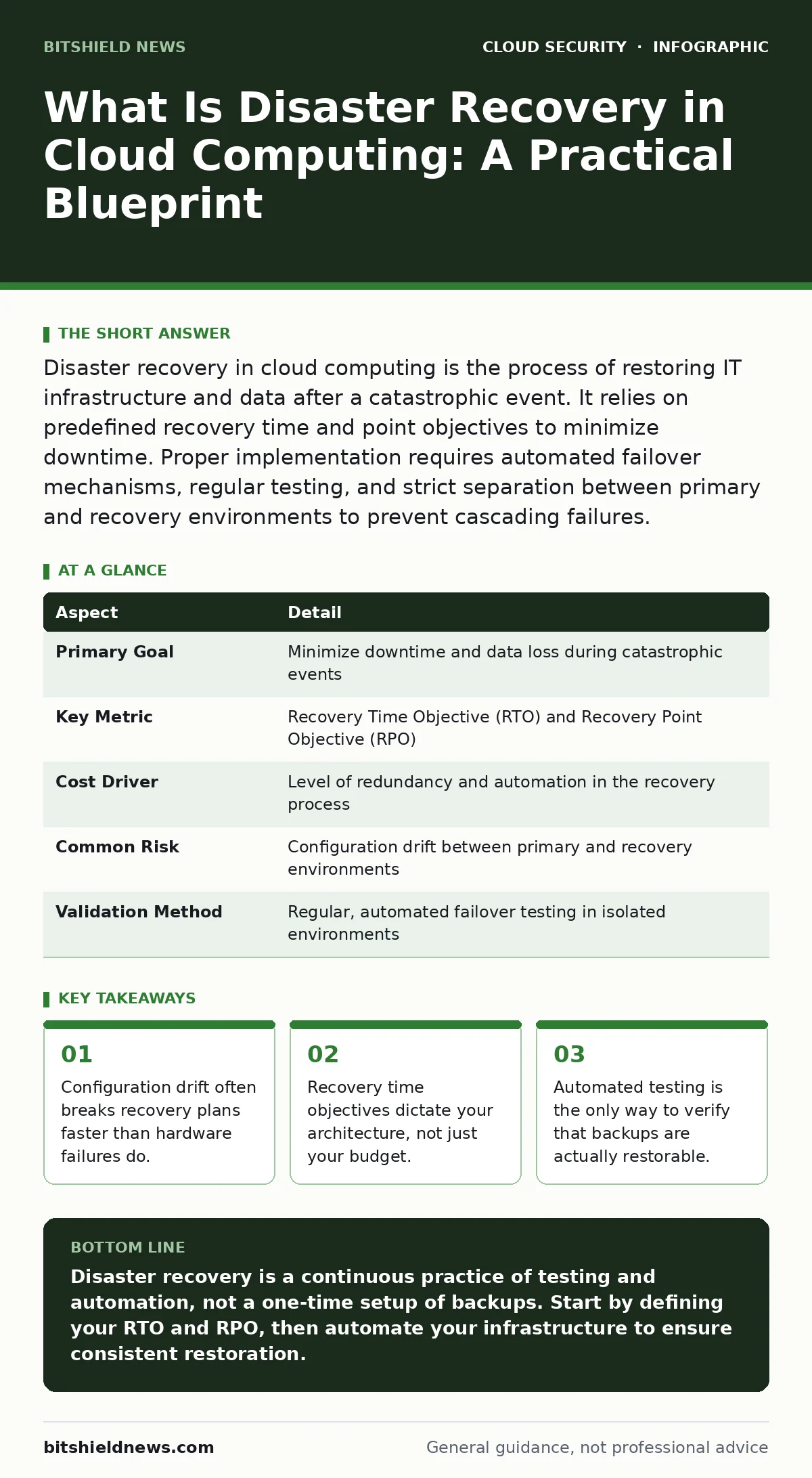
Disaster recovery in cloud computing is the process of restoring IT infrastructure and data after a catastrophic event. It relies on predefined recovery time and point objectives to minimize downtime. Proper implementation requires automated failover mechanisms, regular testing, and strict separation between primary and recovery environments to prevent cascading failures.
The Library Analogy for Cloud Resilience
Imagine a library that stores all its books in a single room. If that room burns down, every book is lost. Traditional data centers operate like this single room. Cloud disaster recovery changes the model. It distributes copies of your data and applications across multiple physical locations, often in different geographic regions. You do not just store data; you replicate the entire operational environment. This replication allows you to switch operations to a secondary location if the primary one fails. The goal is not just saving files, but restoring function.
What Is Disaster Recovery in Cloud Computing
Disaster recovery in cloud computing is the strategic process of restoring critical systems and data after a major disruption. It moves beyond simple backup by including application logic, network configurations, and user access controls. A proper plan defines how quickly systems must come back online and how much data loss is acceptable. These metrics drive the technical design. You choose between cold storage, which is cheap but slow to restore, and hot standby, which is expensive but instant. The definition hinges on continuity, not just preservation. Without a tested restoration process, data is merely archived, not recoverable.
| Aspect | Detail |
|---|---|
| Primary Goal | Minimize downtime and data loss during catastrophic events |
| Key Metric | Recovery Time Objective (RTO) and Recovery Point Objective (RPO) |
| Cost Driver | Level of redundancy and automation in the recovery process |
| Common Risk | Configuration drift between primary and recovery environments |
| Validation Method | Regular, automated failover testing in isolated environments |
How Cloud Recovery Mechanisms Work
The mechanism relies on continuous or periodic replication of data and state. In a hot standby model, a secondary environment runs in parallel with the primary. It receives real-time updates. When a failure occurs, traffic shifts to this secondary site. This shift happens via DNS changes or load balancer updates. In a warm standby model, the secondary environment is scaled down to save costs. It spins up resources only when triggered. Cold storage involves saving snapshots to low-cost storage. Restoration requires rebuilding the entire infrastructure from these snapshots. Each method trades speed for cost. You must align the method with your business tolerance for downtime.
Who Bears the Operational Risk
Every organization using cloud services bears the risk of misconfiguration. The cloud provider guarantees the hardware and network uptime. You guarantee the configuration of your software and data access. If you delete a database, the provider will not restore it. If you misconfigure a firewall, the provider will not fix it. This shared responsibility model means your internal teams are the last line of defense. Developers, operations staff, and security analysts all hold pieces of the puzzle. A failure in any piece can break the recovery chain. You must define clear ownership for every component in the recovery plan.
Common Misconceptions in Cloud DR
Many teams believe that taking daily snapshots constitutes disaster recovery. This is a fundamental error. A snapshot is a backup, not a recovery plan. You cannot restore a complex application from a single file without the surrounding infrastructure. Another common mistake is assuming the cloud provider handles failover. Providers manage the physical servers. They do not manage your application dependencies. A third error is testing recovery once during implementation. Systems change constantly. Code updates, library changes, and configuration tweaks create drift. A plan that worked six months ago may fail today. You must test continuously.
See also: Cloud Identity Management: Stop Privilege Creep and Secure Access
The Hidden Cost of Configuration Drift
Configuration drift is the silent killer of disaster recovery. Over time, the primary environment and the recovery environment diverge. Developers add new libraries to the primary but forget to update the recovery templates. Security patches are applied to servers but not to the automation scripts that rebuild them.
When you finally test the recovery, the application fails to start because of a missing dependency. Fixing this requires manual intervention, which increases downtime. To prevent drift, you must treat your infrastructure as code. Every change to the primary environment must be reflected in the recovery automation. This requires strict version control and automated compliance checks.
Building a Testable Recovery Plan
A recovery plan is only valid if it has been tested under realistic conditions. You cannot assume success. You must simulate failure. Start by defining your Recovery Time Objective. This is the maximum time you can afford to be offline. Next, define your Recovery Point Objective. This is the maximum amount of data loss you can tolerate. These two numbers determine your architecture. If you need near-zero downtime, you need active-active replication. If you can tolerate hours of downtime, you can use cold storage. Build automation that can restore your environment from scratch. Use infrastructure-as-code tools to define the state. This ensures consistency.
Integrating Security into Recovery
Security must be part of the recovery process, not an afterthought. When you restore systems, you must ensure they are secure. This includes verifying that access controls are correct. It also means checking for vulnerabilities in the restored software. If you restore from a snapshot that contains a vulnerability, you reintroduce that risk.
You must scan images and configurations before deploying them. This aligns with the principles of cloud security posture management (CSPM). You must also ensure that cloud encryption keys are available and accessible during a crisis. If your keys are locked down too tightly, you cannot decrypt your data even if you have the backups.
Step-by-Step Implementation Checklist
- Inventory Critical Assets: Identify which systems are essential for business operations. Not every system needs the same level of protection.
- Define RTO and RPO: Set clear targets for downtime and data loss for each critical asset.
- Choose Architecture: Select the appropriate recovery model (hot, warm, or cold) based on your targets and budget.
- Automate Infrastructure: Use code to define and deploy your recovery environment. This reduces manual errors.
- Implement Continuous Testing: Schedule regular, automated tests to verify that the recovery process works.
- Document Procedures: Create clear, step-by-step runbooks for manual interventions if automation fails.
- Review and Update: Regularly review the plan to account for changes in the environment or business needs.
The Role of Identity and Access
During a disaster, access patterns change. Emergency responders need immediate access. Regular users may need restricted access. Your cloud identity governance policies must support these shifts. If you lock down access too tightly, you cannot respond. If you leave it open, you risk further compromise. Define emergency access roles in advance. Test these roles during your recovery drills. Ensure that multi-factor authentication is available even when primary identity providers are under stress. Consider using break-glass accounts, but monitor their usage closely. These accounts bypass normal controls, so they must be audited rigorously.
Final Considerations for Resilience
Resilience is not a product you buy. It is a practice you maintain. The cloud provides the tools, but you must build the process. Focus on automation to reduce human error. Focus on testing to verify effectiveness. Focus on security to prevent new vulnerabilities. The goal is not just to survive a disaster, but to emerge stronger. By treating recovery as a continuous process, you reduce risk and increase confidence. You build a system that can withstand the unexpected. This is the foundation of modern cloud security.
Key takeaways
- Configuration drift often breaks recovery plans faster than hardware failures do.
- Recovery time objectives dictate your architecture, not just your budget.
- Automated testing is the only way to verify that backups are actually restorable.
Disaster recovery is a continuous practice of testing and automation, not a one-time setup of backups. Start by defining your RTO and RPO, then automate your infrastructure to ensure consistent restoration.
Frequently asked questions
How often should I test my cloud disaster recovery plan?
You should test your plan at least quarterly, or immediately after significant infrastructure changes. Automated tests should run continuously to detect configuration drift.
What is the difference between backup and disaster recovery?
Backup is the process of copying data. Disaster recovery is the process of restoring that data and the surrounding infrastructure to resume operations. Backup is a component of DR, not the whole solution.
Can I use the same cloud provider for both primary and recovery?
Yes, but you should use different geographic regions. Using a different provider adds complexity but reduces the risk of a provider-wide outage. Evaluate your risk tolerance and budget.
How do I handle database replication in cloud DR?
Use synchronous replication for critical data if latency allows, ensuring zero data loss. For less critical data, asynchronous replication is sufficient and cheaper. Test replication lag regularly to ensure it stays within your RPO.
How this guide was produced: written by the BitShield News editorial team with AI assistance, checked against the public references listed below, and reviewed when the facts change. See our editorial policy or report an error.