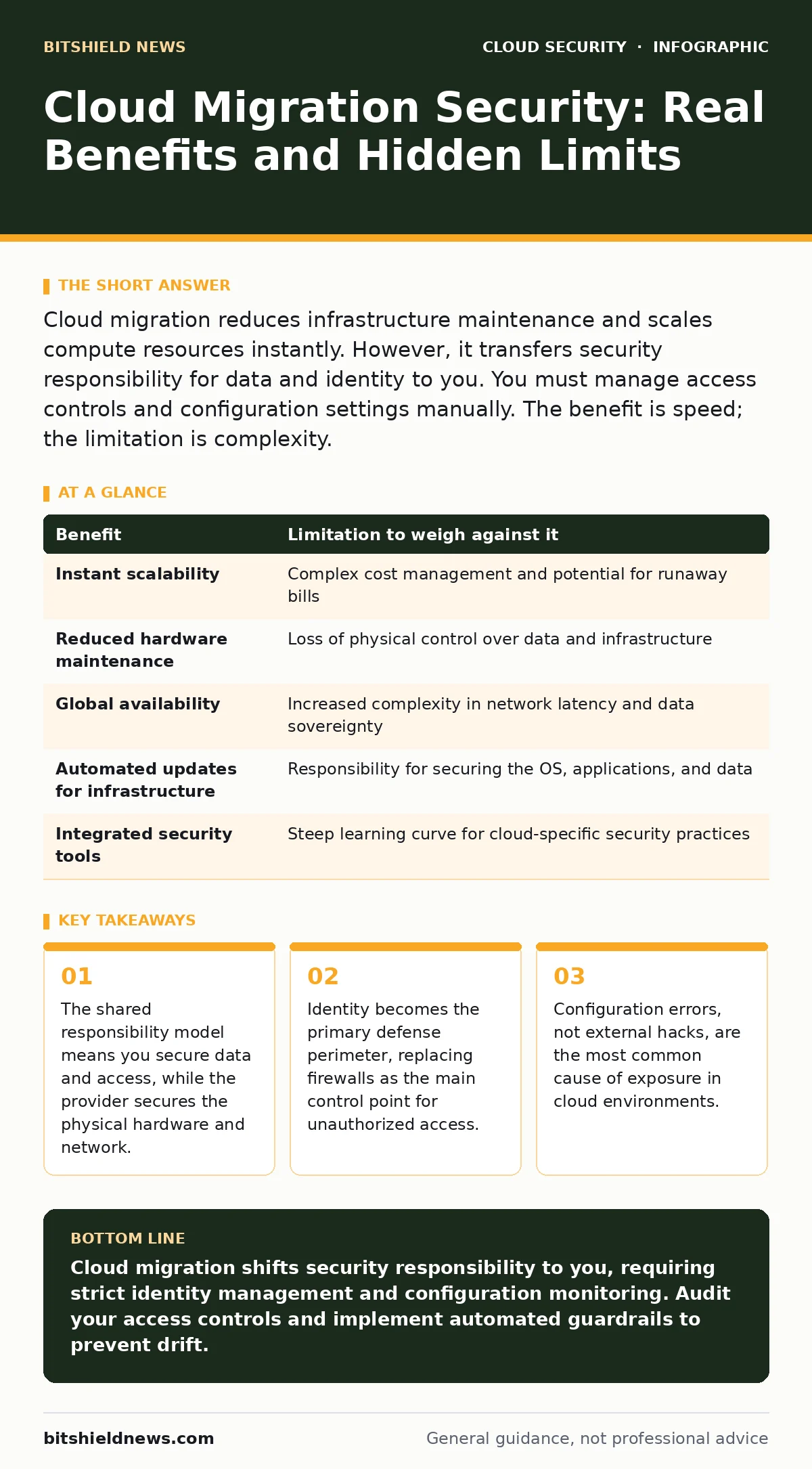
Cloud migration reduces infrastructure maintenance and scales compute resources instantly. However, it transfers security responsibility for data and identity to you. You must manage access controls and configuration settings manually. The benefit is speed; the limitation is complexity.
The Shared Responsibility Shift
When you migrate workloads to a cloud provider, you do not outsource security. You outsource the physical security of the data centers and the hypervisor that runs your virtual machines. You retain full responsibility for everything above that layer. This includes the operating system, the applications, the data, and the network traffic between your services.
Many organizations assume that because the provider is large and secure, their data is automatically safe. This is a dangerous misconception. The provider ensures the cloud itself is secure. You must ensure what you put into the cloud is secure. If you leave a database open to the internet, the provider will not block it. You created that exposure.
Identity Replaces the Firewall
In a traditional data center, you rely on firewalls to keep bad actors out. In the cloud, the perimeter is fluid. Users and services access resources from anywhere. This makes identity the new perimeter. You must verify who or what is trying to access your data before granting entry.
This shift requires strict identity and access management. You need to know every user, every service account, and every application that has access to your resources. If an attacker steals a credential, they bypass the network defenses entirely. They log in as a legitimate user. The firewall sees a valid session and allows the traffic.
The Cost of Configuration Drift
Cloud environments are dynamic. You can spin up hundreds of servers in minutes. This speed creates a risk known as configuration drift. Over time, settings change. Permissions are added for testing and never removed. Security rules are loosened to fix immediate issues.
These small changes accumulate. A server that was secure at launch may become vulnerable weeks later. You lose visibility into your security posture because the environment no longer matches your documentation. Automated tools can help detect these changes, but they require constant monitoring.
This is where cloud guardrails become necessary. These are automated policies that prevent insecure configurations from being deployed or alert you when they occur. Without them, your security posture degrades silently.
Hidden Costs of Data Exposure
Moving data to the cloud makes it easier to access, but also easier to leak. Unsecured cloud databases are a frequent source of data breaches. A single misconfigured storage bucket can expose millions of records to the public internet.
You must encrypt data at rest and in transit. Encryption ensures that even if an attacker accesses your storage, they cannot read the data without the keys. However, encryption adds complexity. You must manage the keys securely. If you lose the keys, you lose the data. If an attacker steals the keys, encryption provides no protection.
See the section on cloud encryption for details on key management strategies. You must balance security with usability. If encryption makes systems too slow or complex to use, staff may find ways to bypass it.
The Risk of Stolen Credentials
Leaked cloud access keys are a critical threat. These keys allow programs to interact with cloud services. Developers often embed these keys in code repositories or configuration files. If an attacker finds these keys, they can access your cloud account.
This is worse than a stolen password. Access keys often have broader permissions. They can create new users, start expensive compute instances, or exfiltrate data. You must treat access keys like cash. Do not store them in code. Use environment variables or secret management services.
Rotate these keys frequently. If a key is exposed, you can revoke it immediately. This limits the damage. However, rotation requires coordination. You must update all applications that use the key. This can be difficult in large, complex environments.
See also: What Is Disaster Recovery in Cloud Computing: A Practical Blueprint
Attack Surface Expansion
The cloud introduces new attack vectors. Cloud metadata service attacks allow attackers on a compromised server to steal credentials from the instance itself. The metadata service provides configuration data to the server. If an attacker gains access to the server, they can query this service.
They can retrieve temporary credentials that allow them to access other services. This enables lateral movement. The attacker moves from one compromised server to others, expanding their control. You must restrict access to the metadata service. Only the specific application that needs it should be able to query it.
Another vector is secure access service edge (SASE) architectures. These combine network security and wide area networking into a cloud-delivered service. They protect users regardless of location. However, they require careful configuration. Misconfigured SASE policies can block legitimate traffic or expose sensitive data.
Weighing the Trade-offs
Cloud migration offers significant benefits, but it also introduces specific limitations. You must weigh these carefully before proceeding. The table below summarizes the key trade-offs.
| Benefit | Limitation to weigh against it |
|---|---|
| Instant scalability | Complex cost management and potential for runaway bills |
| Reduced hardware maintenance | Loss of physical control over data and infrastructure |
| Global availability | Increased complexity in network latency and data sovereignty |
| Automated updates for infrastructure | Responsibility for securing the OS, applications, and data |
| Integrated security tools | Steep learning curve for cloud-specific security practices |
When It Is Worth It
Cloud migration is worth it when you need flexibility and scale. If your workload varies significantly, the cloud allows you to pay for what you use. You do not need to buy servers for peak demand. You can scale down during quiet periods.
It is also worth it if you lack the staff to maintain physical infrastructure. The cloud provider handles hardware failures, power, and cooling. This allows you to focus on your application. However, you must have the skills to secure the cloud environment. If you do not, you are exposed.
Suppose you are launching a new application with unpredictable traffic. The cloud allows you to start small and grow quickly. You can test features rapidly. The security tools provided by the cloud can help you maintain compliance. But you must configure them correctly.
When It Is Not
Cloud migration is not worth it for static workloads. If your application runs on the same number of servers every day, the cloud offers little benefit. You may pay more for the convenience. You also lose the ability to physically inspect your hardware.
It is not worth it if you have strict data residency requirements that the cloud provider cannot meet. Some regulations require data to stay within specific geographic boundaries. While most providers offer regions in many countries, you must verify compliance.
Imagine you have a legacy application that is tightly coupled to specific hardware. Migrating it to the cloud may require significant refactoring. The cost and risk of this process may outweigh the benefits. In this case, keeping the application on-premises may be the safer choice.
Key takeaways
- The shared responsibility model means you secure data and access, while the provider secures the physical hardware and network.
- Identity becomes the primary defense perimeter, replacing firewalls as the main control point for unauthorized access.
- Configuration errors, not external hacks, are the most common cause of exposure in cloud environments.
Cloud migration shifts security responsibility to you, requiring strict identity management and configuration monitoring. Audit your access controls and implement automated guardrails to prevent drift.
Frequently asked questions
Does the cloud provider secure my data?
The provider secures the infrastructure, but you are responsible for securing your data, access controls, and configurations. You must encrypt your data and manage who can access it.
How do I prevent configuration drift?
Use automated tools to monitor and enforce security policies. Implement **cloud guardrails** to prevent insecure configurations from being deployed or to alert you when they occur.
What is the biggest risk in cloud migration?
Misconfiguration is the biggest risk. **Unsecured cloud databases** and **leaked cloud access keys** are common causes of data breaches. Proper training and automated checks are essential.
Is cloud security more complex than on-premises?
Yes, cloud security is more complex due to the shared responsibility model and dynamic nature of cloud resources. You must manage identity, configuration, and data protection in a distributed environment.
How this guide was produced: written by the BitShield News editorial team with AI assistance, checked against the public references listed below, and reviewed when the facts change. See our editorial policy or report an error.