
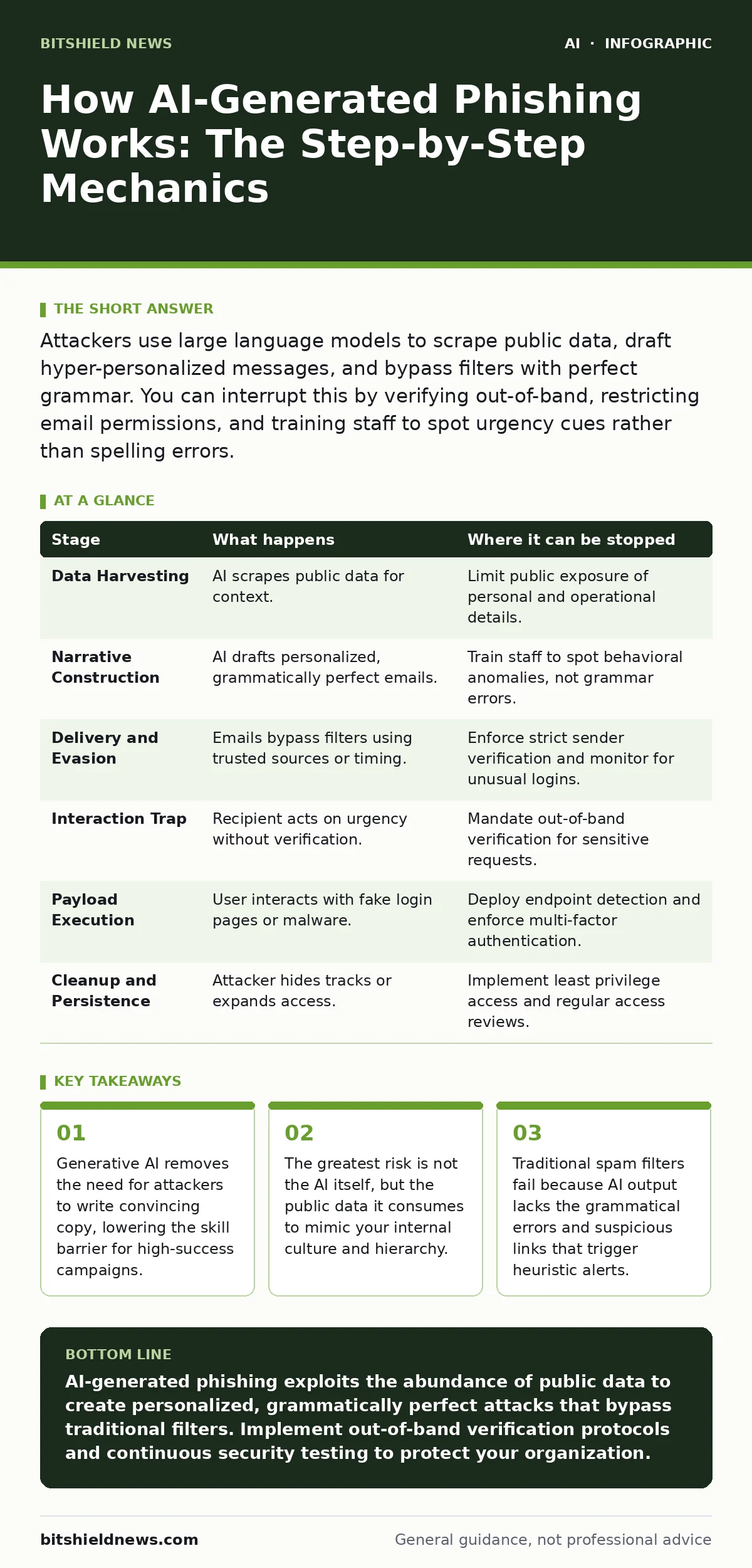
Attackers use large language models to scrape public data, draft hyper-personalized messages, and bypass filters with perfect grammar. You can interrupt this by verifying out-of-band, restricting email permissions, and training staff to spot urgency cues rather than spelling errors.
The Data Harvesting Phase
The attack begins long before an email is sent. The adversary needs context to make the deception believable. They do not guess; they observe. Publicly available information serves as the primary fuel for generative models.
Imagine a scenario where an attacker targets a specific department. They scrape LinkedIn profiles, press releases, and conference recordings. This data reveals not just names, but relationships, project timelines, and even casual phrases used by employees.
This stage relies on the openness of the internet. Every social media post and every public bio adds a layer of authenticity to the eventual attack. The more specific the data, the less the AI has to hallucinate, and the more convincing the result becomes.
You can interrupt this by conducting a digital footprint audit. Remove unnecessary personal details from public profiles. Assume that any information you publish is available for automated aggregation. This reduces the signal-to-noise ratio for the attacker, forcing their models to rely on weaker assumptions.
The Narrative Construction
With the data collected, the attacker prompts a large language model to draft the message. The prompt is not just "write a phishing email." It is a detailed instruction set.
The prompt might specify the sender’s tone, the urgency of the request, and the specific context drawn from the harvested data. The AI generates multiple variations, each tailored to the recipient’s role. A finance employee receives a different narrative than a software engineer.
This is where the attack diverges from traditional spam. There is no template. The grammar is flawless. The tone matches the company culture because the AI analyzed previous communications. The recipient sees a message that feels familiar and routine.
The flaw here is the assumption that perfect grammar equals safety. Attackers use AI to eliminate the very cues that users have been trained to spot. You must train your team to look for behavioral anomalies, not linguistic ones. Does the request bypass standard procedure? Is the timing unusual? These are the new red flags.
The Delivery and Evasion
The crafted message must now reach the inbox. Attackers use compromised accounts or lookalike domains to send the email. They may also use AI to generate images that bypass image-based spam filters.
Some attackers employ machine learning to optimize send times. The AI analyzes when the target is most likely to check email and sends the message then. This increases the chance of an immediate, unthinking response.
The delivery mechanism often relies on the trust inherent in internal communication. If the email appears to come from a known colleague, filtering systems are less likely to block it. This is a significant challenge for organizations that rely heavily on email for collaboration.
To stop this, implement strict sender verification protocols. Ensure that your email infrastructure correctly validates the source of incoming messages. However, if the attacker uses a compromised internal account, these checks will pass. This highlights the need for monitoring unusual login activity and access patterns.
The Interaction Trap
The recipient opens the email. The message creates a sense of urgency or curiosity. It might reference a project the recipient is currently working on, or ask for a minor favor that seems harmless.
The goal is to trigger a quick cognitive response. The AI has optimized the message to bypass critical thinking. The recipient feels pressured to act now, not later. This pressure overrides the instinct to verify.
The interaction might involve clicking a link, downloading an attachment, or replying with sensitive information. The AI can even continue the conversation, adapting its responses in real-time to maintain the deception. This dynamic interaction makes the scam much harder to detect.
You can interrupt this by enforcing a culture of verification. Encourage employees to step away from urgent requests. Use secondary channels to confirm the legitimacy of the request. If the request involves money or data, require a phone call or in-person confirmation.
The Payload Execution
If the recipient clicks a link or opens an attachment, the next stage begins. The link might lead to a convincing login page, also generated by AI. The page looks identical to your corporate portal.
The attachment might contain malware that exploits a vulnerability in the software used to open it. Alternatively, it might be a document that requests further action, such as updating payment details.
This stage relies on the user’s trust in the interface. The AI-generated content is designed to mimic your brand’s visual identity perfectly. Users are less likely to suspect a forgery when the visual cues match their expectations.
To mitigate this, deploy advanced endpoint detection and response tools. These tools can identify suspicious behavior, even if the malware is new. Additionally, ensure that your web applications have strong multi-factor authentication. This adds a layer of security that a stolen password cannot bypass.
The Cleanup and Persistence
After the initial breach, the attacker may use AI to help cover their tracks. They might generate logs that look normal or alter files to hide their presence.
In some cases, the attacker uses the compromised account to send further phishing emails, expanding the attack. This creates a cascade effect, where the initial breach leads to more breaches.
The persistence of the threat depends on how quickly the organization detects the anomaly. The faster you respond, the less damage the attacker can do.
You can limit this by implementing least privilege access. Ensure that accounts have only the permissions they need. If an account is compromised, the attacker’s ability to move laterally is restricted. Regular access reviews help identify and remove unnecessary privileges.
| Stage | What happens | Where it can be stopped |
|---|---|---|
| Data Harvesting | AI scrapes public data for context. | Limit public exposure of personal and operational details. |
| Narrative Construction | AI drafts personalized, grammatically perfect emails. | Train staff to spot behavioral anomalies, not grammar errors. |
| Delivery and Evasion | Emails bypass filters using trusted sources or timing. | Enforce strict sender verification and monitor for unusual logins. |
| Interaction Trap | Recipient acts on urgency without verification. | Mandate out-of-band verification for sensitive requests. |
| Payload Execution | User interacts with fake login pages or malware. | Deploy endpoint detection and enforce multi-factor authentication. |
| Cleanup and Persistence | Attacker hides tracks or expands access. | Implement least privilege access and regular access reviews. |
The Hidden Cost of Trust
The most insidious aspect of AI-generated phishing is its erosion of trust. Employees begin to doubt legitimate communications. They may delay responding to real requests, fearing they are scams.
This hesitation can impact productivity and collaboration. The organization becomes paralyzed by caution. The attacker wins not just by stealing data, but by disrupting operations.
You must balance security with usability. Overly restrictive policies can lead to workarounds that are less secure. Engage with your team to understand their workflow and design security measures that fit naturally into their processes.
Beyond the Email
While email is the primary vector, AI phishing extends to other channels. Voice cloning scams are becoming more common. Attackers use AI to mimic the voice of a CEO or IT support staff.
Suppose an employee receives a call from their boss, asking for urgent access credentials. The voice sounds identical. The urgency is palpable. The employee complies.
This type of attack requires a different response. Verify the identity of the caller through a known, secure channel. Do not rely on the caller ID, which can be spoofed. Establish clear protocols for verifying verbal requests for sensitive information.
The Role of Proactive Testing
To understand your vulnerability, you must test your defenses. AI security testing can simulate these attacks. By using AI to generate phishing attempts, you can identify gaps in your training and technical controls.
This testing should be continuous. The tactics evolve, and your defenses must evolve with them. Regular testing ensures that your team remains vigilant and your systems remain effective.
Consider the implications of shadow AI. Employees may use unauthorized AI tools to generate content or make decisions. These tools may lack proper security controls, creating new risks.
You must establish clear policies for the use of AI tools within the organization. Ensure that any AI system used has appropriate security measures in place. This includes securing the data used to train or prompt the AI.
Key takeaways
- Generative AI removes the need for attackers to write convincing copy, lowering the skill barrier for high-success campaigns.
- The greatest risk is not the AI itself, but the public data it consumes to mimic your internal culture and hierarchy.
- Traditional spam filters fail because AI output lacks the grammatical errors and suspicious links that trigger heuristic alerts.
AI-generated phishing exploits the abundance of public data to create personalized, grammatically perfect attacks that bypass traditional filters. Implement out-of-band verification protocols and continuous security testing to protect your organization.
Frequently asked questions
How do I tell if an email was written by AI?
You often cannot. AI output is designed to be indistinguishable from human writing. Focus on the context and the request, not the grammar or style.
Can filters detect AI-generated phishing?
Traditional filters struggle because AI output lacks the errors they look for. Advanced filters use behavioral analysis, but they are not foolproof.
What is the biggest risk of AI phishing?
The erosion of trust and the ability to bypass human intuition. Attacks feel personal and urgent, leading to quick, unverified actions.
How often should I test for AI phishing?
Regularly. The tactics evolve quickly. Continuous testing ensures your defenses remain effective against new techniques.
How this guide was produced: written by the BitShield News editorial team with AI assistance, checked against the public references listed below, and reviewed when the facts change. See our editorial policy or report an error.