
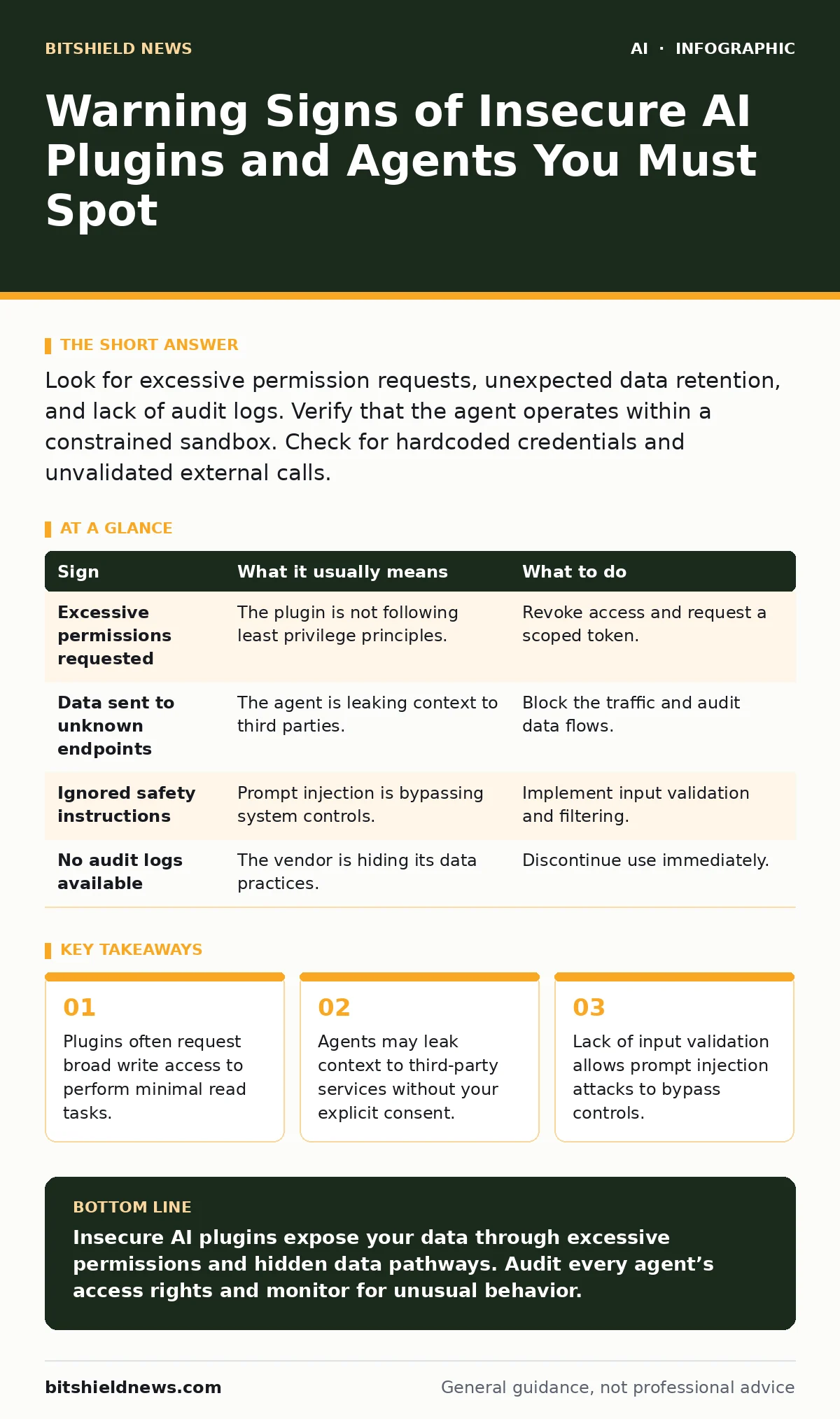
Look for excessive permission requests, unexpected data retention, and lack of audit logs. Verify that the agent operates within a constrained sandbox. Check for hardcoded credentials and unvalidated external calls.
The Visible Surface Area of Risk
You will notice the first signs when an AI plugin behaves erratically in your user interface. The interface may lag, or the agent might return responses that include internal system prompts. These are surface-level indicators of a deeper architectural failure.
Often, the plugin demands more permissions than necessary to function. If a simple chat widget requests access to your entire file system, that is a red flag. You should reject any tool that asks for broad write access when it only needs to read specific documents.
Imagine you install a productivity helper that suddenly starts indexing emails you never asked it to touch. This behavior indicates the plugin is harvesting context beyond its intended scope. It is not just a bug; it is a design choice that exposes your data to the model provider.
Hidden Data Pathways
The signs that are easy to miss happen below the user interface, in the network traffic. The agent may send your proprietary data to an external endpoint for processing without encryption. This happens when developers use open-source models hosted on insecure servers.
Another hidden sign is the lack of session isolation. If the AI agent retains memory between users or sessions, one user’s input could influence another’s output. This is a critical privacy failure known as data poisoning.
Check the plugin’s documentation for mentions of data retention. If the vendor states that inputs are used to improve their models, your confidential information is now part of their training set. This is a permanent loss of intellectual property rights.
The Permission Paradox
Most insecure agents suffer from the permission paradox. They are given high privileges to integrate with your tools, but they lack the internal controls to use those privileges safely. You grant an API key to a CRM, and the agent begins to export customer lists.
The mechanism here is often a misconfigured OAuth scope. The plugin requests "full access" to simplify development. In production, this allows an attacker who compromises the plugin to take over your entire integration.
You must enforce least privilege. The agent should only have the permissions required for the immediate task. It should not have standing access to your database. Temporary tokens that expire after each session are safer than long-lived keys.
Prompt Injection Indicators
Prompt injection occurs when an attacker hides malicious instructions in the data the AI processes. If your agent suddenly ignores your safety rules or starts acting strangely, it may be under attack. The agent follows the hidden instruction rather than your system prompt.
This is easy to miss because the output may look normal at first glance. The agent might summarize a document but subtly alter the conclusion to match the attacker’s narrative. You need to monitor for deviations in tone and content structure.
One non-obvious consequence is that the agent may appear to work correctly in testing but fail in production. The testing data lacks the malicious payloads present in real-world inputs. Always test with adversarial examples to catch these failures early.
Actionable Mitigation Steps
When you see these signs, you must act immediately. Revoke the plugin’s access tokens and audit the data it has accessed. Check your logs for any unauthorized exports or unusual API calls.
Implement a sandbox environment for new AI agents. Run them in a isolated space where they cannot access sensitive data. Verify their behavior before granting them production access.
Use retrieval-augmented generation security to ensure the agent only accesses approved data sources. This prevents the model from hallucinating or pulling information from unverified external sites.
| Sign | What it usually means | What to do |
|---|---|---|
| Excessive permissions requested | The plugin is not following least privilege principles. | Revoke access and request a scoped token. |
| Data sent to unknown endpoints | The agent is leaking context to third parties. | Block the traffic and audit data flows. |
| Ignored safety instructions | Prompt injection is bypassing system controls. | Implement input validation and filtering. |
| No audit logs available | The vendor is hiding its data practices. | Discontinue use immediately. |
The Cost of Convenience
Developers often choose insecure plugins because they are easy to integrate. The convenience comes at the cost of visibility. You lose control over how your data is processed and stored. This is a hidden cost that manifests as compliance violations.
You must weigh the benefit of the AI feature against the risk of data exposure. If the plugin is not critical, do not install it. If it is critical, ensure it meets your security standards before deployment.
Shadow AI often enters through these plugins. Employees install tools without IT approval, creating blind spots in your security posture. You need to maintain an inventory of all AI tools in use.
Building a Defense Strategy
Your defense strategy should include continuous monitoring of AI agent behavior. Look for anomalies in data access patterns and API usage. Implement alerts for any deviation from expected behavior.
Educate your users about the risks of AI plugins. They should report any unusual behavior immediately. Create a clear process for evaluating new AI tools before they are adopted.
Refer to the OWASP Top 10 for LLM applications to understand common vulnerabilities. This framework helps you identify and mitigate risks in your AI deployments. It provides a checklist for securing your agents against known threats.
Key takeaways
- Plugins often request broad write access to perform minimal read tasks.
- Agents may leak context to third-party services without your explicit consent.
- Lack of input validation allows prompt injection attacks to bypass controls.
Insecure AI plugins expose your data through excessive permissions and hidden data pathways. Audit every agent’s access rights and monitor for unusual behavior.
Frequently asked questions
How do I know if an AI plugin is leaking data?
Check for unexpected network traffic and verify that the plugin only accesses necessary data sources.
What is prompt injection and why is it dangerous?
It is an attack where malicious instructions are hidden in data, causing the AI to bypass safety rules.
Can I use AI agents safely in production?
Yes, if you enforce least privilege, use sandboxing, and monitor their behavior continuously.
How often should I audit my AI plugins?
You should audit them whenever permissions change or when new features are deployed.
How this guide was produced: written by the BitShield News editorial team with AI assistance, checked against the public references listed below, and reviewed when the facts change. See our editorial policy or report an error.