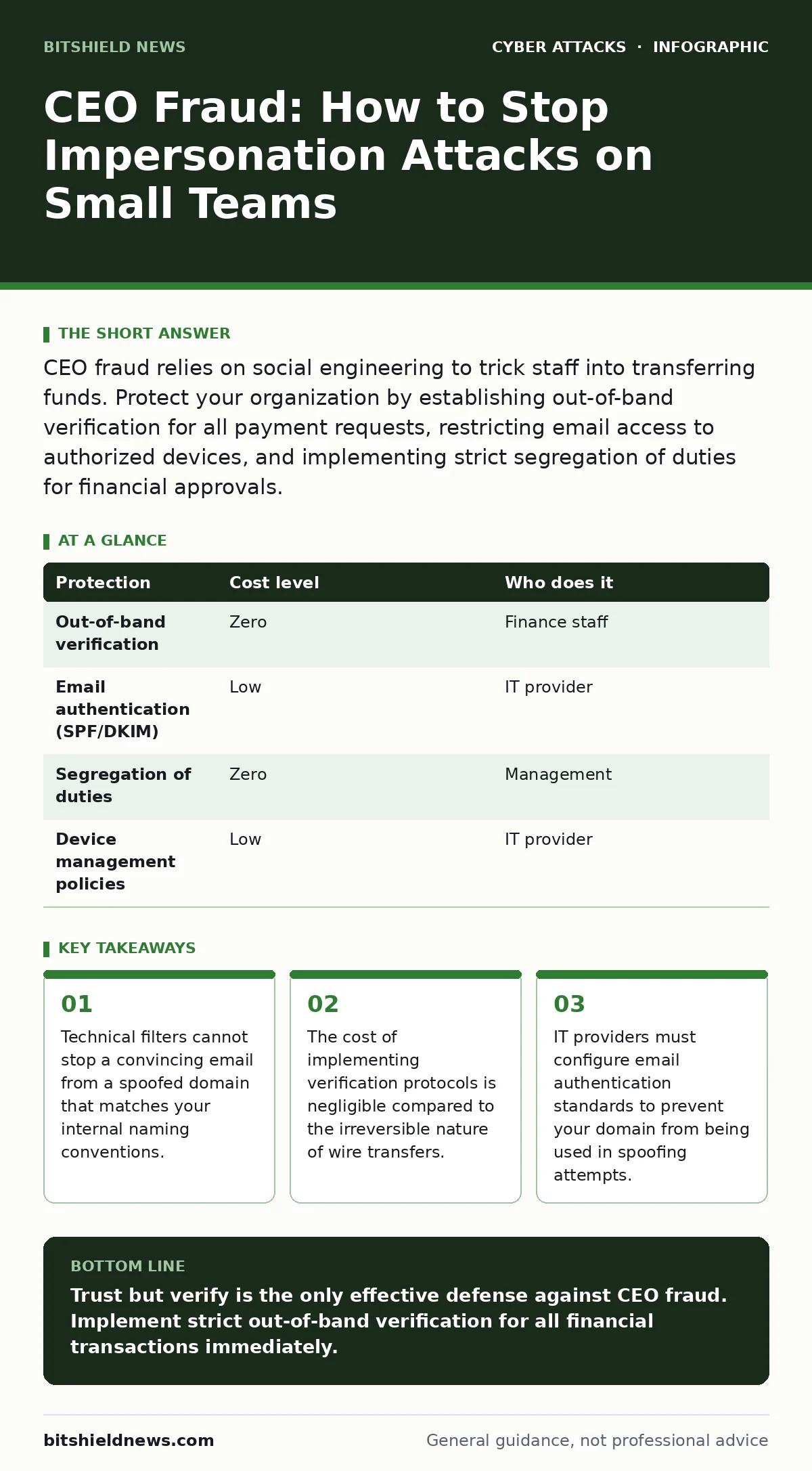
CEO fraud relies on social engineering to trick staff into transferring funds. Protect your organization by establishing out-of-band verification for all payment requests, restricting email access to authorized devices, and implementing strict segregation of duties for financial approvals.
The Anatomy of Trust Exploitation
CEO fraud, often called business email compromise, does not rely on sophisticated hacking tools. It relies on your willingness to help. Attackers study your public social media profiles, press releases, and organizational charts. They learn who handles payments, who reports to whom, and what your typical workflow looks like.
They then craft a message that mimics your executive’s tone. The message creates a sense of urgency. It demands immediate action and secrecy. This pressure bypasses your normal caution. You skip the verification step because you believe you are solving a business problem, not responding to a stranger.
The attack succeeds because it targets the gap between technical security and human behavior. Your firewall may block malware, but it cannot block a polite request from a familiar-looking sender. The attacker needs nothing more than your trust and your access to the payment system.
Why Small Organizations Are Prime Targets
Small organizations often lack the layered defenses of large corporations. You may have a single person handling both IT and finance. This consolidation creates a single point of failure. If that person is deceived, the attacker has direct access to your assets.
Attackers prefer small targets because the financial loss is concentrated. For a small business, that same amount might be a significant portion of your cash flow. The attacker knows you are less likely to have multiple approvers for transactions.
Furthermore, small teams often operate on tight margins. This makes the promise of a "critical" business opportunity more compelling. You are more likely to act quickly to avoid losing a client or a shipment. The attacker uses your operational efficiency against you.
The Hidden Cost of Convenience
Many small businesses keep their email accessible on personal devices or unmanaged laptops. This convenience creates a massive security risk. If your phone is lost or stolen, the attacker has your email client. They can read your correspondence and learn your internal processes.
They can also reply to messages from your account. This makes their spoofing attempts look even more legitimate. If they can reply to your internal discussions, they can mimic your communication style perfectly.
You must treat your email account as a key to your bank vault. Access should be restricted to company-managed devices. Personal devices should not have access to sensitive business communications. This separation reduces the risk of credential theft and unauthorized access.
Low-Cost Protections That Work
You do not need expensive software to mitigate this risk. The most effective controls are procedural and configuration-based. Start by implementing out-of-band verification. This means confirming any payment request through a different channel than the one used for the request.
If an email asks for a transfer, call the executive on a known phone number. Do not use the number in the email. Attackers often include fake contact details. Use a number from your company directory or your memory. This simple step breaks the attacker’s chain of deception.
Another low-cost measure is to restrict who can initiate payments. Segregation of duties ensures that no single person can move funds without oversight. Even in a small team, one person should request the payment, and another should approve it. This creates a natural checkpoint.
| Protection | Cost level | Who does it |
|---|---|---|
| Out-of-band verification | Zero | Finance staff |
| Email authentication (SPF/DKIM) | Low | IT provider |
| Segregation of duties | Zero | Management |
| Device management policies | Low | IT provider |
Configuring Email Authentication
Your IT provider must configure email authentication standards. SPF (Sender Policy Framework), DKIM (DomainKeys Identified Mail), and DMARC (Domain-based Message Authentication, Reporting, and Conformance) are open protocols that verify the sender’s identity.
These protocols prevent attackers from sending emails that appear to come from your domain. If an attacker tries to spoof your CEO’s email, these checks will fail. The recipient’s email server will then reject or flag the message.
Without these configurations, your domain is open for abuse. Attackers can use your name to target your clients or partners. This damages your reputation and increases the likelihood of successful fraud. Ensure your DNS records are correctly configured to reject unauthorized senders.
See also: Credential Stuffing Risks and Protection for Small Businesses · Web Shells: Risks and Protection for Small Businesses
What to Ask Your IT Provider
When discussing security with an IT provider, avoid vague questions. Ask for specific configurations and policies. Here are the questions that matter:
- How do you configure SPF, DKIM, and DMARC to prevent domain spoofing?
- What process do you have for detecting and responding to compromised accounts?
- How do you enforce conditional access policies to ensure only trusted devices can access email?
- Do you provide security awareness training that includes simulated phishing and fraud scenarios?
- How do you monitor for unusual login patterns or geographic anomalies?
- What is the procedure for recovering access if an employee’s device is lost?
- How do you ensure that app permission management is restricted for email clients and calendar apps?
- Do you conduct tabletop exercises to test the team’s response to a fraud incident?
The Limits of Technical Controls
No technology can completely eliminate the risk of social engineering. Even with advanced filtering, a determined attacker can bypass technical controls. They may compromise a legitimate account rather than spoofing a domain.
This is why security awareness training is not just about clicking links. It is about building a culture of skepticism. Employees must feel empowered to question authority. If a request feels wrong, it should be paused and verified.
Technical controls reduce the noise. They filter out obvious attacks. But the final decision rests with the human. You must train your team to recognize the signs of urgency and secrecy. These are the hallmarks of fraud.
Key takeaways
- Technical filters cannot stop a convincing email from a spoofed domain that matches your internal naming conventions.
- The cost of implementing verification protocols is negligible compared to the irreversible nature of wire transfers.
- IT providers must configure email authentication standards to prevent your domain from being used in spoofing attempts.
Trust but verify is the only effective defense against CEO fraud. Implement strict out-of-band verification for all financial transactions immediately.
Frequently asked questions
Can I block all emails from unknown senders?
No, this will disrupt business communications. Instead, configure email authentication to verify the sender’s identity and filter out spoofed messages.
What if my CEO is traveling and cannot answer the phone?
Establish a secondary verification method, such as a secure messaging app or a designated deputy who can approve urgent requests.
Is multi-factor authentication enough to stop CEO fraud?
MFA protects account access, but if the attacker tricks you into approving a transaction, MFA does not help. Verification of the request itself is required.
How this guide was produced: written by the BitShield News editorial team with AI assistance, checked against the public references listed below, and reviewed when the facts change. See our editorial policy or report an error.