
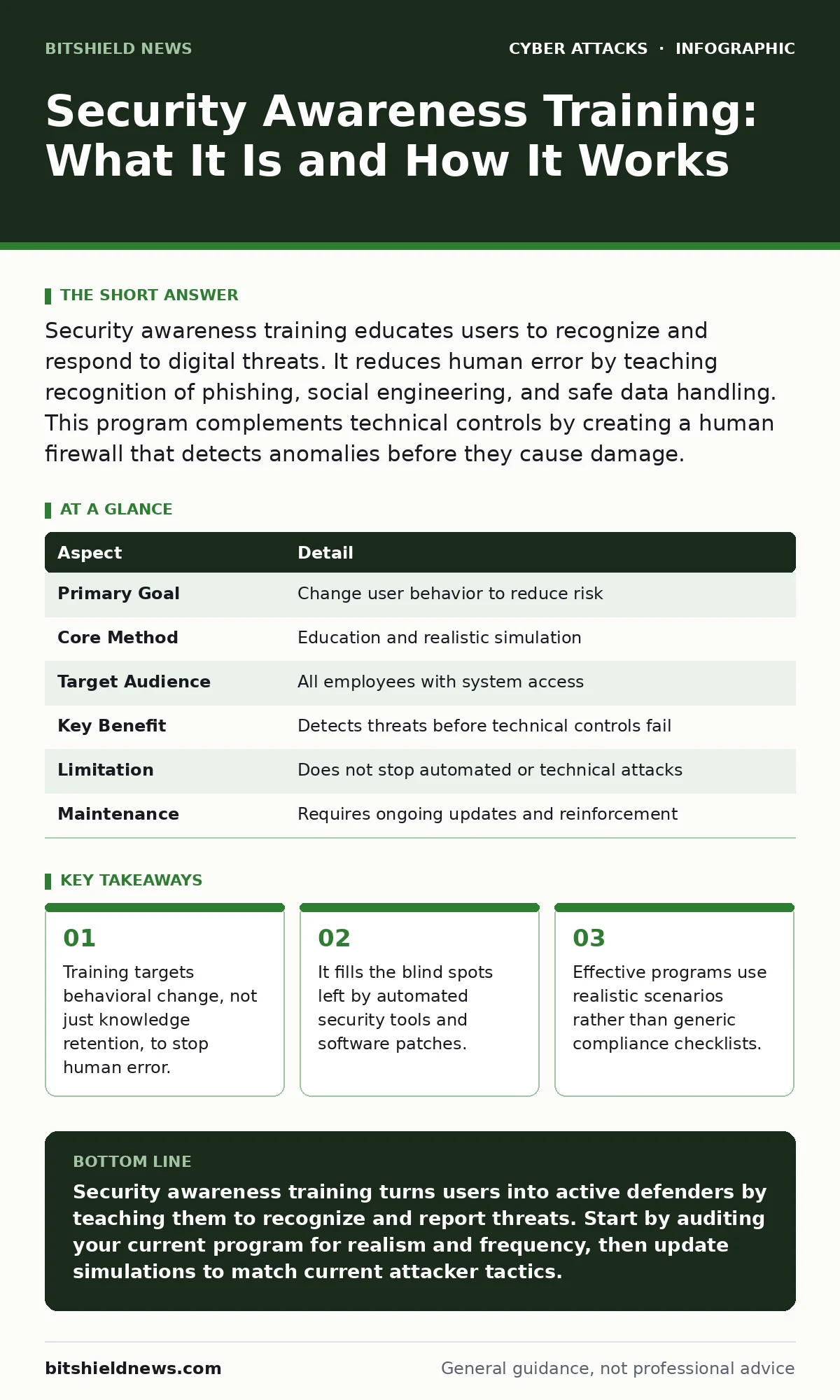
Security awareness training educates users to recognize and respond to digital threats. It reduces human error by teaching recognition of phishing, social engineering, and safe data handling. This program complements technical controls by creating a human firewall that detects anomalies before they cause damage.
The Human Firewall Concept
Imagine a bank vault with an unbreakable door. You can install the best locks in the world, but if an employee opens the door for someone wearing a maintenance uniform, the locks are irrelevant. Security awareness training functions the same way. It transforms your staff from the weakest link into a first line of defense.
Most organizations invest heavily in firewalls, intrusion detection systems, and endpoint protection. These tools are effective against known technical vulnerabilities. However, they struggle to detect manipulation. An attacker does not need to break code to steal data. They only need to convince a person to hand it over. Training addresses this specific gap. It teaches users to spot the social engineering techniques that bypass technical controls.
| Aspect | Detail |
|---|---|
| Primary Goal | Change user behavior to reduce risk |
| Core Method | Education and realistic simulation |
| Target Audience | All employees with system access |
| Key Benefit | Detects threats before technical controls fail |
| Limitation | Does not stop automated or technical attacks |
| Maintenance | Requires ongoing updates and reinforcement |
Defining the Scope and Purpose
Security awareness training is a structured program designed to inform employees about security policies, threats, and their role in protection. It goes beyond reading a policy document. It involves active learning through scenarios, quizzes, and simulations. The purpose is to create muscle memory for security decisions.
When a user receives a suspicious email, they should recognize the red flags without deep thought. This reaction saves time and prevents panic. The training defines what normal looks like in your organization. It helps users identify deviations from the norm. A request for urgent payment or an unusual login attempt becomes visible noise rather than background static.
This program also clarifies responsibilities. Users often assume IT handles all security issues. Training corrects this misconception. It shows that every user is a steward of the data they handle. This shared responsibility model distributes the security load across the entire organization.
The Problem It Solves
Human error remains a primary cause of security incidents. People click links, share credentials, and misconfigure settings. Technical controls cannot always predict or prevent these actions. A firewall cannot stop a user from typing their password into a fake login page. A virus scanner cannot detect a legitimate document used to deliver social engineering.
Training solves this by improving detection rates. It reduces the success rate of phishing attempts. It also speeds up incident reporting. When users know what to look for, they report suspicious activity faster. This early warning gives security teams more time to respond. Delayed reporting allows attackers to move laterally and exfiltrate data. Early reporting contains the blast radius.
Furthermore, training reduces the impact of insider threats. Not all insider threats are malicious. Many are accidental. A well-trained employee is less likely to leave sensitive documents on a public drive or discuss confidential information in insecure channels. This behavioral shift creates a culture of security awareness.
Core Components of Effective Training
Effective training relies on three main components: education, simulation, and reinforcement. Education provides the baseline knowledge. It covers topics like password hygiene, phishing recognition, and physical security. Simulation tests this knowledge in a safe environment. It exposes users to realistic threats without real risk. Reinforcement ensures that lessons stick over time.
Education should be concise and relevant. Long lectures lead to disengagement. Short, focused modules work better. They address specific risks relevant to the user's role. A finance employee needs different training than a software developer. Tailoring content increases relevance and retention.
Simulation is the most critical component. It allows users to practice their skills. Simulated phishing emails test whether users can spot deception. These simulations should mimic current tactics. If attackers are using CEO fraud, the simulation should reflect that. This realism prepares users for actual attacks.
Reinforcement keeps security top of mind. One-time training fades quickly. Regular nudges, such as monthly tips or quarterly simulations, maintain awareness. This continuous approach combats complacency. It reminds users that threats evolve and so must their defenses.
Integration with Technical Defenses
Training does not replace technical controls. It complements them. Technical tools provide the baseline protection. Training adds a layer of human intelligence. This combination creates a defense-in-depth strategy. No single control is perfect. Layering controls reduces the chance of total failure.
For instance, conditional access policies can block logins from unusual locations. However, if a user is coerced into logging in from their own device, the policy might not trigger. Training helps users recognize coercion or unusual requests. It empowers them to question the legitimacy of the request.
Similarly, rate limiting can prevent brute force attacks. But it cannot stop a user from sharing their credentials. Training educates users on the importance of keeping credentials private. It explains the risks of credential stuffing attacks. This knowledge prevents the initial compromise.
Training also supports incident triage. When a user reports a suspicious event, the security team can prioritize it. This context speeds up the investigation. It helps distinguish between a false alarm and a real threat.
Common Misconceptions and Pitfalls
Many organizations treat training as a compliance checkbox. They run an annual course and consider the job done. This approach fails to change behavior. It creates a false sense of security. Users complete the training to avoid penalty, not to learn. The knowledge is forgotten by next week.
Another mistake is blaming users for every breach. This creates a culture of fear. Users hide mistakes instead of reporting them. Fear stifles communication. It prevents the early reporting that training aims to encourage. Organizations should focus on system design and support, not blame.
Some programs use unrealistic scenarios. They send obvious phishing emails with spelling errors. Users learn to spot these obvious fakes. They become desensitized to subtle, realistic attacks. Simulations must evolve with attacker tactics. They should challenge users without being impossible to detect.
Measuring Success and Improvement
Measuring the effectiveness of training requires looking at behavior, not just completion rates. Track the click rate on simulated phishing emails. A declining click rate indicates improvement. Track the reporting rate. An increasing reporting rate shows users are engaged.
Also, monitor the time to report. Faster reporting indicates better awareness. Compare these metrics over time. Look for trends. If click rates plateau, update the training content. Introduce new scenarios or techniques. Keep the training fresh and relevant.
Use feedback from users. Ask them what they find useful or confusing. Adjust the program based on their input. This iterative process ensures the training remains effective. It adapts to the changing threat environment.
The Role in Broader Security Strategy
Security awareness training is part of a larger security strategy. It works alongside incident triage protocols. When a user reports an incident, the response team needs clear procedures. Training ensures the user provides the right information. This streamlines the response process.
It also supports tabletop exercises. These exercises simulate major incidents. Trained users can participate more effectively. They understand their role in the response. This improves the organization's overall resilience.
Training also mitigates risks like Bluetooth attacks. Users learn to disable Bluetooth when not in use. They understand the risks of pairing with unknown devices. This small behavioral change reduces exposure.
Finally, training reinforces the importance of regular updates. Users learn why patches matter. They understand that delaying updates leaves vulnerabilities open. This cooperation reduces the window of exposure.
Key takeaways
- Training targets behavioral change, not just knowledge retention, to stop human error.
- It fills the blind spots left by automated security tools and software patches.
- Effective programs use realistic scenarios rather than generic compliance checklists.
- Continuous reinforcement beats one-time annual sessions for long-term retention.
Security awareness training turns users into active defenders by teaching them to recognize and report threats. Start by auditing your current program for realism and frequency, then update simulations to match current attacker tactics.
Frequently asked questions
How often should security awareness training be conducted?
Training should be continuous. Initial onboarding is followed by regular refreshers. Monthly or quarterly simulations keep skills sharp and awareness high.
Does training protect against ransomware?
Training reduces the risk of initial infection via phishing. It does not stop ransomware that enters through technical vulnerabilities. Layered defenses are still required.
Who is responsible for creating training content?
Security teams usually create content, but they should involve HR and legal. This ensures the training aligns with company policy and legal requirements.
Can training replace technical security tools?
No. Training complements technical tools. It addresses human behavior, which technical tools cannot fully control. Both are necessary for a complete defense.
How this guide was produced: written by the BitShield News editorial team with AI assistance, checked against the public references listed below, and reviewed when the facts change. See our editorial policy or report an error.