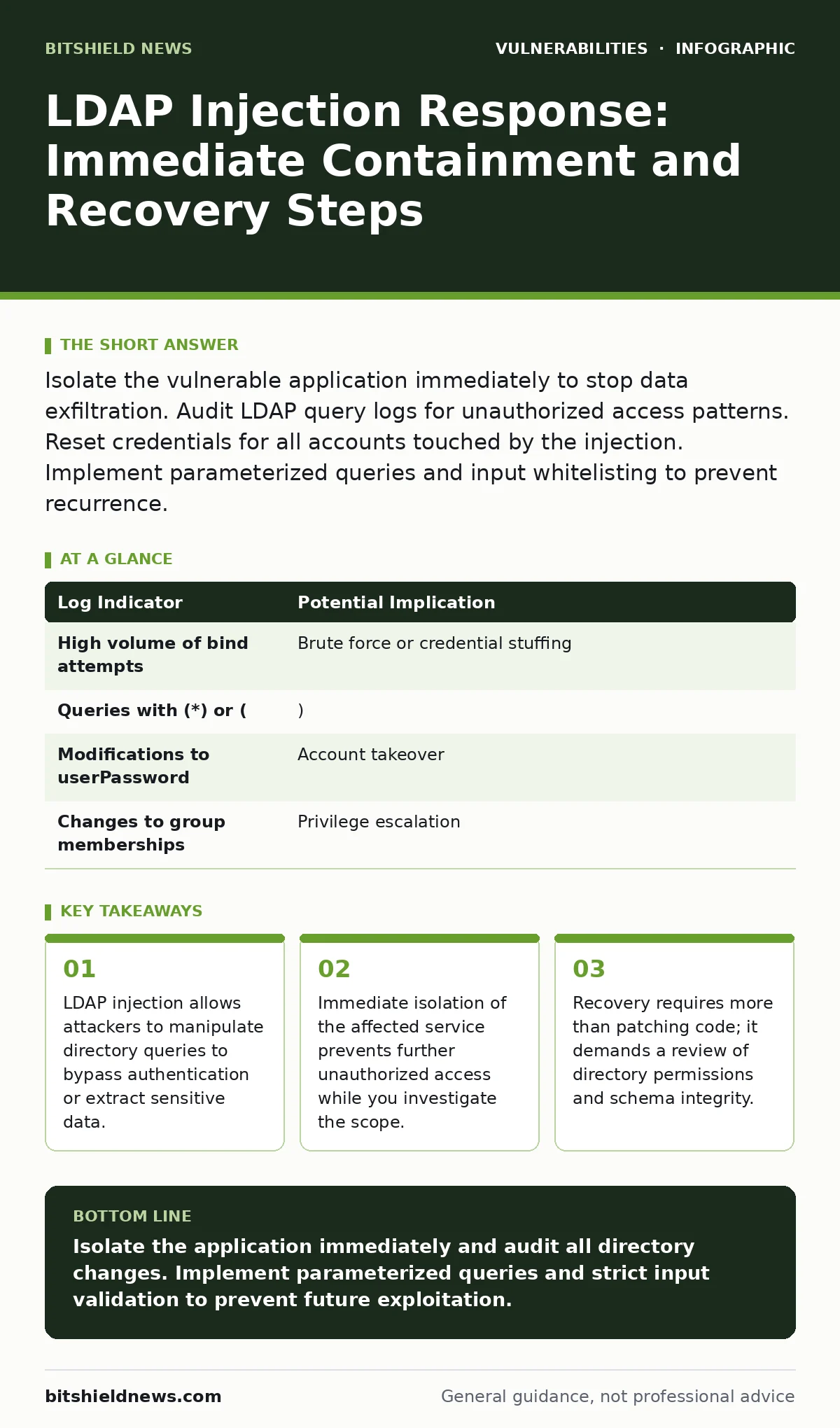
Isolate the vulnerable application immediately to stop data exfiltration. Audit LDAP query logs for unauthorized access patterns. Reset credentials for all accounts touched by the injection. Implement parameterized queries and input whitelisting to prevent recurrence.
First hour: Stop the bleed
An LDAP injection occurs when an attacker inserts malicious commands into Lightweight Directory Access Protocol (LDAP) queries. This protocol is used to manage and search directory information services, such as user accounts. If an application passes unsanitized user input directly into an LDAP query, the attacker can alter the query logic. They might bypass authentication, list all users, or modify account attributes.
You must act fast because directory services are often central to your entire identity infrastructure. A breach here can ripple across email, file shares, and internal tools.
Immediate isolation steps
Your first goal is to cut off the attacker’s path without destroying evidence. You need to separate the vulnerable application from the directory service.
- Disable the specific application endpoint that accepts the malicious input.
- Block traffic to the LDAP server ports from the compromised application server IP.
- Preserve logs from the web server, application server, and LDAP directory server.
- Take a snapshot of the LDAP database if supported by your platform.
Do not attempt to "fix" the code while the incident is active. The priority is containment. If you cannot disable the application, restrict its access to the LDAP server to read-only mode if possible. This prevents attribute modifications while you assess the damage.
First day: Assess the scope
Once the bleeding stops, you must understand what the attacker did. LDAP injections can be subtle. An attacker might not steal passwords immediately. Instead, they might append a clause to always return true, granting them access. Or they might search for specific administrative groups.
Review the LDAP access logs. Look for queries that do not match normal user behavior. Search for unusual filter strings. Standard queries usually look for a specific user ID. Injected queries often contain wildcards, bitwise operators, or unexpected attribute names.
| Log Indicator | Potential Implication |
|---|---|
| High volume of bind attempts | Brute force or credential stuffing |
Queries with (*) or ( | ) |
Modifications to userPassword | Account takeover |
| Changes to group memberships | Privilege escalation |
Identify every account that was accessed. This includes accounts that were queried, even if the attacker did not successfully log in. Querying an account can reveal password hashes or linked service accounts. Assume any account touched by the injection is compromised.
First week: Recovery and hardening
Recovery is not just about turning the application back on. You must restore trust in the directory data. An attacker may have created backdoor accounts or modified existing ones to grant them persistent access.
Credential reset and account audit
Reset passwords for all accounts identified in the log review. Do not just change the password; force a new authentication token generation. Check for new accounts created during the incident window. Delete any accounts you did not authorize.
Verify group memberships. Attackers often add their accounts to administrative groups to maintain access even after the initial injection point is patched. Compare current group structures against a known good baseline. If you do not have a baseline, review changes made by any service account during the incident period.
Code remediation and input validation
The root cause is unsanitized input. You must change how the application constructs LDAP queries. The standard defense is parameterized queries, also known as prepared statements. This technique separates the code from the data. The LDAP server treats the input as a literal string, not as executable commands.
If your language or framework does not support parameterized LDAP queries, you must implement strict input validation. Use whitelists to define exactly what characters are allowed. Reject any input that contains LDAP special characters like *, (, ), <, >, or ~. Do not rely on blacklisting, which is easy to bypass.
Schema and permission review
Review the permissions of the account the application uses to connect to the LDAP server. This service account should have the minimum permissions necessary. If the application only needs to read user names, it should not have permission to write to password attributes.
Who to tell
Notification is part of containment. You must inform the right people quickly.
Tell your security operations center to monitor for lateral movement. The attacker may have used the directory access to pivot to other systems. Tell your legal and compliance teams if personal data was exposed. They will determine if regulatory notifications are required. Tell your users if their credentials were compromised. Advise them to change passwords on other services where they reuse credentials.
How to stop a repeat
Prevention requires a shift in development practices. Code reviews must focus on input handling. Automated security testing should include LDAP injection payloads. Static application security testing tools can find vulnerable code patterns before deployment.
Implement a directory shadow. This is a read-only replica of the production directory used for testing. It allows developers to test queries without risking production data. It also provides a baseline for detecting unauthorized changes.
Regularly audit directory schemas. Ensure that sensitive attributes are protected by access control lists. Review these lists periodically to ensure they match current business requirements.
See also: National Cyber Emergency Declarations: What They Mean for Your Infrastructure · Authorization Bypass Response: Containment and Recovery Steps
Long-term resilience
Build a culture of secure coding. Developers must understand how LDAP works and why injection is dangerous. Training should include hands-on labs where they can see how unsanitized input breaks queries.
Monitor for anomalies in real-time. Set up alerts for unusual query patterns. This allows you to detect an attack in progress rather than after the damage is done. Combine this with regular penetration testing to find weaknesses before attackers do.
Recovery from LDAP injection is complex because it touches the core of your identity management. Take the time to do it right. Rushing back online without verifying the integrity of your directory invites a repeat incident.
Key takeaways
- LDAP injection allows attackers to manipulate directory queries to bypass authentication or extract sensitive data.
- Immediate isolation of the affected service prevents further unauthorized access while you investigate the scope.
- Recovery requires more than patching code; it demands a review of directory permissions and schema integrity.
Isolate the application immediately and audit all directory changes. Implement parameterized queries and strict input validation to prevent future exploitation.
Frequently asked questions
Can LDAP injection be prevented by a web application firewall?
A web application firewall can block known attack patterns, but it is not a substitute for secure coding. Attackers can often bypass signature-based rules with obfuscated payloads.
How do I know if my LDAP server is vulnerable?
Vulnerability depends on how applications construct queries, not the server itself. Test your applications with parameterized queries and input validation to ensure they resist injection.
Should I change the LDAP service account password?
Yes, if the application code is compromised or if the attacker accessed the account. Rotating the credentials stops any existing sessions or cached tokens from being used.
Is LDAP injection the same as SQL injection?
Both exploit unsanitized input in query languages, but they target different systems. LDAP injects into directory queries, while SQL injection targets database queries. The defense principles are similar.
How this guide was produced: written by the BitShield News editorial team with AI assistance, checked against the public references listed below, and reviewed when the facts change. See our editorial policy or report an error.