Fix clickjacking by setting X-Frame-Options and Content-Security-Policy frame-ancestors directives. Avoid inline frame embedding and ensure all subdomains inherit these protections. Verify that third-party widgets do not bypass your framing restrictions through hidden iframes or CSS manipulation.
Mistake 1: Omitting X-Frame-Options Headers
You leave your server configuration without explicit framing restrictions. Browsers historically allow any site to embed another site in an iframe unless told otherwise. This default permissive behavior enables attackers to load your application in a hidden layer above their own content.
Why it hurts:
An attacker creates a page that looks like a harmless tool. They place an invisible iframe containing your login page or payment form on top. When you click what you think is a "Next" button, you actually click a "Transfer Funds" button on your real site. The attack succeeds because the browser renders the frames without checking if the embedding is authorized.
The fix:
Configure your web server to send the X-Frame-Options header with the value SAMEORIGIN or DENY. SAMEORIGIN allows your own subdomains to embed the content, which is useful for dashboards. DENY prevents any embedding, which is the strictest security posture. This header tells the browser to block the iframe if the origin does not match.
Mistake 2: Ignoring Content-Security-Policy frame-ancestors
You rely solely on X-Frame-Options and neglect the Content-Security-Policy (CSP) directive. CSP is a response header that controls which resources a user agent is allowed to load. It provides a more granular way to define framing permissions than the older X-Frame-Options header.
Why it hurts:
Some browsers prioritize CSP over X-Frame-Options. If your CSP allows framing from any source using the wildcard character, it overrides your X-Frame-Options setting. This creates a false sense of security. An attacker can exploit the CSP gap even if you have the older header configured correctly. The conflict between the two headers can lead to inconsistent protection across different browser versions.
The fix:
Add the frame-ancestors directive to your CSP header. Set it to 'self' to allow only your domain to frame the content. You can also list specific trusted domains if you need to embed content in partner sites. Ensure this directive is present in every page that handles sensitive actions. This provides defense in depth against browsers that might ignore the older header.
Mistake 3: Allowing Inline Styles in CSP
You permit 'unsafe-inline' in your Content-Security-Policy to support legacy JavaScript libraries or dynamic styling. This directive allows the page to execute inline style attributes and style tags. Attackers use this to create CSS-based clickjacking attacks.
Why it hurts:
Attackers can use CSS pointer-events: none to make the top iframe invisible to mouse clicks. They then use position and opacity rules to align their buttons with your visible content. If your CSP allows unsafe-inline styles, the attacker can inject these styles into the page or use them in their overlay. This bypasses the visual detection mechanisms that users might rely on to spot tampering.
The fix:
Remove 'unsafe-inline' from your style-src directive in CSP. Use nonces or hashes for necessary inline styles. A nonce is a unique, random value generated per request that you include in the CSP header and the style tag. This ensures only your server-generated styles are applied. It prevents attackers from injecting arbitrary CSS to manipulate the layout or hide elements.
Mistake 4: Embedding Content via Iframes Without Sandboxing
You use iframes to display third-party content or internal modules without applying the sandbox attribute. The sandbox attribute enforces a set of restrictions on the content loaded in the iframe. It limits what the embedded content can do, such as running scripts or submitting forms.
Why it hurts:
Without sandboxing, the embedded content has full access to the parent page’s DOM if same-origin policies are not strictly enforced. An attacker-controlled iframe can inject scripts that trigger clicks on your main page. Even if the iframe is from a trusted source, a compromise of that source can lead to clickjacking of your application. The lack of isolation allows the embedded content to interact with your UI elements maliciously.
The fix:
Add the sandbox attribute to all iframe elements. Specify only the permissions required, such as allow-scripts or allow-same-origin. Avoid using allow-forms unless absolutely necessary, as it enables form submissions that can be hijacked. This restricts the iframe’s capabilities and prevents it from triggering unintended actions on the parent page. It adds a layer of protection even if the embedded content is compromised.
Mistake 5: Neglecting Subdomain Header Consistency
You apply framing headers only to your main domain but forget to configure them for subdomains. Subdomains often host different applications or services. If a subdomain lacks proper headers, it becomes a weak point for clickjacking attacks.
Why it hurts:
An attacker can target a subdomain that handles sensitive operations, such as password resets or API calls. If that subdomain allows framing, the attacker can embed it in a malicious page. Users interacting with the main site might not realize they are being redirected to a vulnerable subdomain. The attack exploits the inconsistency in security policies across your infrastructure. This fragmentation makes it easier to find an entry point.
The fix:
Ensure all subdomains inherit the same X-Frame-Options and CSP headers as the main domain. Use wildcard configurations in your web server to apply these headers globally. Test each subdomain to verify that the headers are present and correct. Consistency prevents attackers from bypassing protections by targeting less secure parts of your infrastructure. It ensures a uniform security posture across all accessible endpoints.
See also: Stop Directory Listing Exposure: A Prevention Checklist for Web Servers · Web Application Firewall Mistakes: 7 Errors That Break Your Defense
Mistake 6: Overlooking Third-Party Widget Security
You integrate third-party widgets, such as chat bots or analytics tools, without verifying their framing behavior. These widgets often load content from external domains. If the third-party provider does not implement proper framing restrictions, your site becomes vulnerable through their code.
Why it hurts:
The widget’s code can create iframes that load your content or other sensitive pages. If the widget allows framing, an attacker can exploit this to overlay your UI. You have limited control over the third-party code, making it difficult to enforce your own security policies. The widget acts as a bridge for the attack, allowing the attacker to reach your application’s functionality through a trusted integration.
The fix:
Audit all third-party integrations for framing vulnerabilities. Contact providers to ensure they implement X-Frame-Options and CSP headers. Use CSP frame-ancestors to restrict which domains can frame your content, including those used by widgets. If a provider cannot guarantee security, consider finding an alternative. This reduces the risk of indirect clickjacking through trusted partners.
Mistake 7: Failing to Test for CSS Injection
You assume that preventing iframe embedding is sufficient to stop clickjacking. You do not test for CSS injection attacks that can manipulate the layout of your page. CSS injection can alter the position and visibility of elements without using iframes.
Why it hurts:
Attackers can use CSS to shift buttons or links to unexpected locations. They might hide a "Delete Account" button behind a visible "Save" button. If your application allows user-generated content that includes CSS, an attacker can inject styles that change the UI. This method bypasses traditional framing protections because it does not rely on embedding external pages. It exploits the rendering engine directly.
The fix:
Implement strict input validation for any user-generated content that might include CSS. Use CSP to restrict style sources and prevent inline styles. Regularly test your application with automated tools that check for CSS manipulation possibilities. Ensure that critical actions require explicit confirmation, such as typing a password or clicking a secondary button. This adds friction that disrupts automated clickjacking attempts.
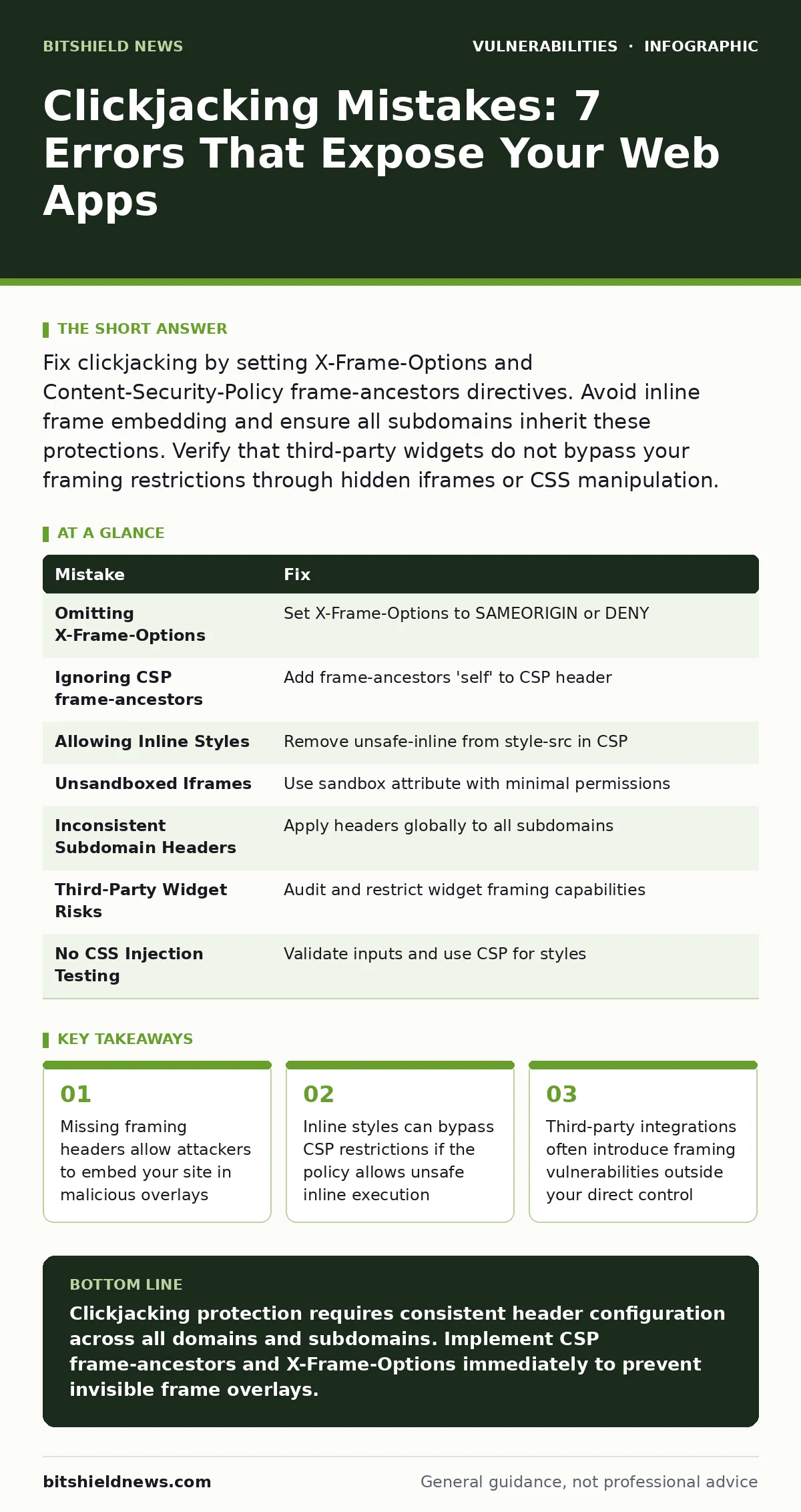
| Mistake | Fix |
|---|---|
| Omitting X-Frame-Options | Set X-Frame-Options to SAMEORIGIN or DENY |
| Ignoring CSP frame-ancestors | Add frame-ancestors 'self' to CSP header |
| Allowing Inline Styles | Remove unsafe-inline from style-src in CSP |
| Unsandboxed Iframes | Use sandbox attribute with minimal permissions |
| Inconsistent Subdomain Headers | Apply headers globally to all subdomains |
| Third-Party Widget Risks | Audit and restrict widget framing capabilities |
| No CSS Injection Testing | Validate inputs and use CSP for styles |
Key takeaways
- Missing framing headers allow attackers to embed your site in malicious overlays
- Inline styles can bypass CSP restrictions if the policy allows unsafe inline execution
- Third-party integrations often introduce framing vulnerabilities outside your direct control
Clickjacking protection requires consistent header configuration across all domains and subdomains. Implement CSP frame-ancestors and X-Frame-Options immediately to prevent invisible frame overlays.
Frequently asked questions
Does HTTPS prevent clickjacking attacks?
No, HTTPS encrypts data in transit but does not control how browsers render frames. You still need framing headers to prevent embedding in malicious pages.
Can I use X-Frame-Options and CSP together?
Yes, using both provides defense in depth. CSP frame-ancestors is more modern and granular, but X-Frame-Options supports older browsers.
How do I test for clickjacking vulnerabilities?
Use browser developer tools to inspect headers. Try embedding your site in an iframe on a local test page to see if it loads or is blocked.
Do web application firewalls stop clickjacking?
Web application firewalls can block some attack patterns, but they are not a substitute for proper header configuration. Headers provide a more reliable and standard-based protection.
How this guide was produced: written by the BitShield News editorial team with AI assistance, checked against the public references listed below, and reviewed when the facts change. See our editorial policy or report an error.