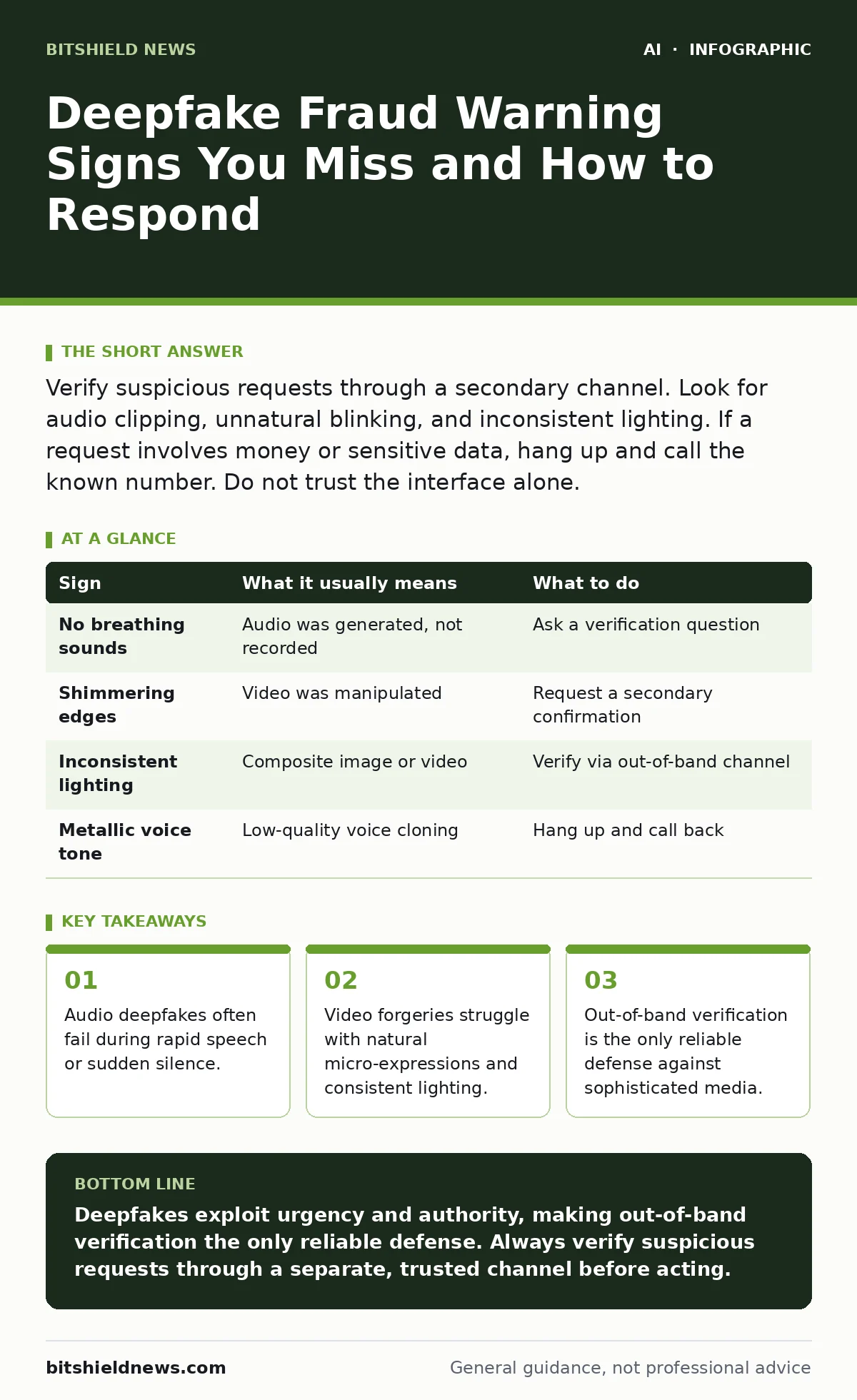
Verify suspicious requests through a secondary channel. Look for audio clipping, unnatural blinking, and inconsistent lighting. If a request involves money or sensitive data, hang up and call the known number. Do not trust the interface alone.
The Illusion of Reality
Synthetic media tools now generate audio and video that fools the human eye and ear. These tools use generative adversarial networks to create convincing forgeries. You might receive a call from your CEO or a video message from a client. The content sounds perfect. The face looks real. This is where the danger lies.
The threat is not just visual. Audio-only deepfakes are easier to produce and harder to detect. They bypass the visual checks you might rely on. Imagine receiving a voice message asking for an urgent wire transfer. The voice matches your boss perfectly. The urgency feels real. This is the primary vector for financial fraud today.
First Signs: The Obvious Glitches
Some deepfakes are low-effort attempts. They show clear signs of manipulation. Look for these first.
- Visual Artifacts: Edges around the face may blur or shimmer. Hair and accessories might merge with the background.
- Audio Clipping: The voice may sound metallic or robotic during sibilant sounds like "s" or "t".
- Unnatural Blinking: The subject may blink too rarely or too frequently. Eyes may not track the camera naturally.
These signs indicate a low-quality generation. They are easy to spot if you watch closely. However, attackers know this. They are improving quickly. Relying on these signs alone is risky.
Hidden Signs: What You Miss
Sophisticated deepfakes hide their flaws in plain sight. These signs require deeper analysis.
Audio Silence and Breathing: Real humans breathe. Synthetic voices often forget to simulate breath. Listen for unnatural pauses. If the speaker talks for long stretches without breathing, it is likely fake. Also, listen for background noise consistency. Real rooms have ambient sound. Synthetic audio often has dead silence behind the voice.
Lighting Inconsistency: Look at how light hits the face. Does it match the room? Shadows should fall consistently. If the face is lit from the left but the shadow falls right, it is a composite.
Micro-Expressions: Humans show subtle muscle movements when speaking. Deepfakes often freeze these muscles. The mouth moves, but the cheeks do not. This creates a "uncanny valley" effect. It feels wrong but you cannot say why.
| Sign | What it usually means | What to do |
|---|---|---|
| No breathing sounds | Audio was generated, not recorded | Ask a verification question |
| Shimmering edges | Video was manipulated | Request a secondary confirmation |
| Inconsistent lighting | Composite image or video | Verify via out-of-band channel |
| Metallic voice tone | Low-quality voice cloning | Hang up and call back |
The Context Trap
Deepfakes exploit urgency and authority. The content is often secondary to the pressure. Attackers create scenarios where you cannot think clearly. They use social engineering to bypass your technical checks.
Imagine your CFO calls you. They sound stressed. They need a payment made immediately. They say they are in a meeting and cannot talk long. This pressure prevents you from verifying the request. The deepfake is just the tool. The real attack is on your process.
You must separate the medium from the message. Even if the voice is perfect, the request may be malicious. Always question the urgency. Ask for time to verify. Real executives understand security protocols. They will not get angry if you follow procedure.
Verification Protocols
When you suspect a deepfake, you must verify. Do not rely on the current channel. Use out-of-band verification. This means contacting the person through a different method.
- Hang Up: End the current call or video session.
- Call Back: Use a known, trusted phone number. Do not use the number that called you.
- Ask a Question: Use a pre-agreed verification phrase. Ask about a recent event only the real person would know.
This process breaks the chain of deception. The attacker cannot intercept your callback if you use a trusted number. It also gives you time to think. Urgency is the attacker's best friend. Delay is your best defense.
Technical Defenses
You can use technology to help, but not to replace judgment. AI content detection tools can flag synthetic media. However, these tools are not perfect. They produce false positives and negatives.
Machine learning for fraud detection can analyze patterns in communication. It can flag unusual requests. But it cannot verify identity. You still need human confirmation.
Integration with AI security testing can help identify vulnerabilities in your systems. But the deepest defense is process. Train your team to verify. Make verification a habit, not an exception.
The Human Element
Technology will always lag behind attackers. The best defense is a skeptical mindset. Assume any urgent request is suspicious. Assume any media can be fake.
This does not mean you distrust everyone. It means you verify everything. Build a culture where verification is normal. It is not an insult to ask for confirmation. It is a standard part of doing business.
Review your policies regularly. Update them as technology changes. Ensure everyone knows the verification steps. Practice them in simulations. This prepares you for the real event.
Key takeaways
- Audio deepfakes often fail during rapid speech or sudden silence.
- Video forgeries struggle with natural micro-expressions and consistent lighting.
- Out-of-band verification is the only reliable defense against sophisticated media.
Deepfakes exploit urgency and authority, making out-of-band verification the only reliable defense. Always verify suspicious requests through a separate, trusted channel before acting.
Frequently asked questions
Can I trust AI tools to detect deepfakes?
No. Detection tools are imperfect and produce errors. Use them as a second opinion, not a final verdict. Always verify with a human.
What if the deepfake is audio-only?
Audio deepfakes are harder to detect. Listen for breathing and background noise. Verify the request through a secondary channel immediately.
How do I handle a deepfake from a family member?
Use a pre-agreed code word or phrase. Ask a question only they would know. Do not send money based on a call alone.
Does encryption protect against deepfakes?
Encryption protects data in transit, not the content. It does not verify the sender's identity. You still need to verify who is calling.
How this guide was produced: written by the BitShield News editorial team with AI assistance, checked against the public references listed below, and reviewed when the facts change. See our editorial policy or report an error.