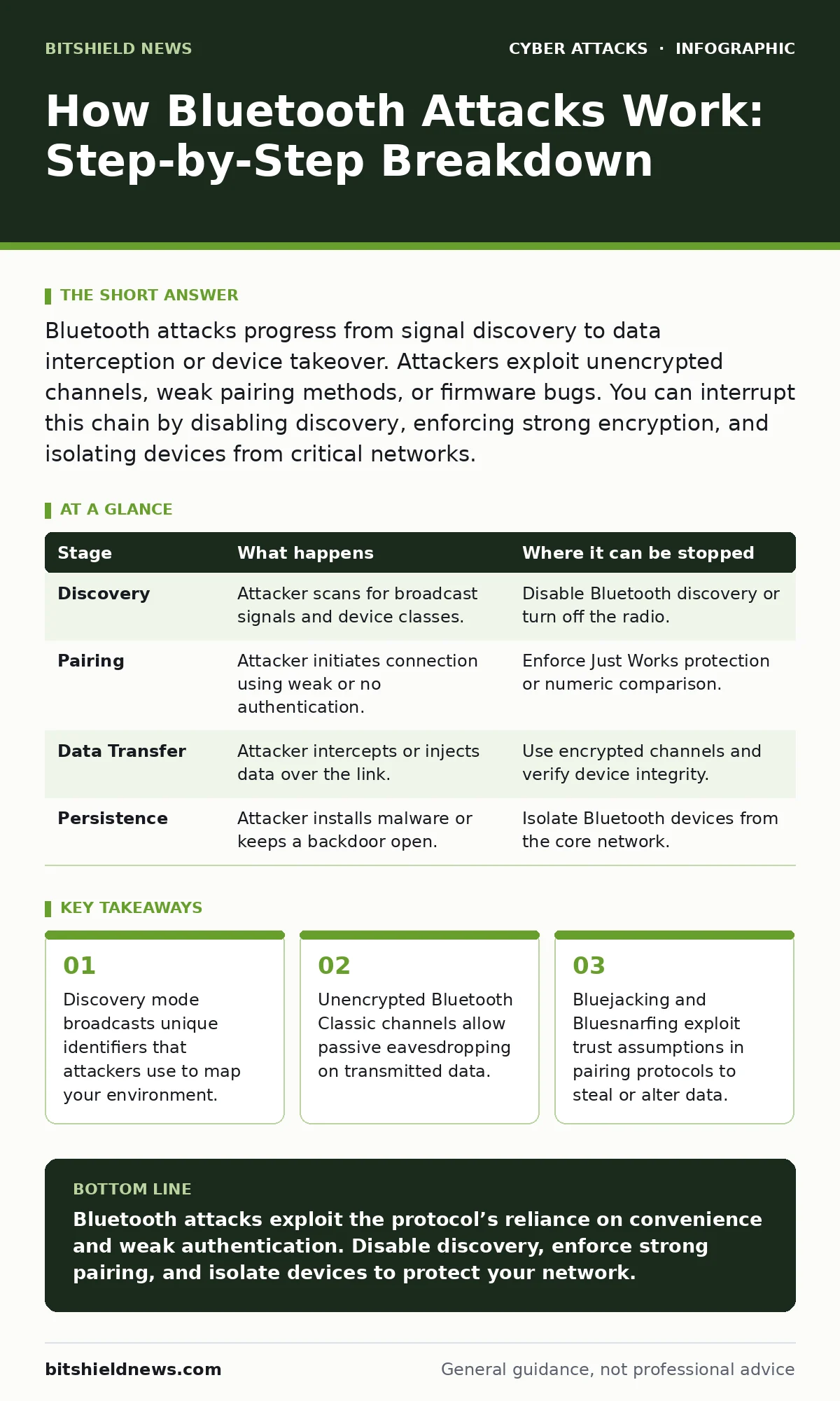
Bluetooth attacks progress from signal discovery to data interception or device takeover. Attackers exploit unencrypted channels, weak pairing methods, or firmware bugs. You can interrupt this chain by disabling discovery, enforcing strong encryption, and isolating devices from critical networks.
The Radio Footprint
Bluetooth operates on the 2.4 GHz frequency band, the same crowded spectrum used by Wi-Fi and microwave ovens. Unlike Wi-Fi, which often requires a password to join a network, Bluetooth devices frequently broadcast their presence to facilitate quick connections. This broadcast is the first vulnerability. When a device advertises itself, it sends out a packet containing its name, device class, and sometimes a unique identifier.
Imagine a crowded conference room. Every phone, laptop, and speaker is shouting its name to find a mate. An attacker does not need to shout back; they only need to listen. This passive listening is the foundation of the attack. The attacker records these advertisements to build a map of available targets. They look for devices that are always discoverable, as these present the lowest barrier to entry.
This stage relies on the device manufacturer’s decision to prioritize convenience over security. Many consumer devices default to "discoverable" to make pairing easier for users. The trade-off is that your device is visible to anyone within range, typically ten meters for Class 2 devices. You can interrupt this stage by turning off Bluetooth when not in use or setting devices to "non-discoverable" mode. This stops the broadcast, rendering the device invisible to passive scanners.
Stage 1: Signal Discovery and Profiling
The attacker begins by scanning the local environment for Bluetooth signals. They use software to capture the advertising packets emitted by nearby devices. The goal is not yet to connect, but to identify. The attacker looks for specific signatures that indicate vulnerable hardware or outdated firmware versions.
They categorize devices by their "device class," which hints at their function, such as a phone, headset, or medical sensor. This profiling helps the attacker prioritize targets. A smart lock or a healthcare device might hold more value than a generic speaker. The attacker notes the MAC address, a unique hardware identifier, though modern devices often randomize this to prevent tracking. If the device does not randomize, the attacker can track it across different locations.
| Stage | What happens | Where it can be stopped |
|---|---|---|
| Discovery | Attacker scans for broadcast signals and device classes. | Disable Bluetooth discovery or turn off the radio. |
| Pairing | Attacker initiates connection using weak or no authentication. | Enforce Just Works protection or numeric comparison. |
| Data Transfer | Attacker intercepts or injects data over the link. | Use encrypted channels and verify device integrity. |
| Persistence | Attacker installs malware or keeps a backdoor open. | Isolate Bluetooth devices from the core network. |
The Trust Exploit
Once a target is identified, the attacker attempts to establish a connection. Bluetooth relies on a pairing process to create a shared secret, known as a link key, for future communications. Older versions of Bluetooth used Simple Pairing, which had several modes. The most vulnerable is the "Just Works" mode, which requires no user input. Both devices simply accept the connection without verifying identity.
Suppose you pair a new headset with your phone. You press a button, and they connect. In "Just Works" mode, neither device checks if the other is who it claims to be. An attacker can position themselves between your phone and the headset, creating a man-in-the-middle attack. The attacker’s device pretends to be the headset to your phone and the phone to the headset. Both sides believe they are talking to the real partner, but the attacker controls the flow.
This stage relies on the user’s assumption that proximity implies trust. Just because a device is nearby does not mean it is safe. The flaw is in the protocol’s lack of mutual authentication in convenience modes. You can interrupt this by using "Numeric Comparison" or "Passkey Entry" modes, where both devices display the same code or require a PIN. This ensures both parties are actively participating in the verification.
Data Interception and Injection
With a connection established, the attacker moves to data manipulation. Bluetooth Classic, used for audio and file transfers, often transmits data in clear text if encryption is not enforced. Even if encryption is active, weak keys can be cracked. The attacker listens to the data stream, capturing keystrokes, voice data, or files being transferred.
Bluetooth Low Energy (BLE) is different. It is designed for short bursts of data, like heart rate readings from a fitness tracker. BLE uses "GATT" (Generic Attribute Profile) to structure data. Some BLE devices expose services that allow reading or writing data without proper authorization. An attacker can send a command to change the reading of a medical device or lock a smart door. This is not about stealing data, but about altering reality.
This stage relies on the device’s failure to validate incoming commands. Many IoT devices assume that any connected device has permission to write to their settings. The hidden cost is that a compromised peripheral can become a pivot point. If your phone is connected to a compromised smart lock, the attacker might try to push malware from the lock to the phone via the Bluetooth link. You can interrupt this by ensuring devices only accept read requests from authenticated sources and by using encrypted profiles.
Persistence and Pivot
The final stage involves maintaining access. If the attacker has successfully paired with a device, they may install a persistent backdoor. This allows them to reconnect automatically whenever the device is in range, without further user interaction. The device becomes a beacon for future attacks.
Imagine a corporate laptop that pairs with a smart meeting room display. The attacker compromises the display. Every time the laptop enters the room, it connects to the display. The display then pushes a malicious payload to the laptop, exploiting a known vulnerability in the Bluetooth stack. The laptop is now infected, even though it never visited a malicious website.
This stage relies on the "auto-connect" feature, which is designed for user convenience. The trade-off is that trust is granted blindly. The attacker also relies on the lack of network segmentation. If the compromised device is on the same network as sensitive servers, the attacker can pivot. You can interrupt this by disabling auto-connect and isolating Bluetooth devices on a separate VLAN (Virtual Local Area Network). This ensures that even if the device is compromised, it cannot reach critical assets.
The Hidden Costs of Convenience
Bluetooth attacks highlight a broader issue in modern security: the assumption that wireless convenience is safe. The protocol was designed for short-range, low-power connections, not for securing sensitive data. The result is a series of trade-offs that favor ease of use over robust protection.
One non-obvious consequence is that Bluetooth can be used to track individuals over long periods. Even if you disable discovery, some devices continue to broadcast unique identifiers. Attackers can build databases of these identifiers to map your daily routine. This is not just a privacy issue; it is a physical security risk. Knowing when you are at home or in the office allows for targeted attacks.
Another hidden cost is the fragmentation of the ecosystem. Different manufacturers implement Bluetooth standards differently. A patch that fixes a vulnerability on one device may not exist for another. This makes it difficult to ensure consistent security across an organization. You must assume that any Bluetooth device is potentially vulnerable until proven otherwise.
Integrating Defense into Strategy
To defend against Bluetooth attacks, you must integrate these controls into your broader security strategy. This is not just about turning off radios. It is about understanding the risk profile of each device. A smart speaker in a lobby poses a different risk than a Bluetooth mouse used by a finance executive.
Consider how this relates to identity as the new perimeter. Bluetooth devices often lack strong identity verification. They rely on proximity and pre-shared keys. Treating these devices as untrusted endpoints forces you to implement stronger controls. For instance, you might require that all Bluetooth devices be registered and approved before they can connect to corporate hardware.
This approach aligns with conditional access policies. You can define rules that allow Bluetooth connections only from specific, verified devices. If a device fails the check, the connection is blocked. This adds a layer of defense that goes beyond the protocol’s native capabilities. It shifts the burden from the device’s firmware to your central security management system.
Furthermore, security awareness training must include wireless risks. Users need to understand that pairing with an unknown device is as risky as clicking a suspicious link. They should be trained to recognize social engineering attacks that lure them into connecting to rogue devices. This human element is often the weakest link in the chain.
Finally, remember that tabletop exercises can help you prepare for these scenarios. Simulate a breach where an attacker uses a compromised Bluetooth device to pivot into your network. This helps you identify gaps in your monitoring and response procedures. It also highlights the importance of isolating wireless devices from critical infrastructure.
Key takeaways
- Discovery mode broadcasts unique identifiers that attackers use to map your environment.
- Unencrypted Bluetooth Classic channels allow passive eavesdropping on transmitted data.
- Bluejacking and Bluesnarfing exploit trust assumptions in pairing protocols to steal or alter data.
Bluetooth attacks exploit the protocol’s reliance on convenience and weak authentication. Disable discovery, enforce strong pairing, and isolate devices to protect your network.
Frequently asked questions
Can Bluetooth attacks happen from outside my building?
Standard Bluetooth has a range of about ten meters, but directional antennas can extend this range significantly, allowing attacks from outside windows or nearby buildings.
Is turning off Bluetooth enough to prevent all attacks?
Turning off Bluetooth prevents wireless attacks, but it does not protect against vulnerabilities in the Bluetooth stack that could be triggered by other means, such as malicious files.
How do I know if my device is being attacked?
Look for unexpected pairing requests, strange device names in your list, or unusual battery drain, which can indicate a device is being kept active by an attacker.
Are Bluetooth Low Energy devices safer than classic Bluetooth?
Not necessarily. BLE has different vulnerabilities, particularly in data authorization, and can be used for tracking and data injection just like classic Bluetooth.
How this guide was produced: written by the BitShield News editorial team with AI assistance, checked against the public references listed below, and reviewed when the facts change. See our editorial policy or report an error.